← Every featureiPhone Duo and foldables
Unfold to plan. Fold to do.
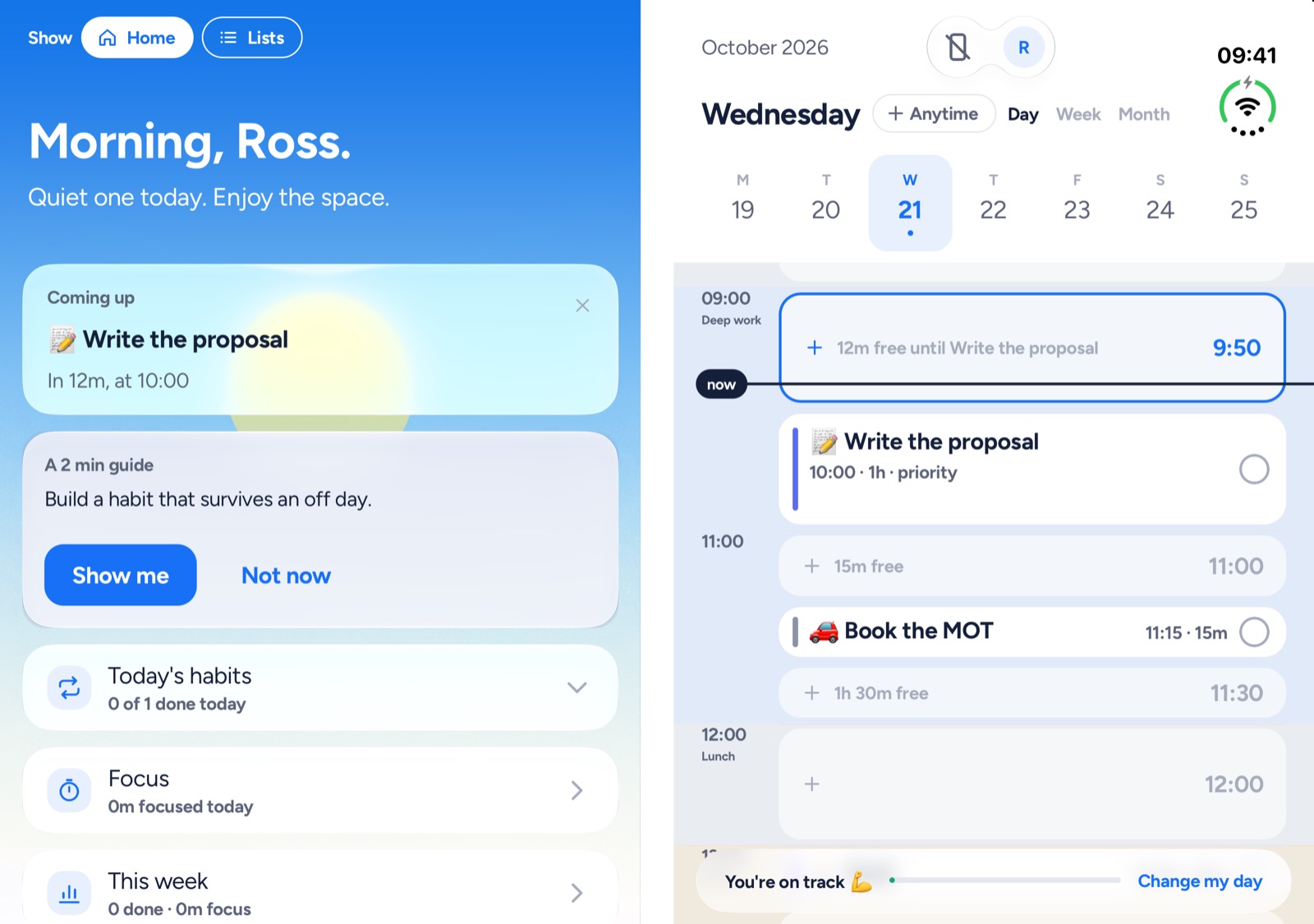
On iPhone Duo, Yoodoo uses both halves. Open it flat and your homepage or Lists sit beside your day. Fold it shut and the outer screen shows what's next.
Three steps. That's it.
- 1
Open it flat
Your homepage or Lists on the left, your day on the right. Drag a card across the fold to plan it.
- 2
Fold it shut
The plan's set. The outer screen shows what's next and how long until it starts.
- 3
Slipped? Open it up
Fix my day shows the day as it drifted beside the fixed one, so you can see what moved.
Why it helps
Built for how your brain works.
Planning and doing want different screens. Planning wants room to see everything; doing wants one thing and nothing else.
A foldable gives you both. Open it to make the plan, close it to just get on with the next thing.
What you get
- Open flat: your homepage or Lists on the left, your day on the right
- Drag a card across the fold onto the day
- Folded: the outer screen shows what's next, with Start
- Fix my day shows the day as it drifted beside the fixed one
- Focus on one side, your day on the other
- Android foldables get the open-flat layout
Good to know.
Does it work on other foldables?
Yes. On Android foldables, open flat, Yoodoo shows your lists or homepage beside your day.