Get reminded to take your meds and drink water.
Put Medication and Water on your homepage. A nudge at each dose, one tap to tick it, and your glasses counted through the day.
3 min · For Scroller, Collector
- 1
Put Medication on your homepage
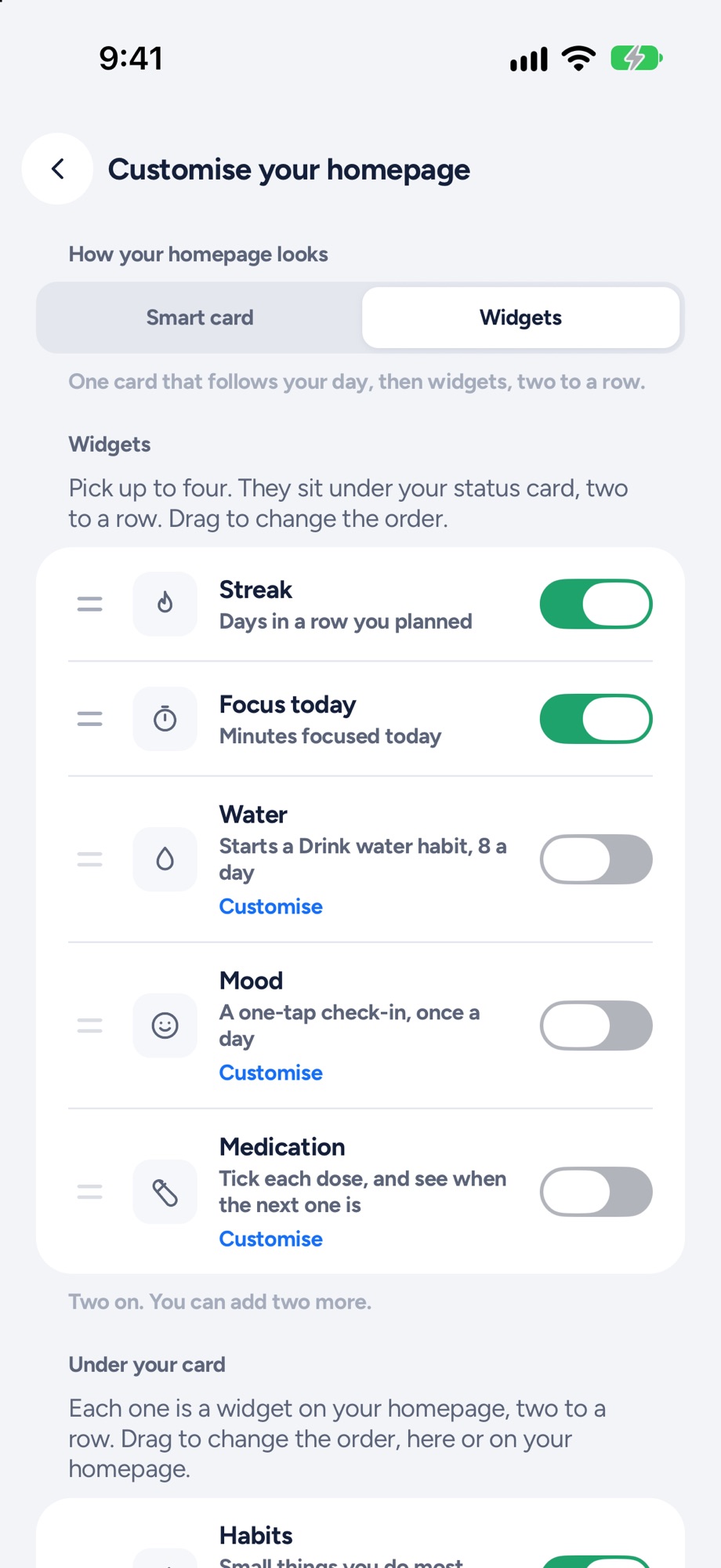
On your homepage, tap the sliders button. Or go to Settings and tap Customise your homepage. Under Widgets, switch on Medication.
- 2
Add your doses
Tap Customise under Medication. Each dose has a name and a time. Tap Add a dose for each one in your day, up to six.
Screenshot to comeAdd your doses - 3
Pick how you're reminded
Under Remind me, switch on Remind me at each dose for a nudge at each time. Or switch on Show on my Timeline, and each dose sits on your day at its time, with the same nudge as any task.
Screenshot to comePick how you're reminded - 4
Tick it when it's taken
On your homepage, tap Taken on the dose. The card keeps count and says when the next one is, like 1 of 2 and next at 20:00.
Screenshot to comeTick it when it's taken - 5
Add Water
Back in Customise your homepage, switch on Water. It starts a Drink water habit, 8 a day. Tap + on the card for each glass. The Water card comes with Pro.
Screenshot to comeAdd Water - 6
Want a nudge for water too?
Open your Drink water habit and tap Edit. Give it a time, then switch on A time for each. Now every glass has a time and a reminder.
Screenshot to comeWant a nudge for water too?
Next, try these.
Build a habit that survives an off day.
Tick the small things from your homepage. A rest day keeps your run going, so one off day doesn't wipe out the rest.
Don't lose the thing you can't lose.
Bills, appointments, the school run. Give the ones that matter a reminder, and for the few that really can't slip, let Yoodoo ring like an alarm, even on silent.