Things slipped? Move the rest in one tap.
No questions, no rebuilding. What's left moves into today's free time, and what doesn't fit goes to tomorrow. With an Undo.
1 min · For Deep Diver, Starter, Scroller
- 1
It's right there on your homepage
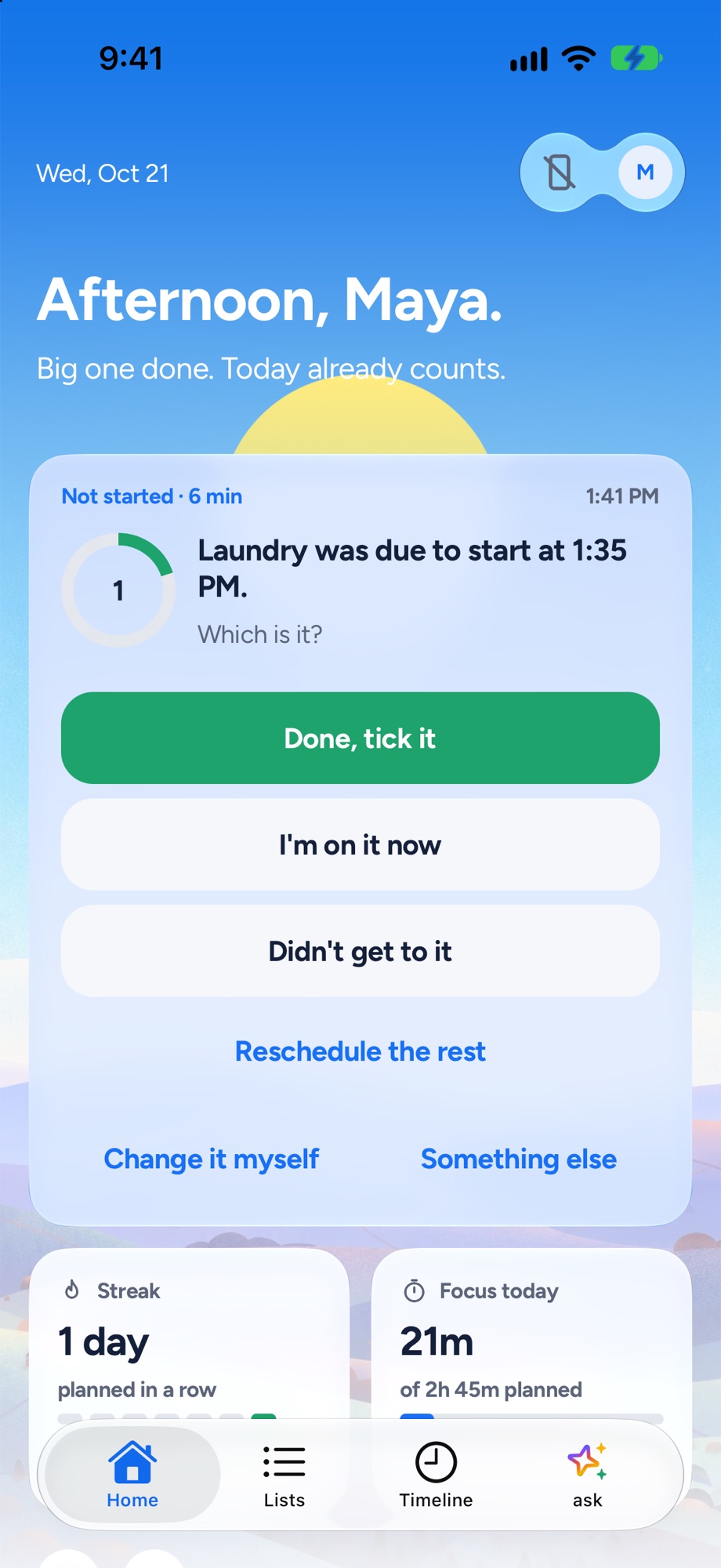
When a few things have slipped, the card on your homepage leads with Reschedule the rest.
- 2
One tap
Tap it. What's left moves into today's free time, and whatever doesn't fit goes to tomorrow. Calendar and locked blocks stay put.
- 3
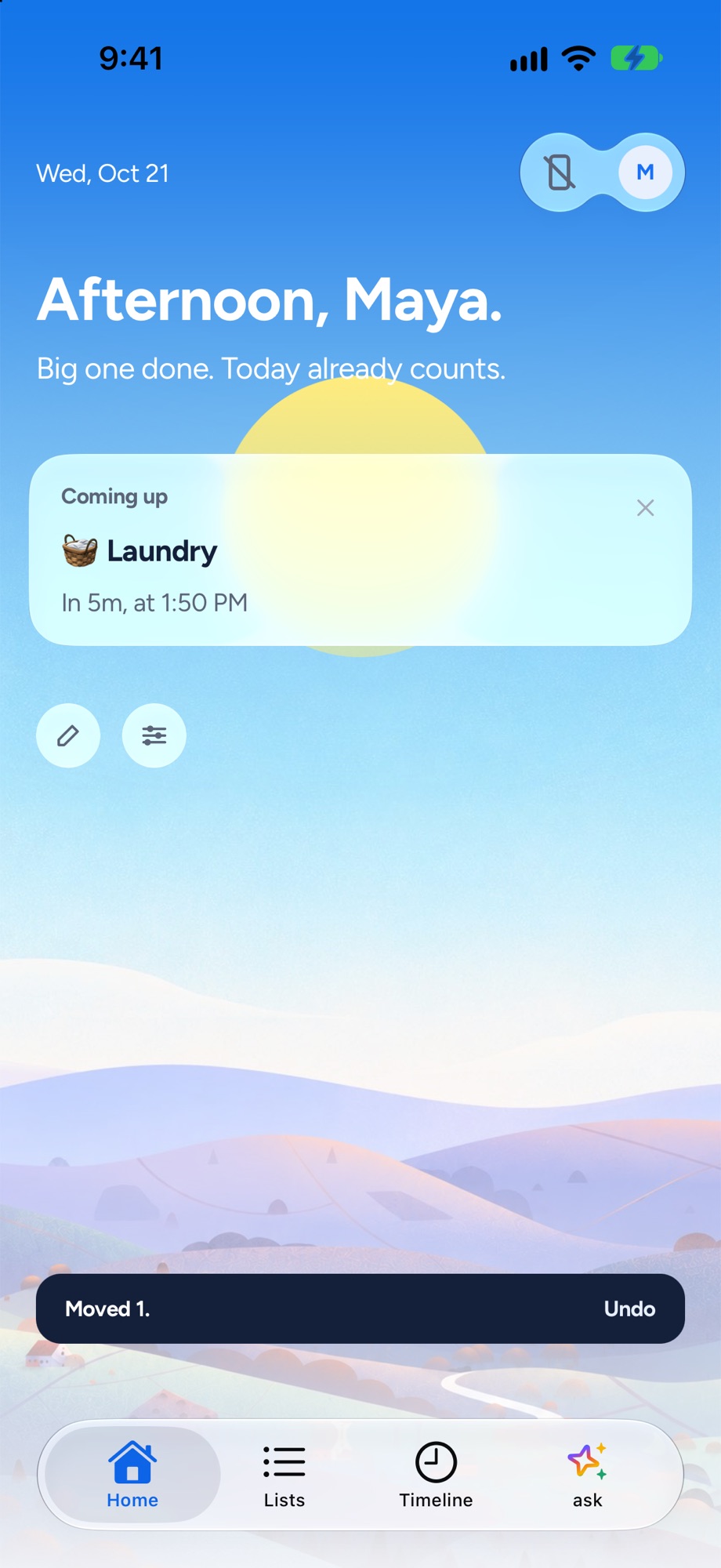
Not what you wanted? Undo
A toast says what moved and what went to tomorrow, with an Undo. Your priority never slips to tomorrow on its own: if it doesn't fit, it stays on today, in Anytime.
- 4
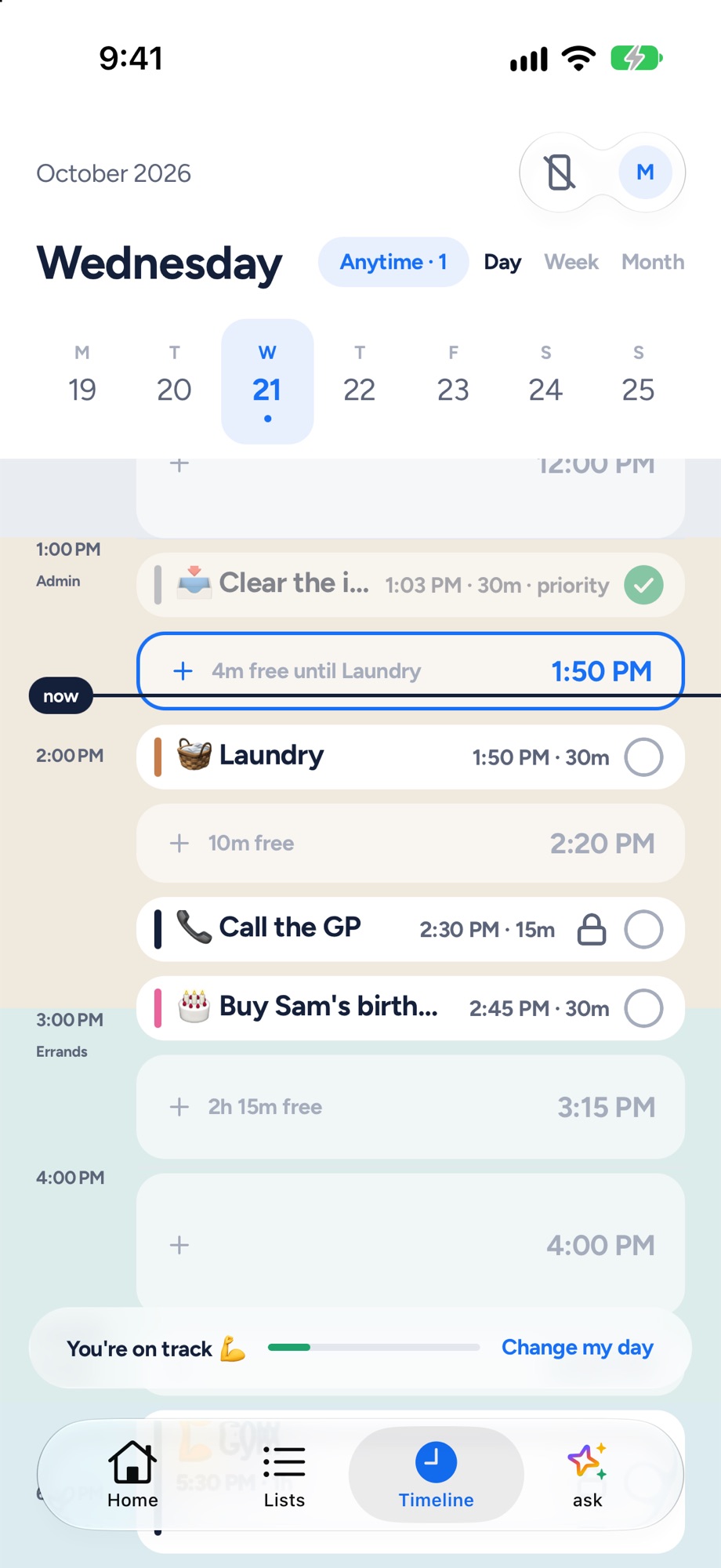
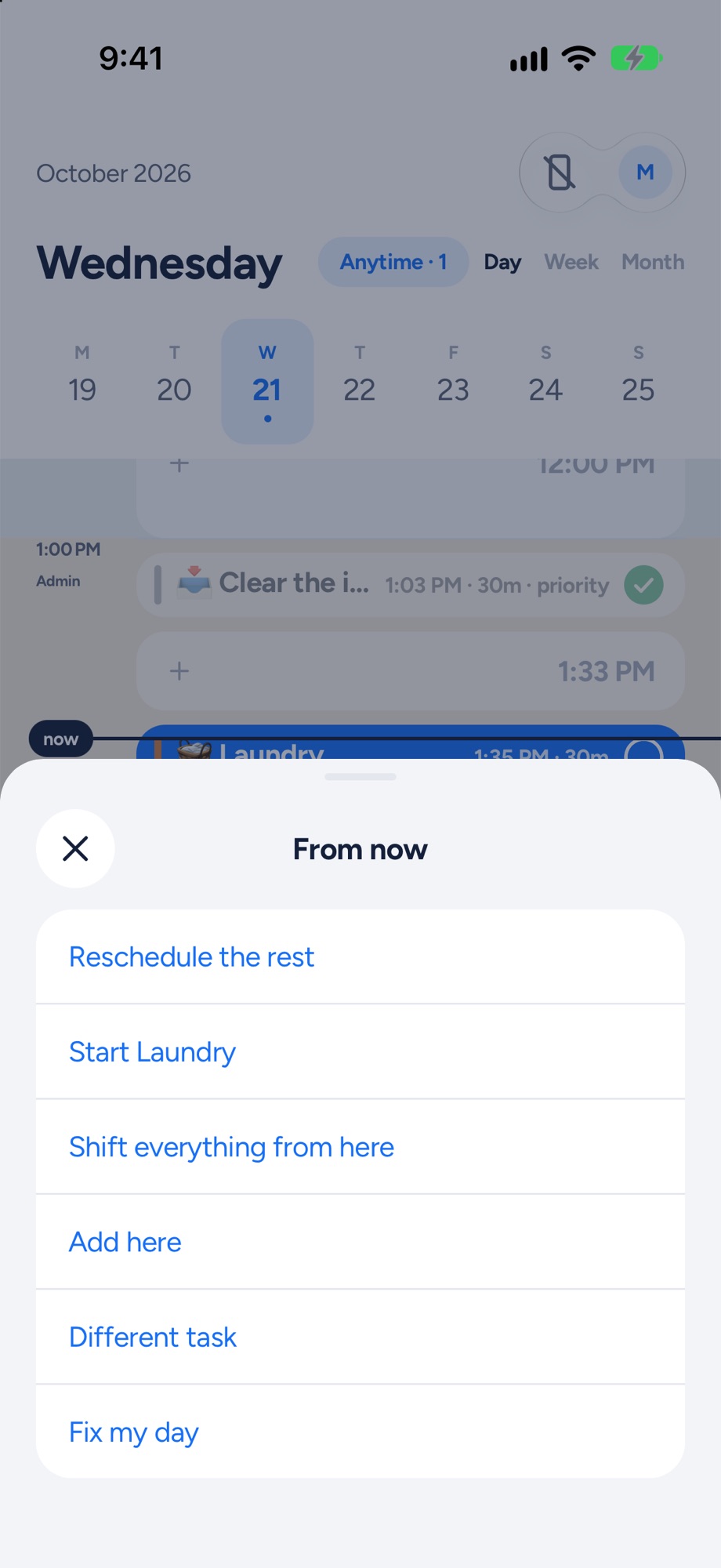
From the timeline too
Tap the now line on the Timeline and Reschedule the rest is first in the menu. It's in Fix my day too.
Next, try these.
Ran over? Fix the rest of the day in one tap.
Everyone runs over. What matters is what happens to the rest of the day. Yoodoo asks one question and moves what can move.
Wrap up tonight, so tomorrow starts with shape.
Three taps at the end of the day. What rolled, rolled. Then plan tomorrow while it's fresh.