See your day on the Timeline.
Your day as time. An hour looks like an hour, every gap says how long it is, and you move things with a finger.
2 min · For Horizon Watcher, Deep Diver
- 1
An hour looks like an hour
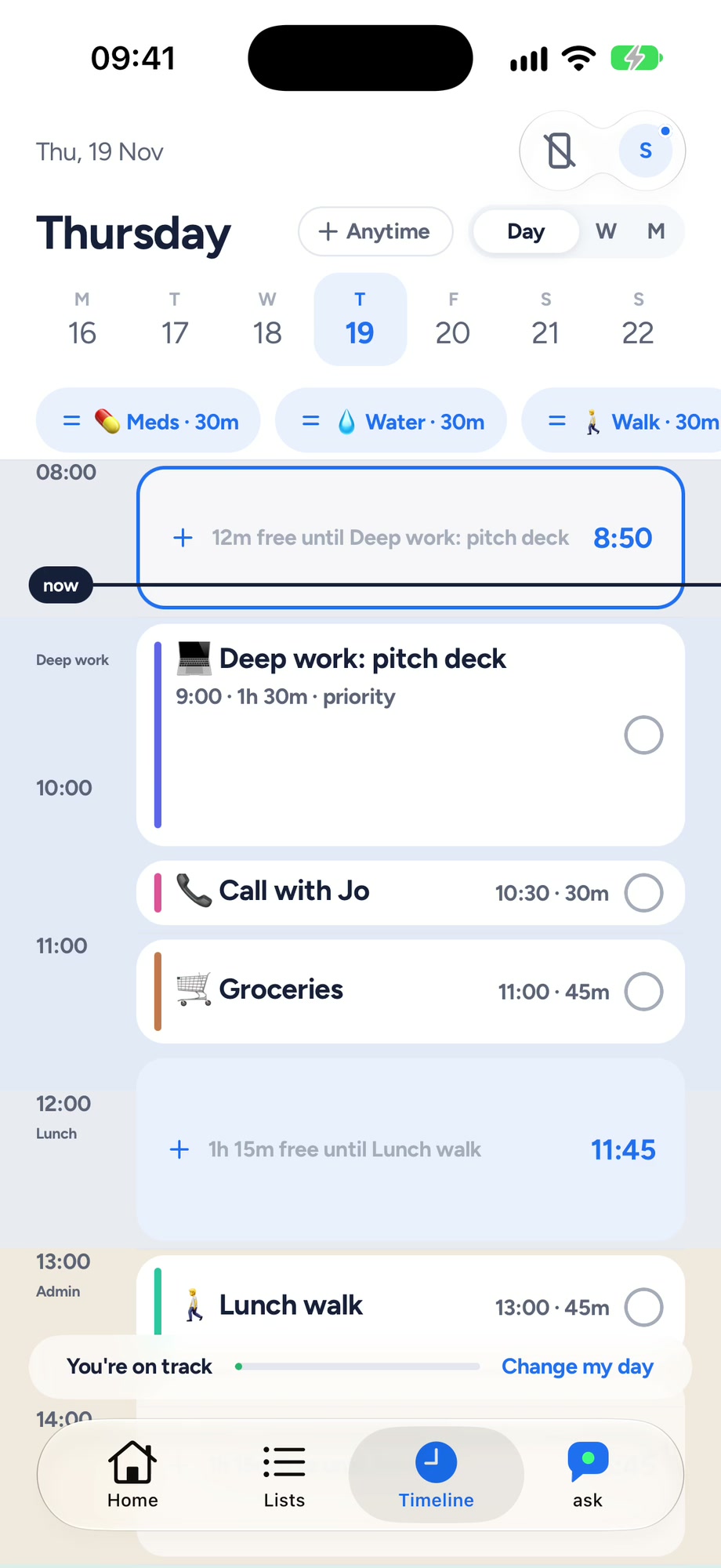
Tap Timeline. Every block is drawn as long as it takes, so a 90 minute task is three times the size of a 30 minute one. The now line shows where you are in the day.
- 2
Every gap says how long it is
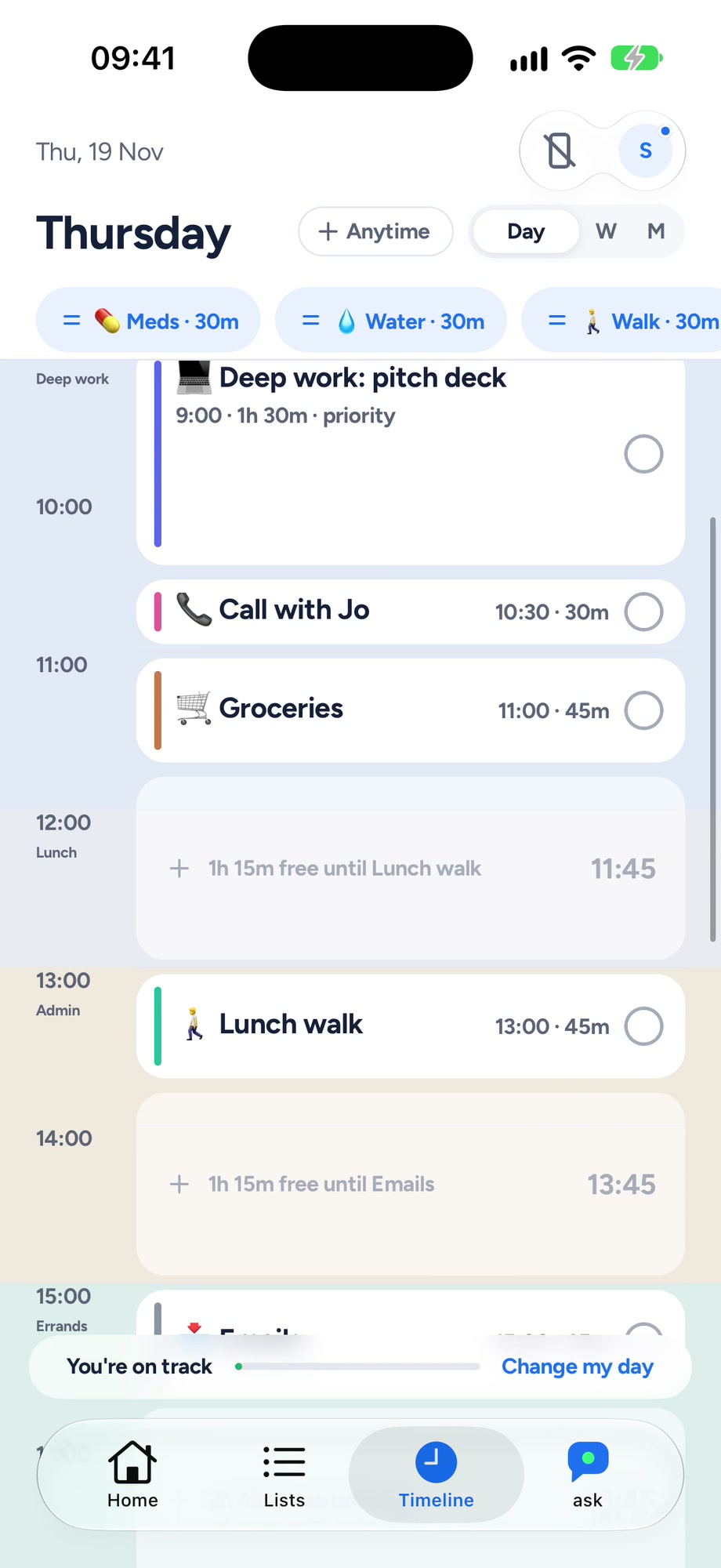
Free time is drawn too, with its length and what it runs up to, like 1h 15m free until Emails. Tap a gap to add something there.
- 3
The block you're in is blue
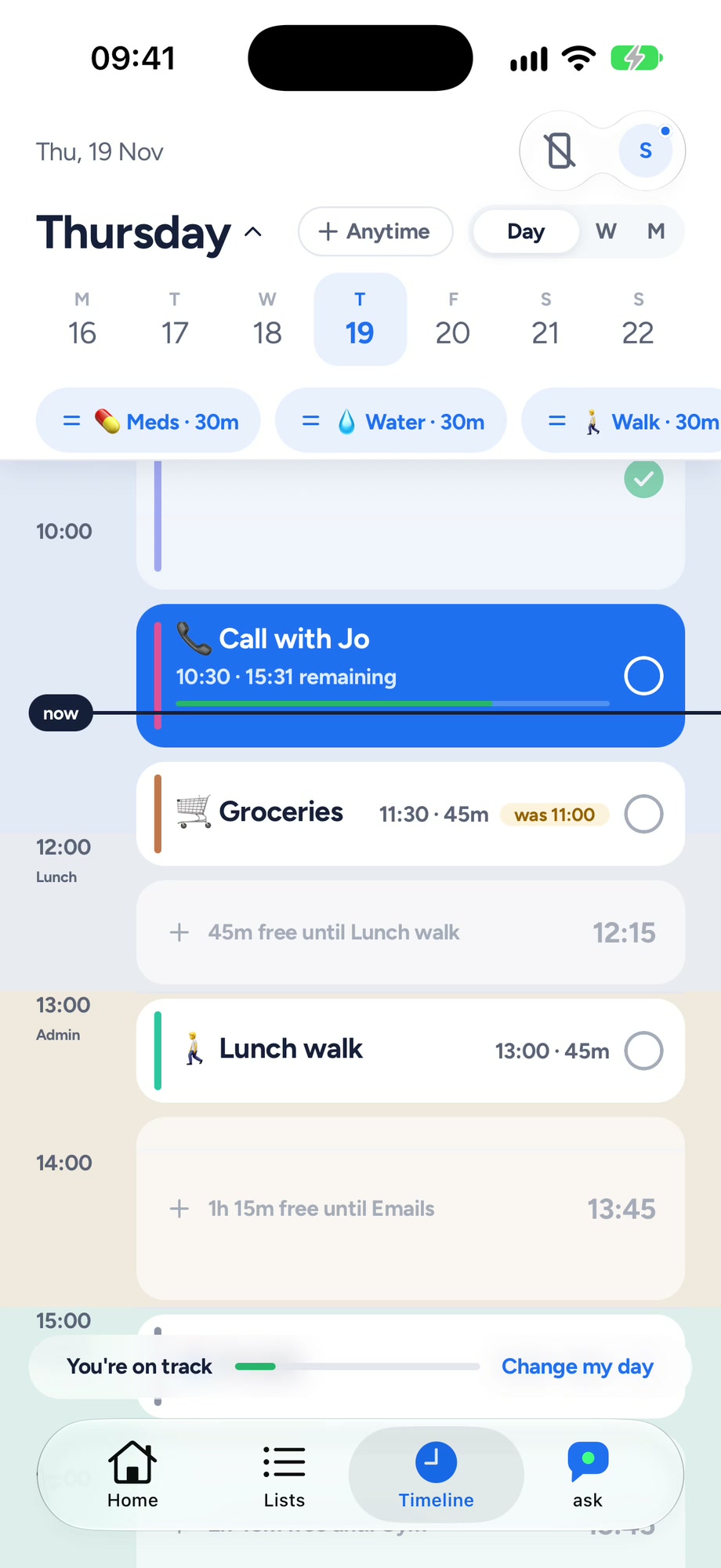
The block the now line sits in turns blue and counts down what's left. Tap any block to open it. That's where Start focus and Mark as done are. Or tap its circle to tick it.
- 4
Hold to move
Hold a block and drag it to a new time. Drag its bottom edge to make it longer. Things with no time yet wait in Anytime: hold one and drag it onto the day.
Screenshot to comeHold to move - 5
Tap the now line
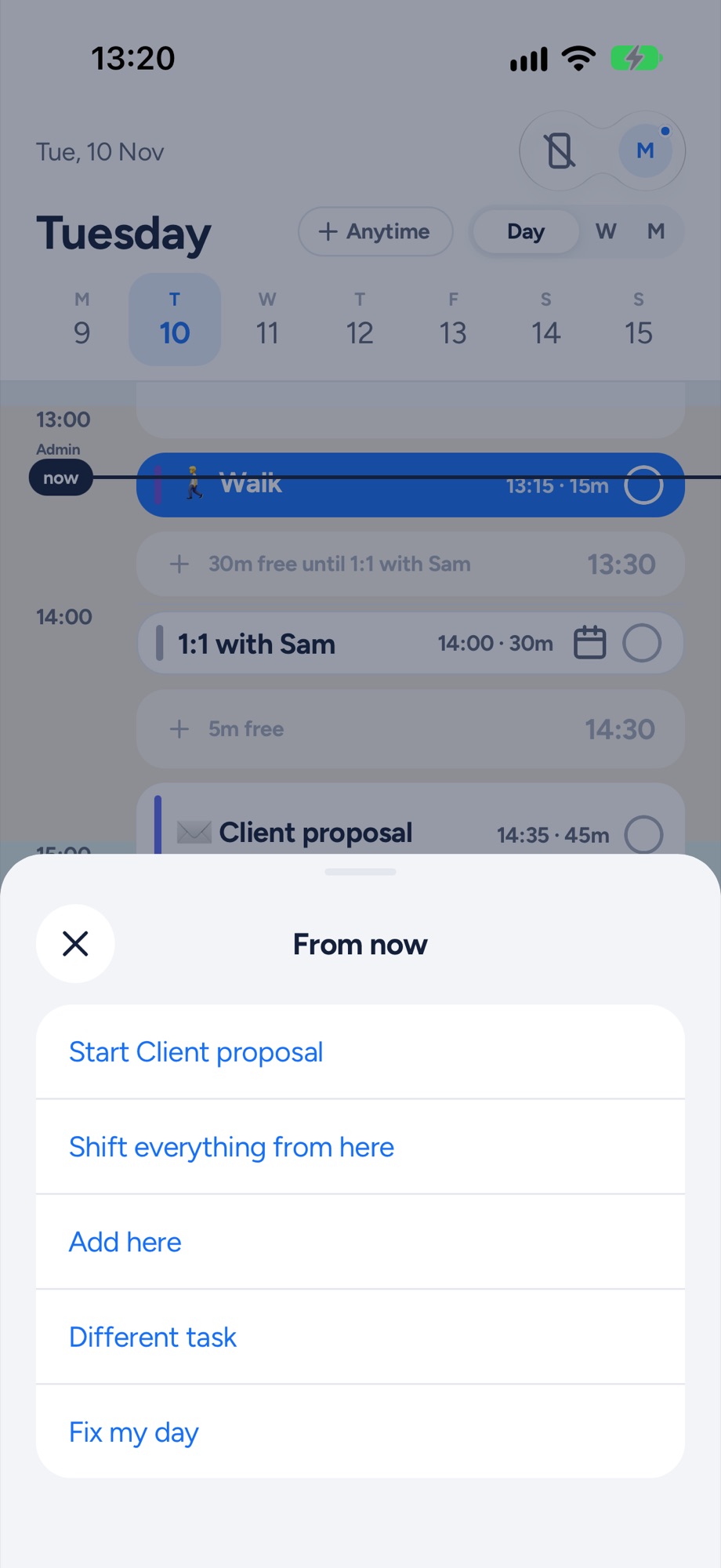
Tap now and From now opens: start the next task, Shift everything from here, Add here, Different task or Fix my day.
Next, try these.
Use the time before the thing at 4.
When something's coming up later, the hours before it slip away. The Timeline shows exactly how much time you have, and what fits in it.
Ran over? Fix the rest of the day in one tap.
Everyone runs over. What matters is what happens to the rest of the day. Yoodoo asks one question and moves what can move.