If you used the old Yoodoo, you'll recognise the name.
That's about it.
I didn't polish the old app. I threw it out and started again, from a blank Figma file, with years of your messages, reviews and complaints stuck to the wall. (If you want the messy story of how that happened, it's here. Grab a tea, it's a long one.)
This post is the other half. What actually changed, screen by screen, and what it means for the day you're trying to have.
Let's go.
First, what didn't change
Quick reassurance before the fun stuff, because I know someone's already panicking.
- Your stuff comes with you. Update the app and your old tasks, lists and history are brought across before you do anything else. Nothing gets lost.
- Your Pro comes with you. If you already pay for Pro, you keep everything, at the price you're on.
- The idea is the same. List it. Give it a time. Focus on it. Roll what's left to tomorrow. Repeat. That's the Etsy notepad, still at the heart of it.
Right. Now the good bit.
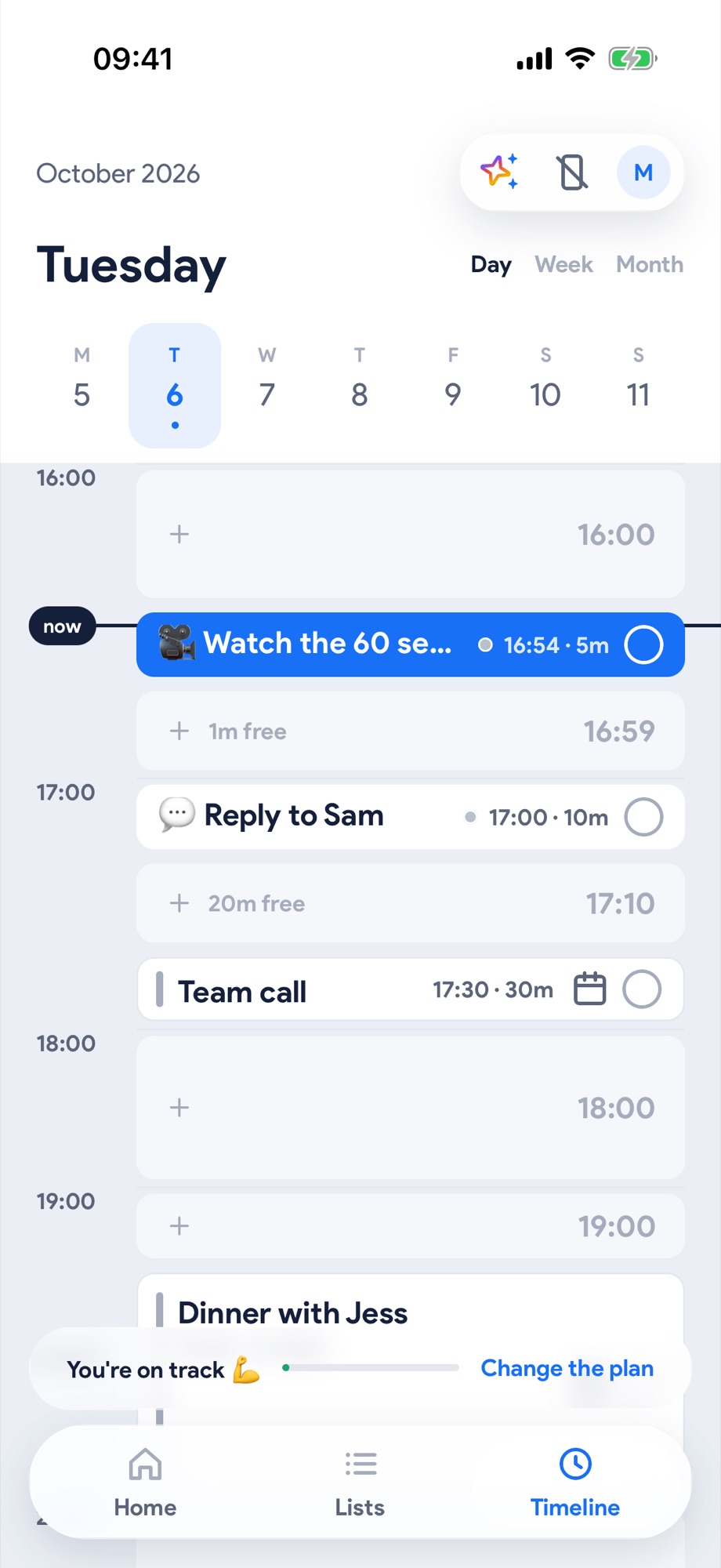
1. A real timeline. An hour finally looks like an hour.
Before: the old timeline was basically a list wearing a timeline costume. Tasks stacked one after another, whatever their length. A 5 minute email and a 3 hour essay looked exactly the same size.
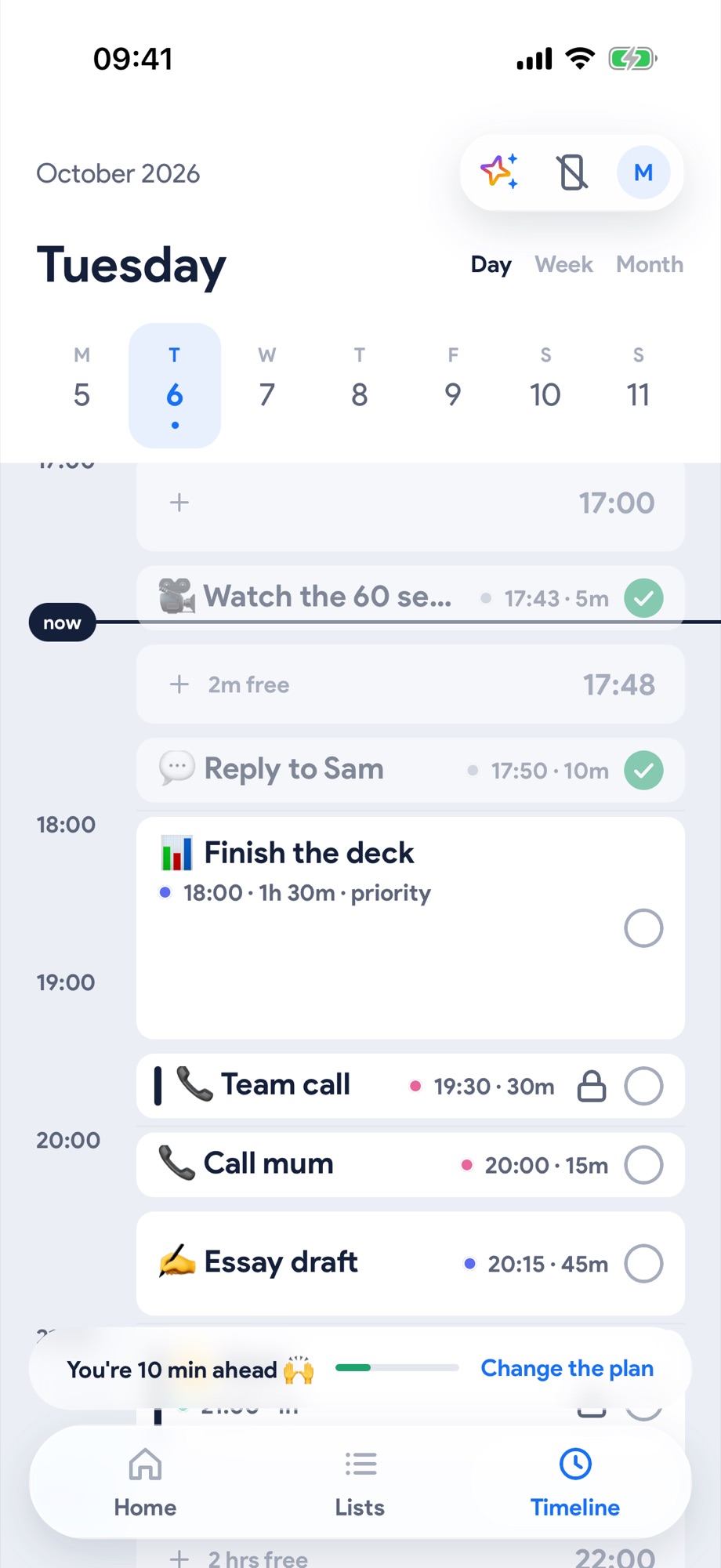
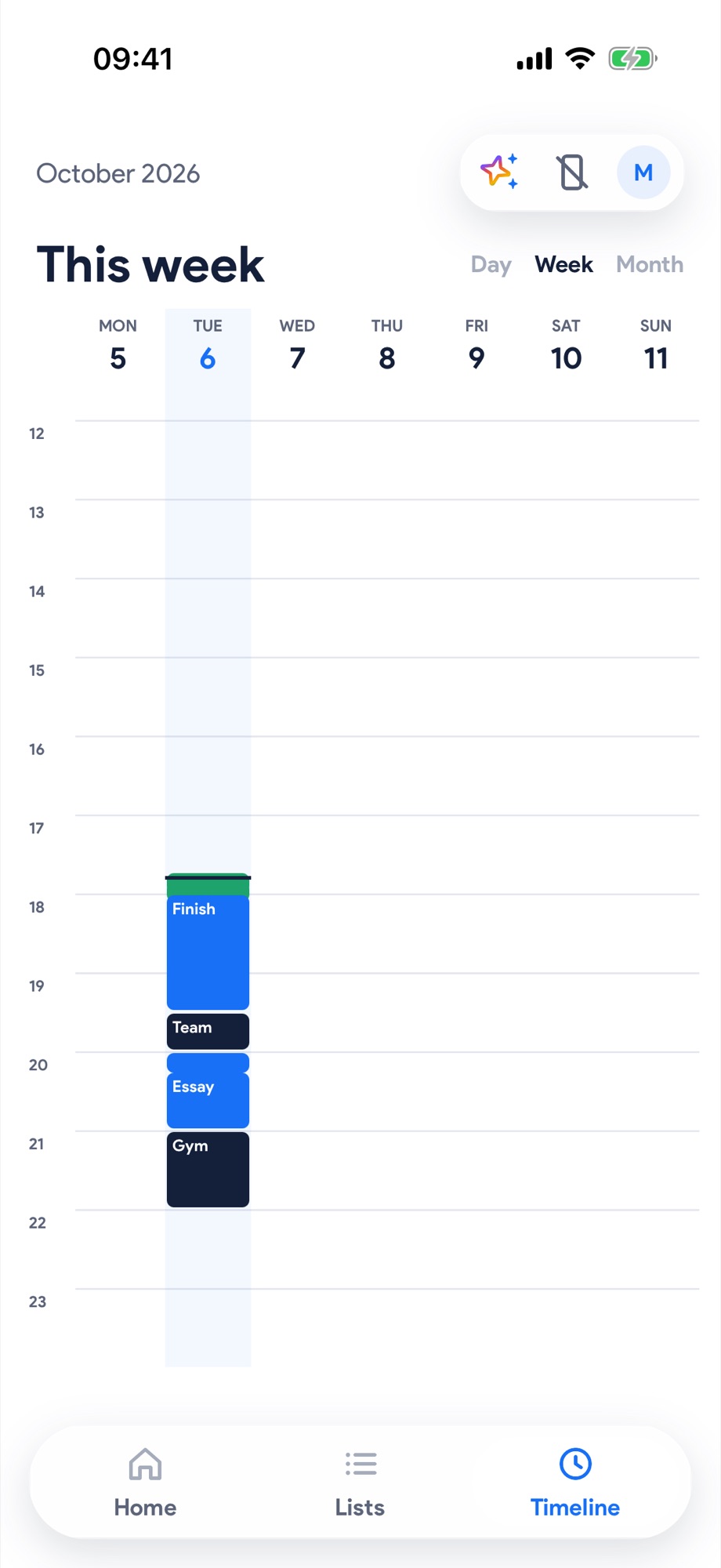
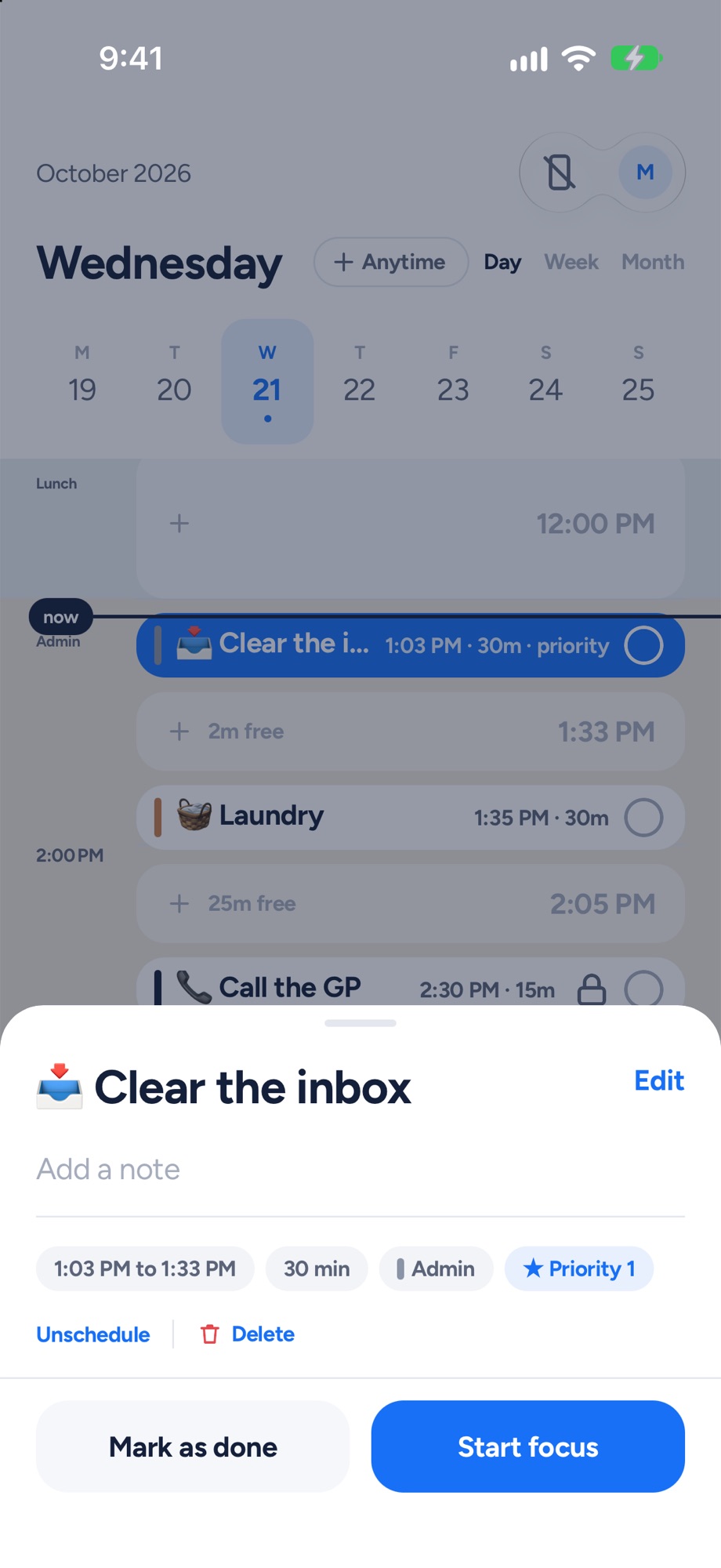
Now: it's a proper time grid. One hour is always the same height. A 3 hour block looks like a 3 hour block. Every empty gap is a tappable space you can drop something into. Your calendar sits in it too. The now line slides down the day, and whatever you should be doing right now glows blue.
What it means for your day: time blindness hates this. You can see that you don't actually have "loads of time" before your 2pm. You can see the 45 minute gap you didn't know you had. You stop overstuffing your day, because you can literally see it overflowing.
There's a Week and Month view now too, and loose things for "sometime today" live in a little row at the top you can drag straight onto the grid.
2. Fix my day. The bit I'm proudest of.
Before: your day went sideways, and Yoodoo just sat there. Same plan. Same times. Increasingly fictional.
Now: when the day slips, Yoodoo notices, and helps you get back on track.
- Something ran over? It asks you one simple question: done, still going, or do it later. Pick one and the rest of your day shuffles to fit.
- A few things got away from you? You get a quick catch-up list instead of a wall of guilt.
- Whole afternoon a write-off? Hit Fix my day. It moves everything around the stuff that can't move (meetings, your calendar, anything you've locked), protects the one thing that matters most today, adds little breathing gaps, and drops the least important stuff to later instead of cramming it in.
Small changes just happen, with an Undo. Big ones show you the next couple of hours first, so you can say "looks right" or "let me adjust".
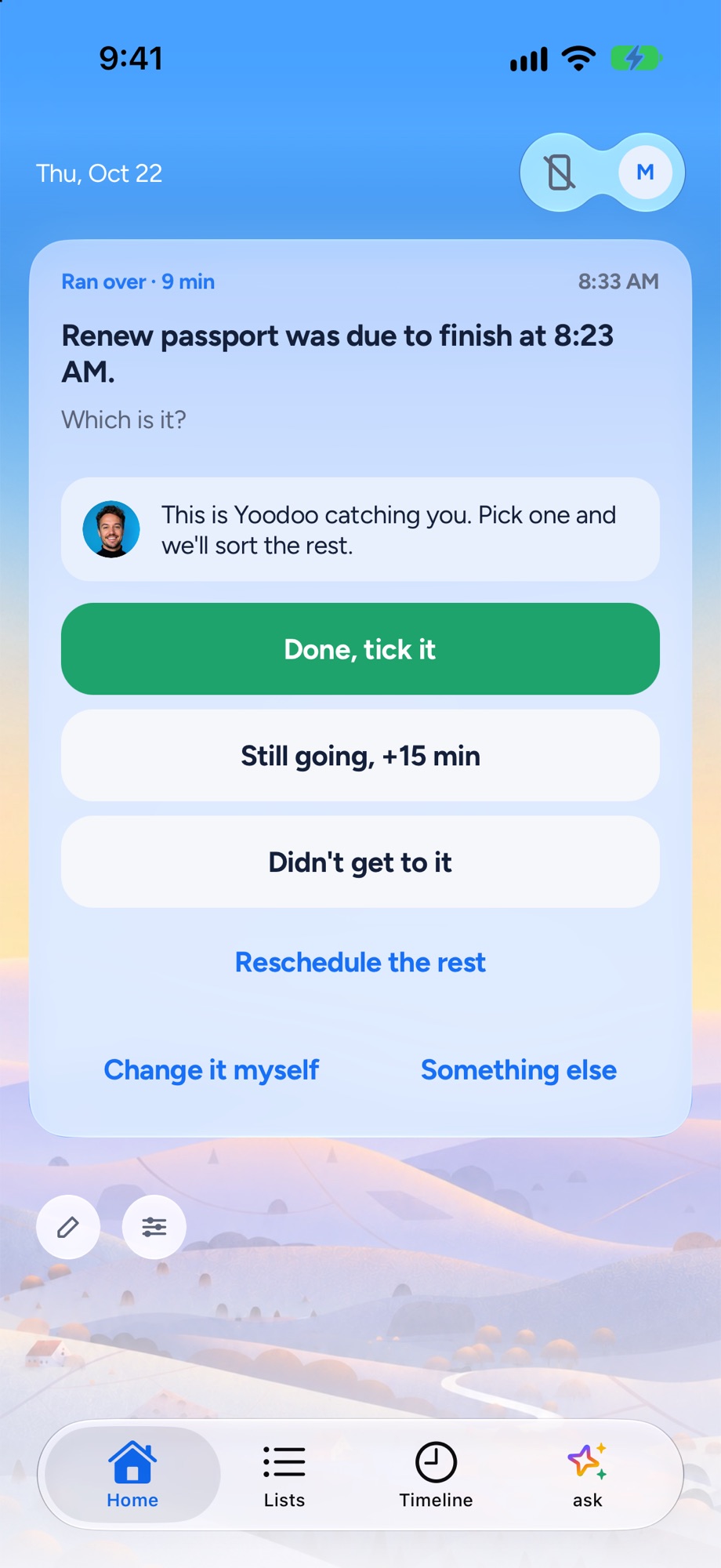
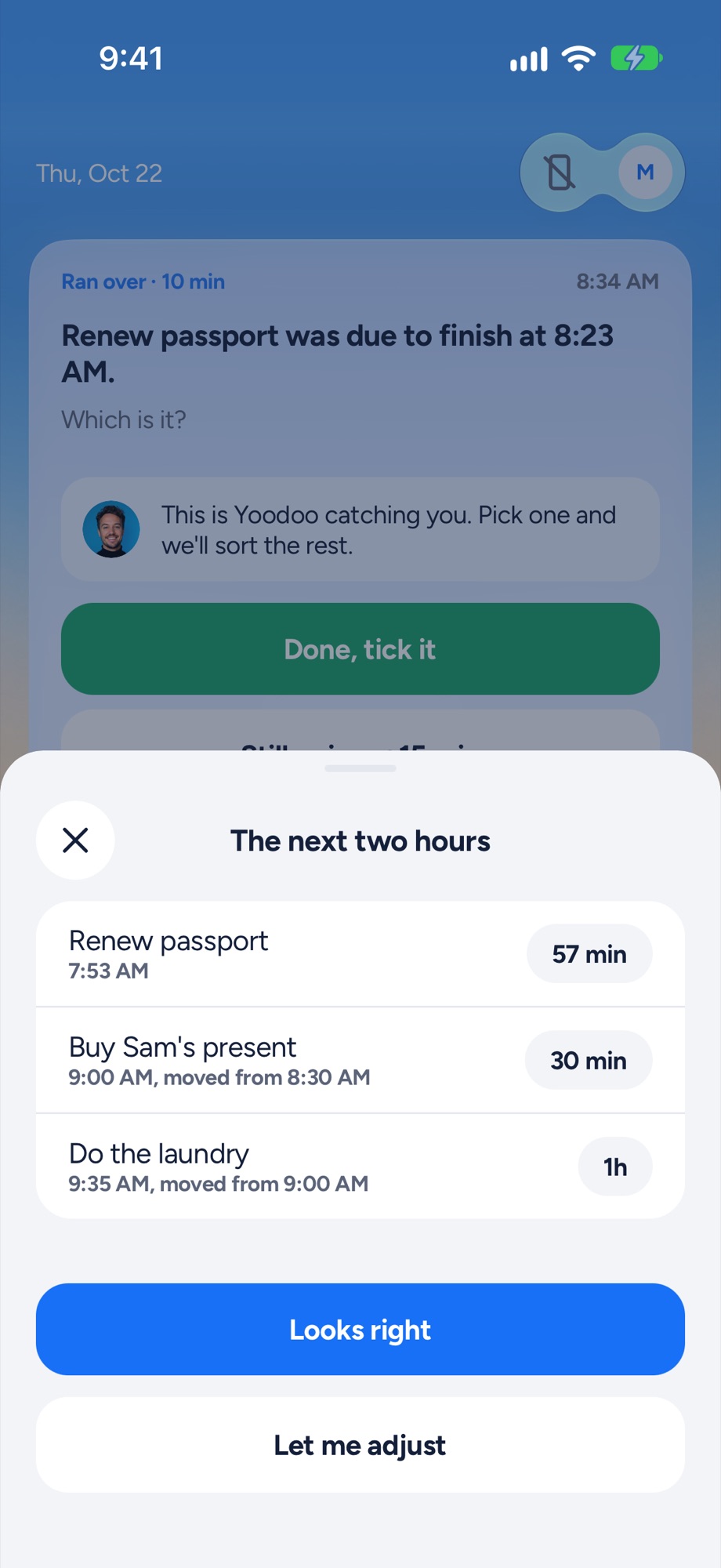
What it means for your day: 2pm, behind, overwhelmed, about to write the whole day off? That's exactly the moment Yoodoo was rebuilt for. You're fine. Here's what still fits. Let's do this next.
And Fix my day is on the free version. For good. Because getting back on track shouldn't be a premium feature.
3. Ask Yoodoo. Just tell it what's going on.
Tap the ✨ at the top of any screen and talk to it. Out loud or typed.
"Dentist at 2, need to do the tax return, gym if I'm alive, and remind me to call Mum."
Ask Yoodoo builds that into your day. It moves things, files things into the right list, saves and loads day templates, starts habits, and breaks big scary tasks into small steps you can actually start. Nothing changes until you say it looks right.
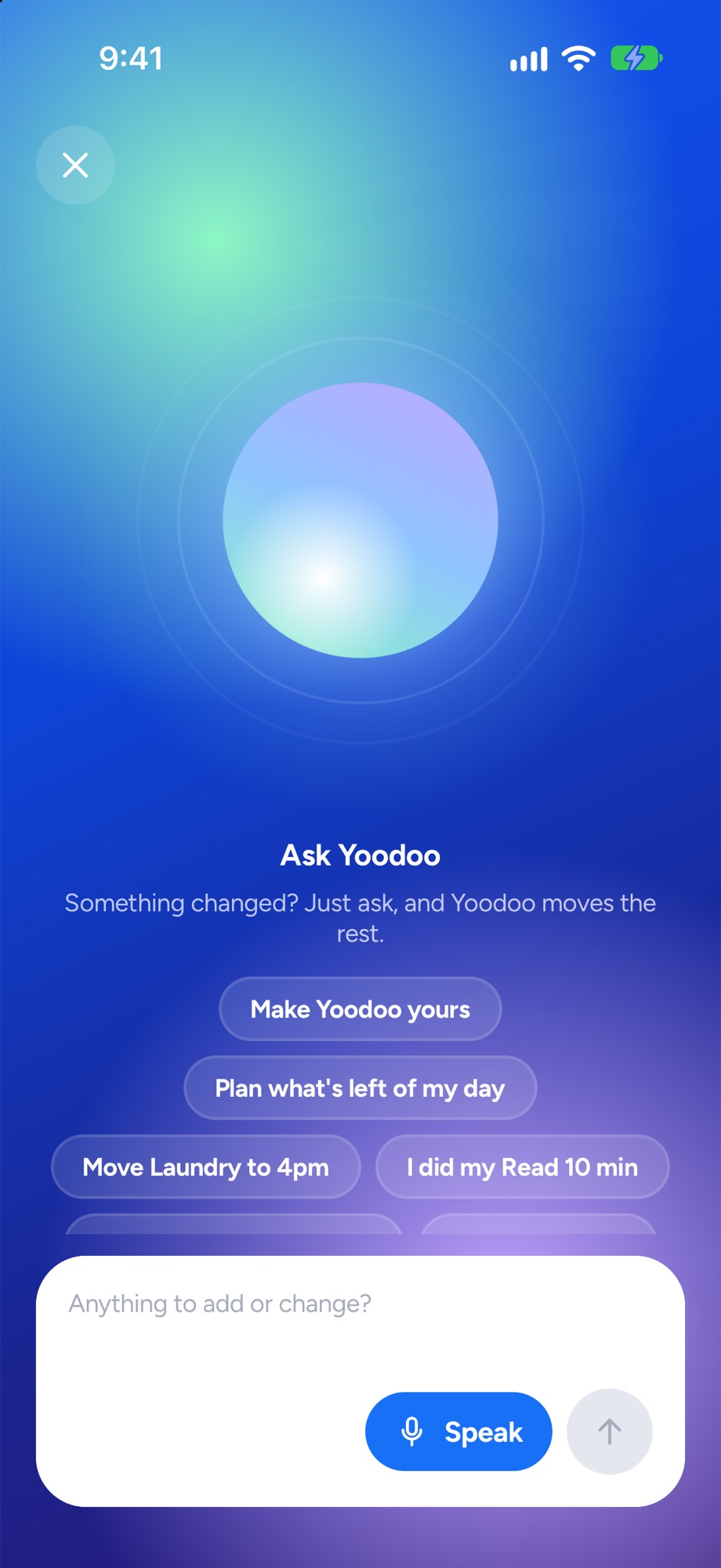
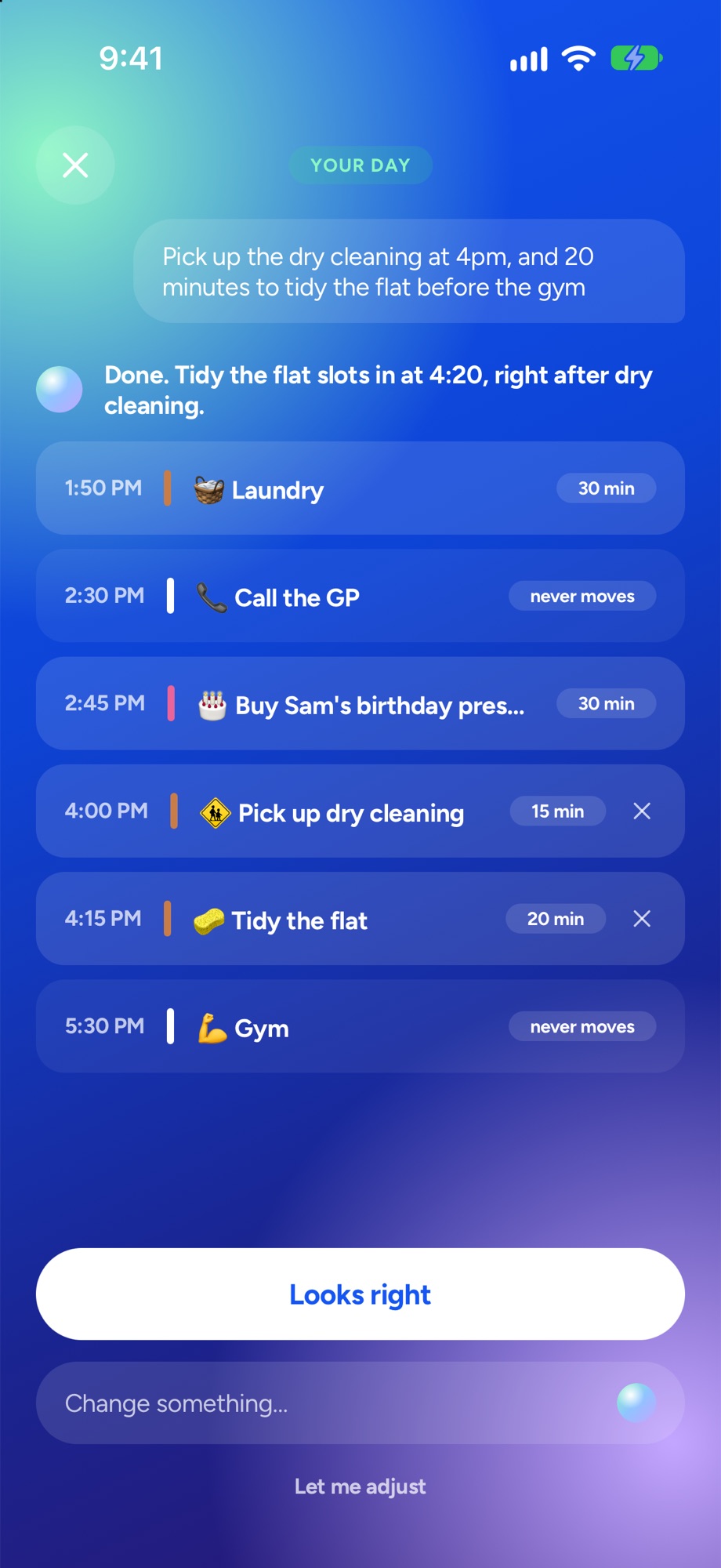
What it means for your day: the brain dump becomes the plan. No dragging. No fiddling. You get it out of your head and Yoodoo does the admin.
4. A homepage that's actually on your side
This one's been a dream of mine for years.
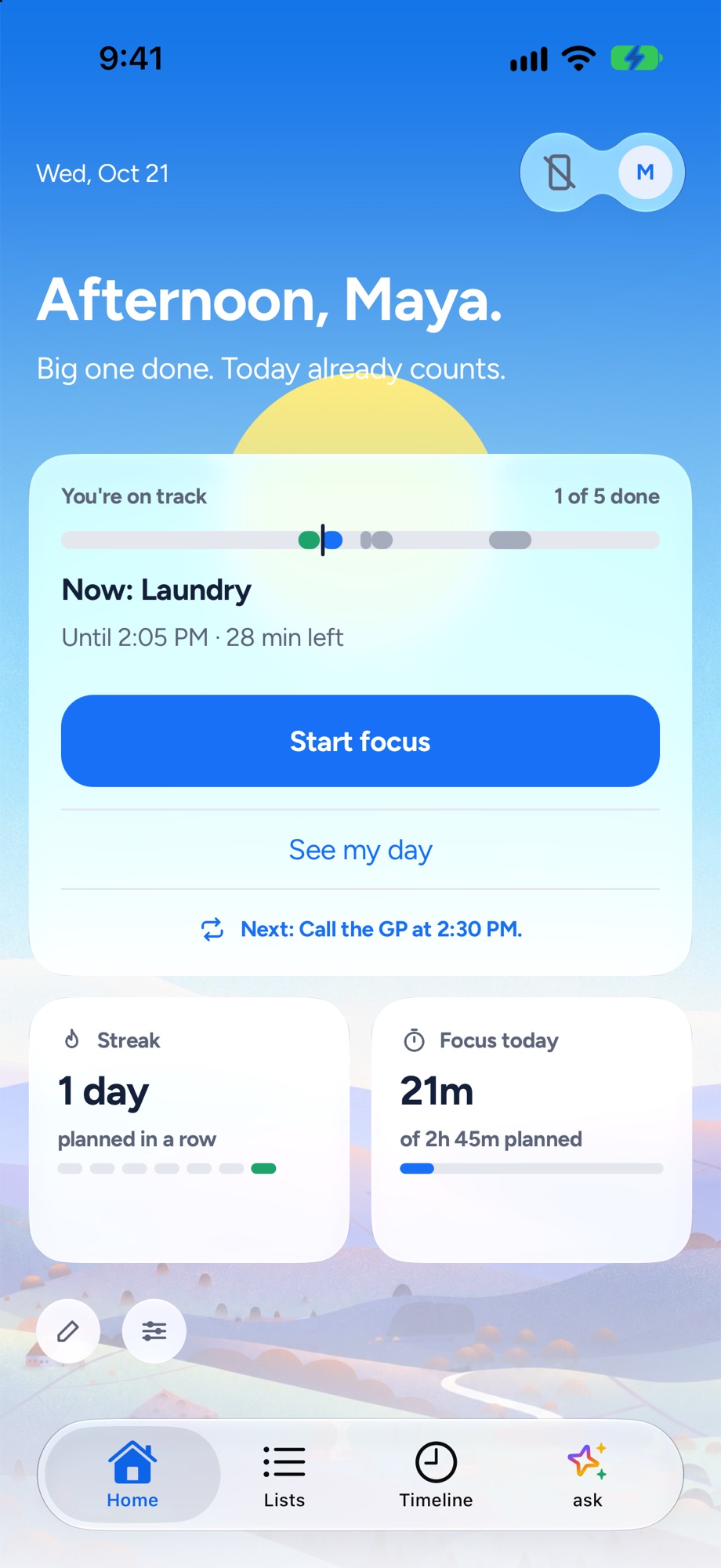
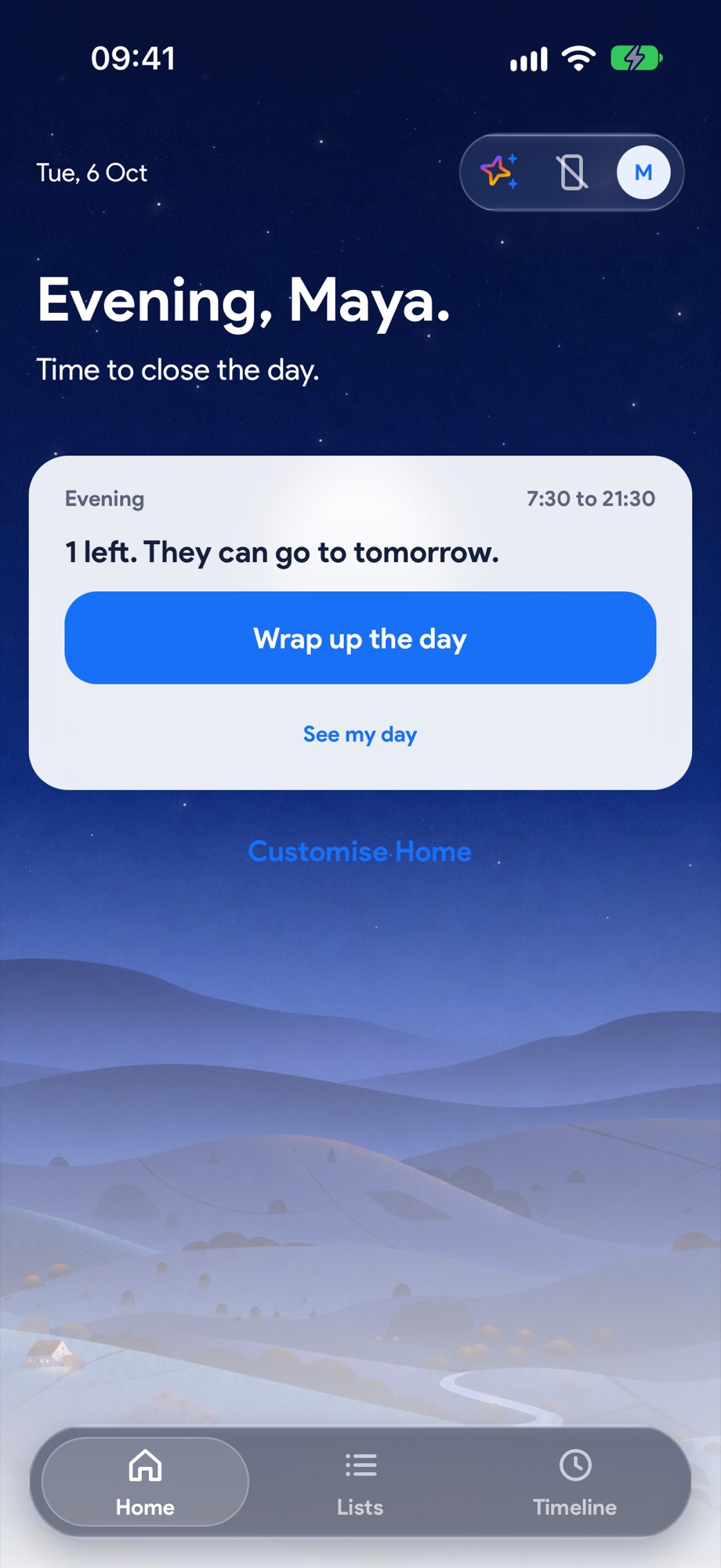
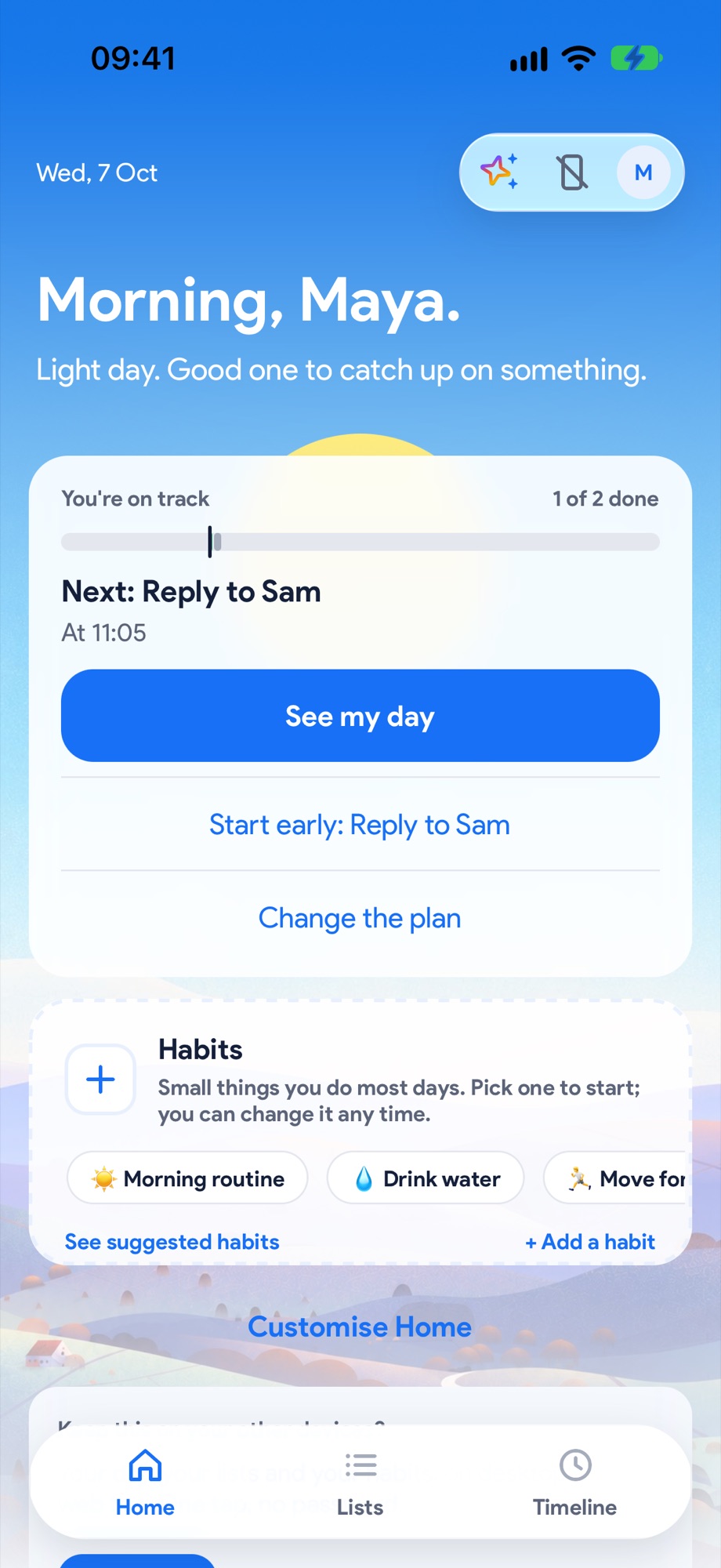
The new homepage has a sky painted behind it that follows the real time of day. Dawn when you wake up, bright through the day, dusk in the evening, night when you should really be in bed. It's the only decoration in the whole app, and it's gorgeous.
But it's not just pretty. It changes through your day:
- Morning: plan your day, or pick up the one you planned last night.
- Daytime: what's next and how long until it, in plain English. "2h 40m until your meeting", not just a clock time.
- Behind: a calm nudge and a way back on track. Never red. Never a telling off.
- Evening: your wrap up, and a little hype for tomorrow.
And it only ever shows you one thing at a time that wants your attention. Your brain has enough tabs open already.
5. Desktop and web. Finally.
This was the number one thing you asked for. By a mile.
Yoodoo now works in your browser at app.yoodoo.app, on a laptop or a big screen, with proper mouse and keyboard support. Your lists down the side, your day next to them, drag tasks straight from a list onto a time. Week and Month views for the big picture.
With Pro, it all syncs. Plan on your laptop at your desk, tick it off on your phone on the bus.
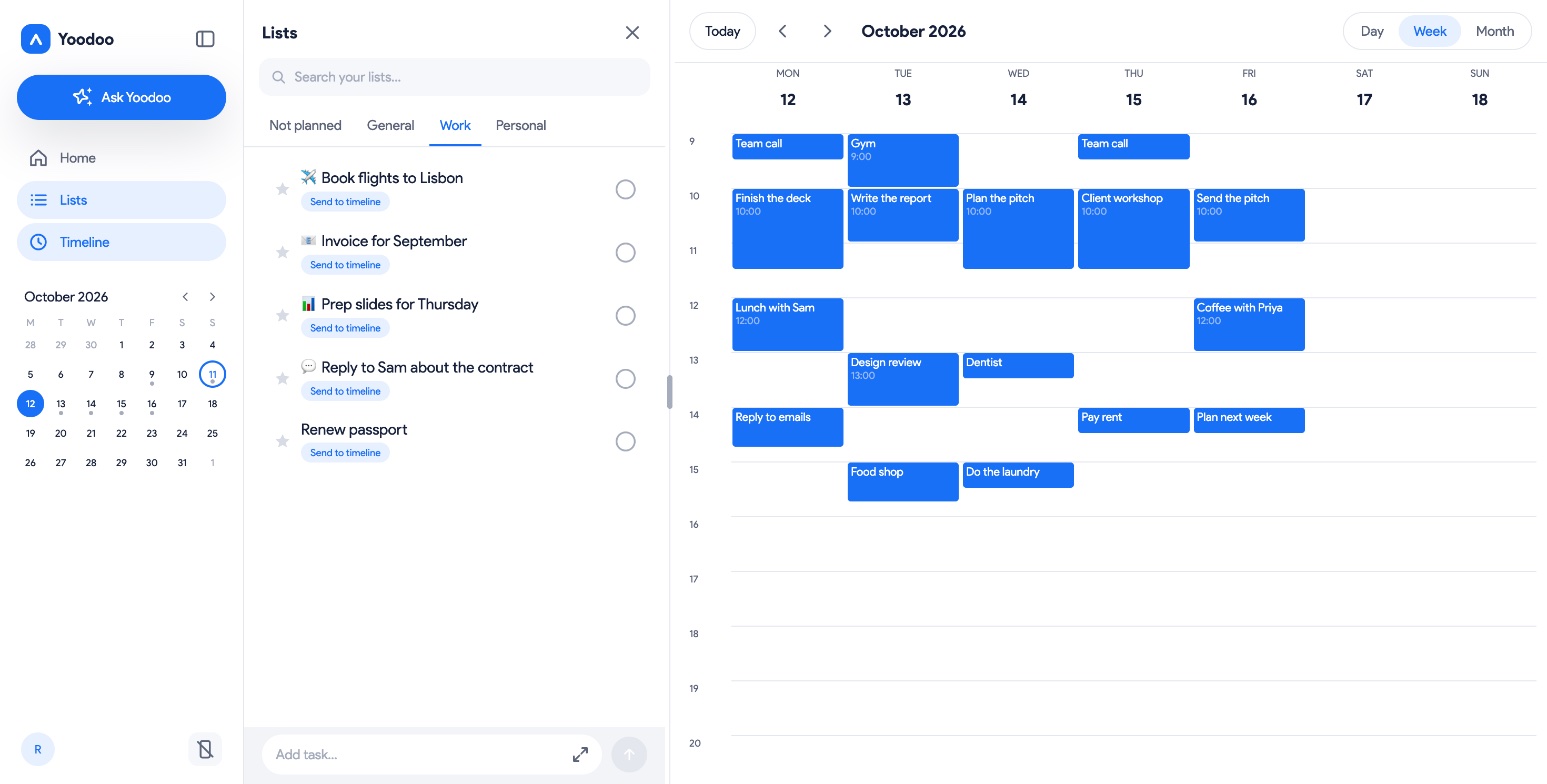
What it means for your day: no more "I'll put it in Yoodoo later" (you won't). It's wherever you are.
6. Planning your day takes a minute
The old app made you build your day by hand, every day. That's a lot of executive function before you've even started.
Now, Plan today picks things from your lists, asks how much energy you've got, sizes the day to fit, and lays it out around your calendar. Pick a day shape that matches how you actually live, or save a day you liked as a template and reuse it.
And a light day never gets nagged. If you only planned three things, Yoodoo doesn't make you feel bad about it. Three things done properly counts.
7. Focus, rebuilt to help you actually start
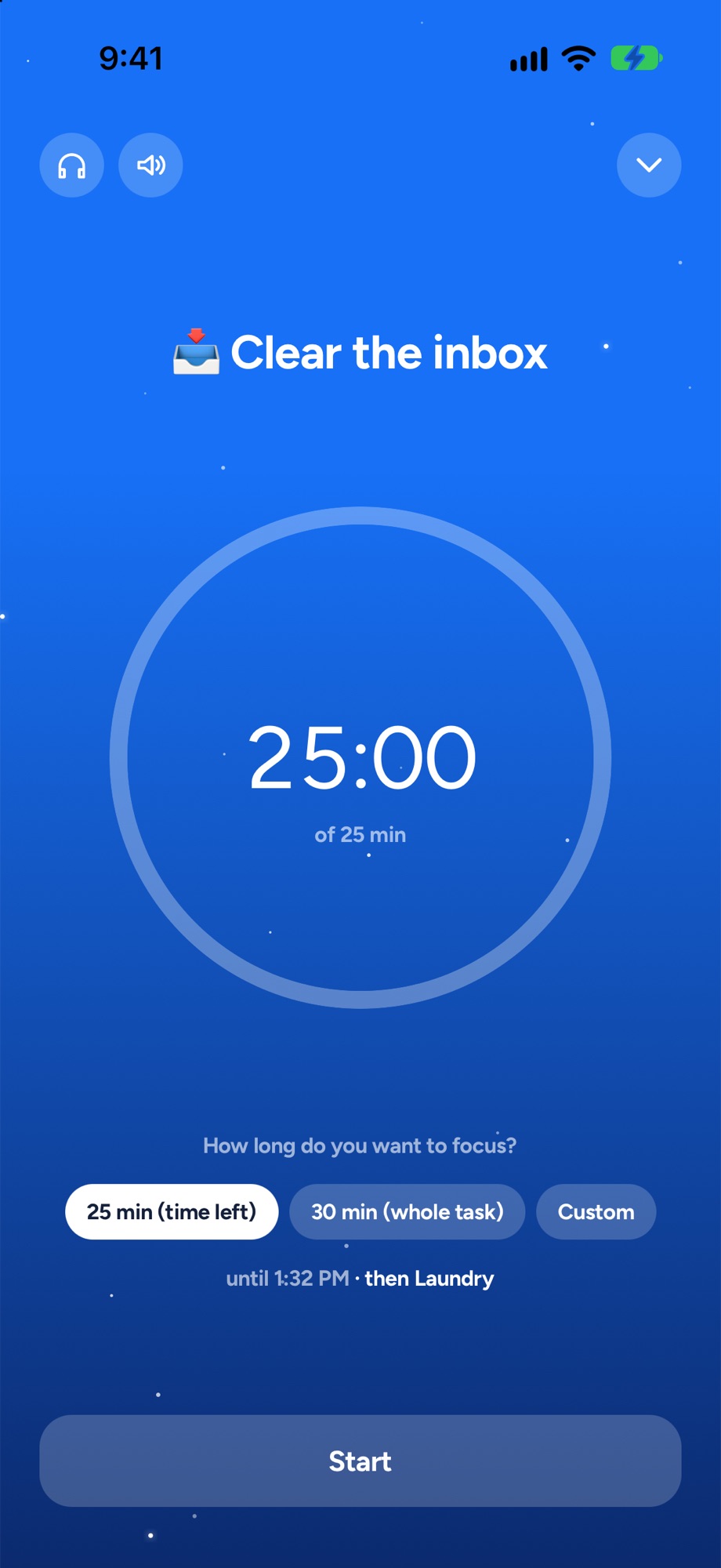
- Just start. Five minutes and a timer. That's it. Starting is the hardest bit, so we made it tiny.
- Steps. Big task? Break it into steps, by hand or with AI, and Focus walks you through them one at a time.
- Music. A library of focus tracks built in.
- On your Lock Screen. Your timer sits in the Dynamic Island and Lock Screen on iPhone, and as a live notification on Android, so you can see it without opening anything.
- Wall-clock correct. Lock your phone, go make a coffee, come back, and the timer's still right.
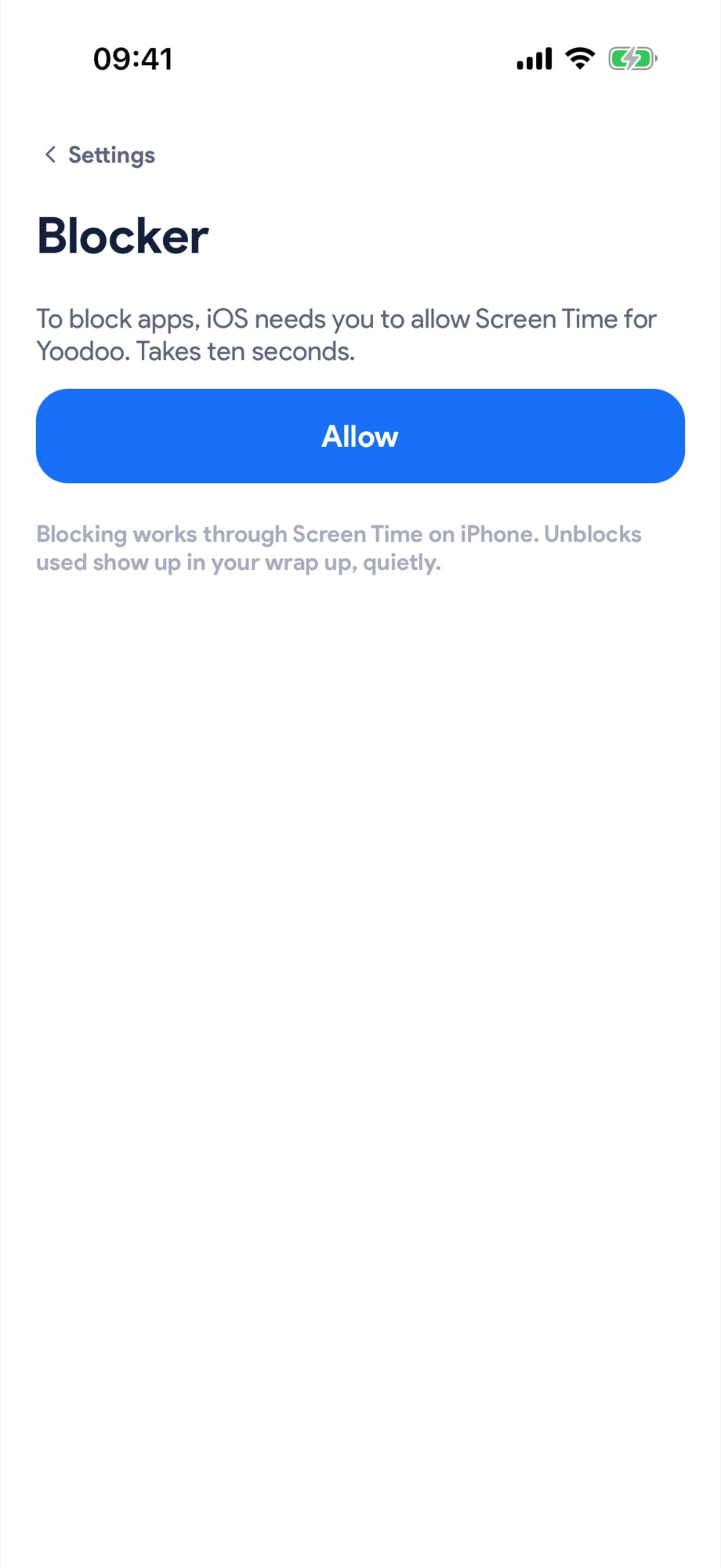
8. The blocker grew up
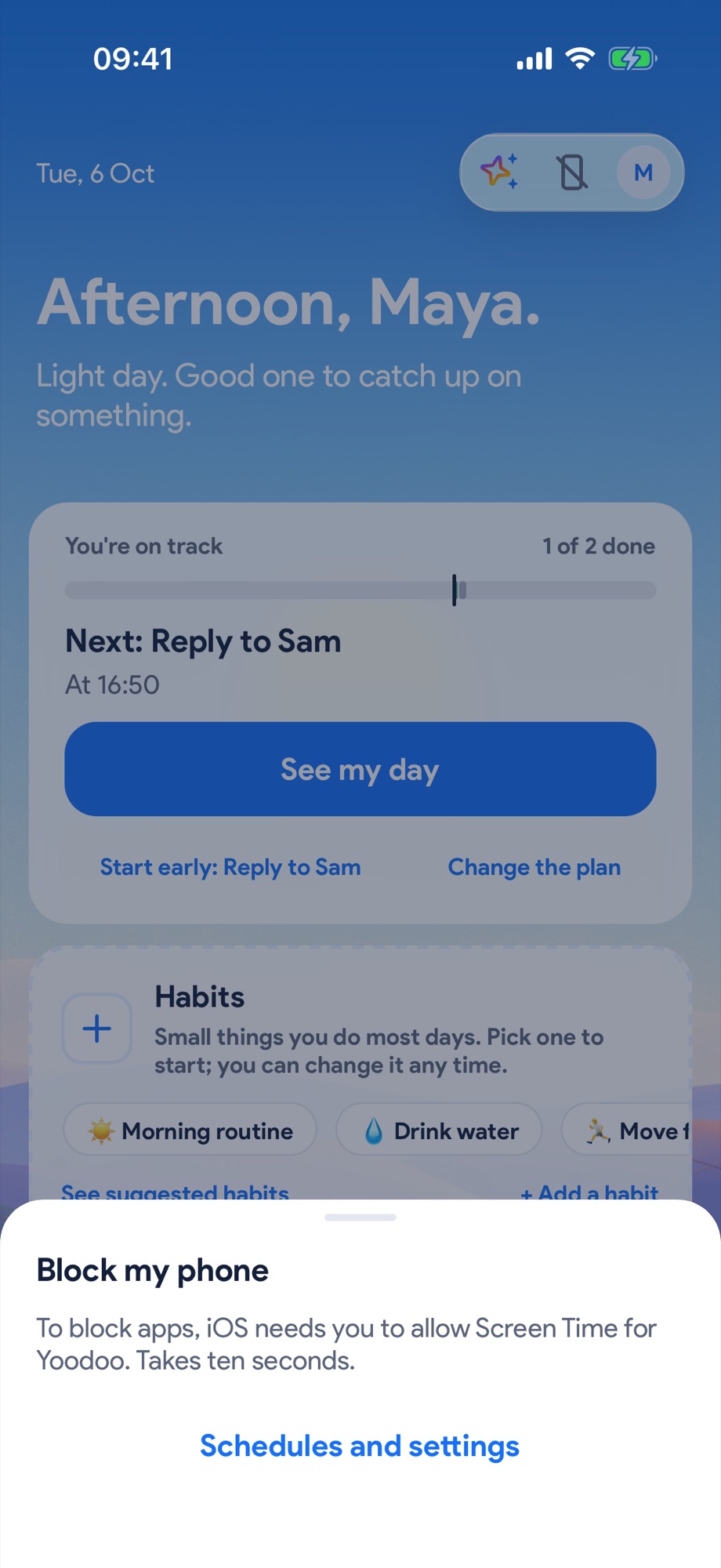
Before: one block, start to end. That was it.
Now:
- Schedules. Block social media every weekday morning without thinking about it.
- Block now. Pick how long, and go.
- Timed unblocks. A few short unblocks a day, so it never feels like prison and you don't rage-delete the app.
- Strict mode for when you really, really mean it.
- Per-task focus. Start a focus session and the distracting stuff locks itself.
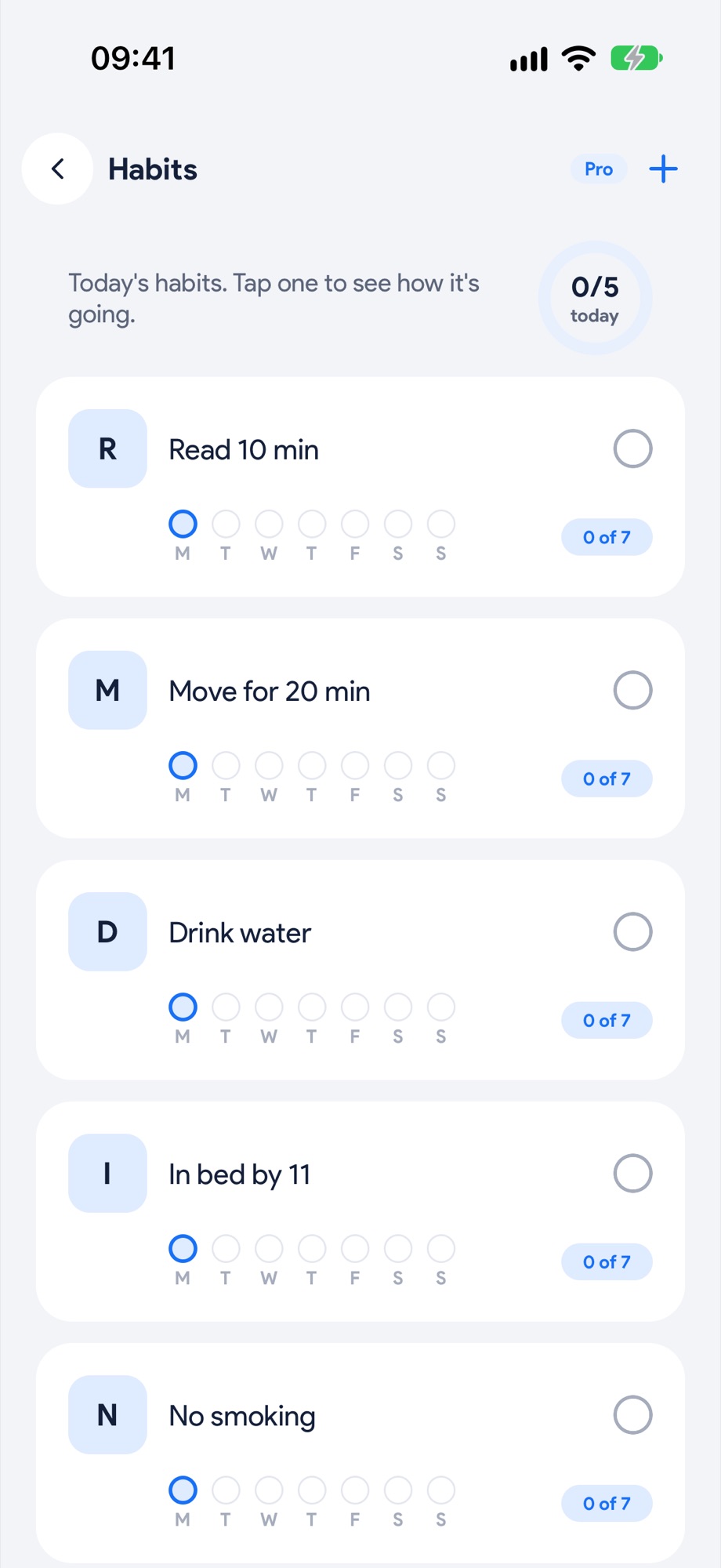
9. Habits that survive an off day
Habits are one simple thing now, covering timed routines (your morning routine, step by step), repeating tasks (drink water, take your meds) and "don't" boundaries (no phone in bed).
Up to five live right on your homepage. They show up on your timeline in their own colour. And when you hit 7, 21, 30, 66 or 100 days in a row, you get a proper moment: full screen, your run as dots, confetti and a little chime.
Miss a day? Nothing goes red. It just picks up again tomorrow.
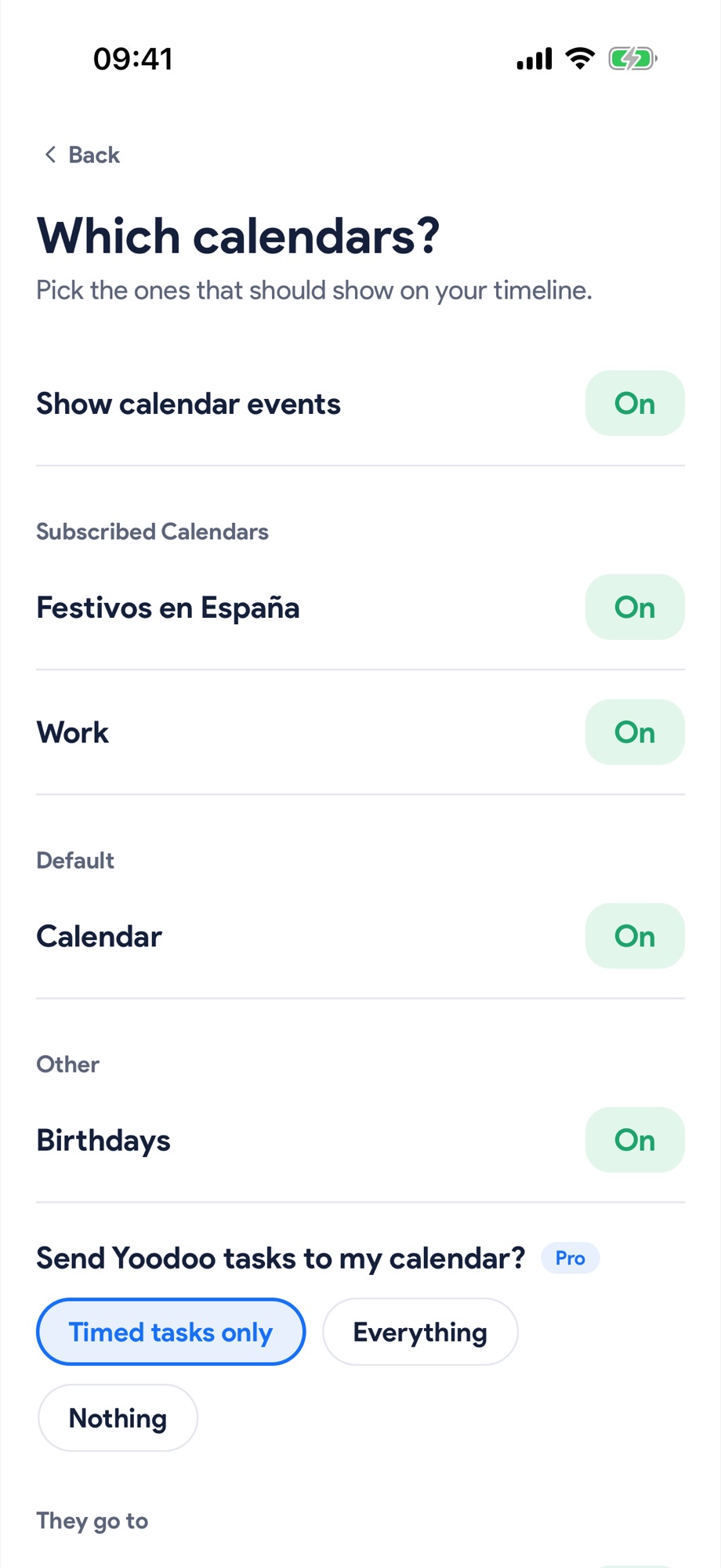
10. Your calendar, both ways
Your calendar events sit right on the timeline, and Yoodoo plans around them. With Pro, it works both ways: move something in Yoodoo and it moves in your calendar, change it in your calendar and Yoodoo keeps up. Multiple calendars too.
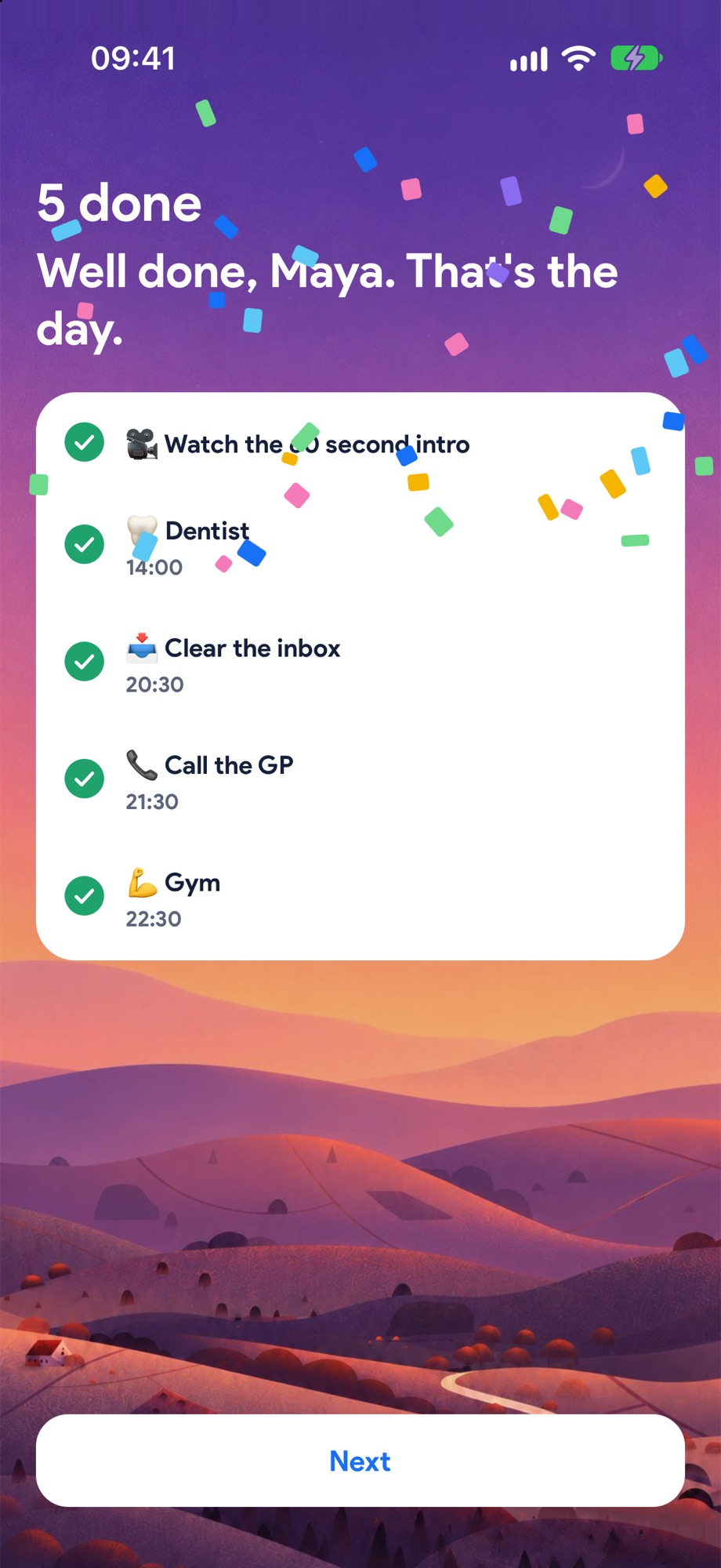
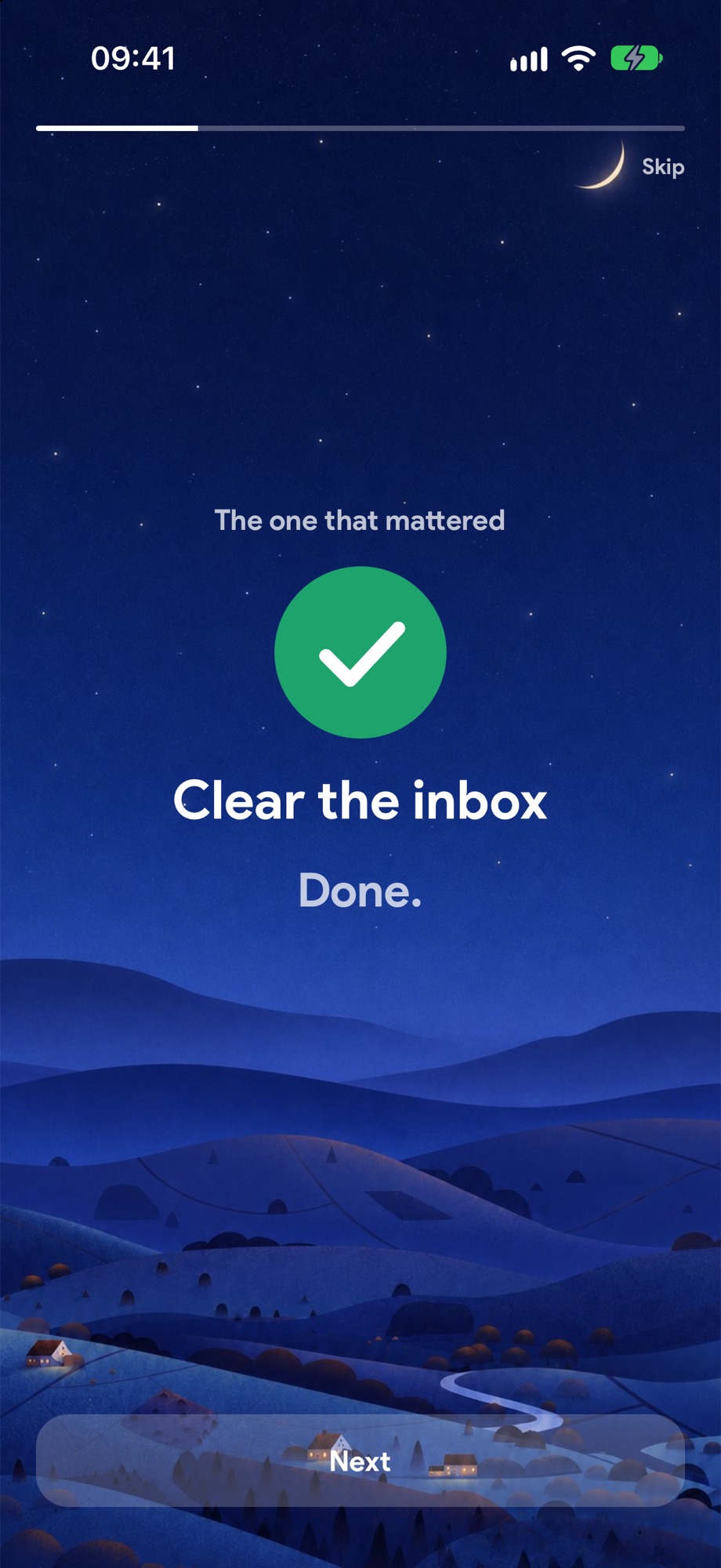
11. Wrap up your day (and your week)
At the end of the day, Yoodoo tells you the story of it. What you got done, the one that mattered, how long you focused, and what rolls to tomorrow. No pile-up, no guilt. Clear the whole day and you get confetti. You've earned it.
At the end of the week, you get your week's story too, so you can actually see the progress you're making (Pro).
12. It's fast. Like, properly fast.
I'll be honest. The old app got slow. Every tap made it think about everything.
The new Yoodoo is built so every tap responds instantly, sheets open in a blink, and it saves in the background while you carry on. It starts up quickly, it picks up exactly where you left off, and it works completely offline. No signal on the train? Doesn't matter.
When your brain is already fighting you, the last thing you need is your planner lagging too.
13. The rest of the goodies
- Widgets on iPhone and Android: Today, Now and next, and your Focus timer.
- Siri and Shortcuts: "Add a task to Yoodoo", "What's next in Yoodoo".
- Task alarms for the stuff you really can't miss, ringing like an alarm, even on silent.
- Lists you can actually organise: sections in seven colours, one star for what matters, swipe to schedule.
- The iPhone Duo: a layout made for Apple's new folding iPhone, with your homepage on one side and your day on the other.
- Dark mode and your own accent colour.
- Yoodoo in your AI apps: add Yoodoo as a connector in ChatGPT or Claude and plan your day from there (Settings shows you how).
- Undo on everything. Every delete gets a few seconds of "oops, Undo". No scary pop-ups.
- Missed things roll. They never pile up and they never turn red. Nobody needs a planner that feels like a disappointed parent.
Free, Pro and a week to try it all
The new Yoodoo has two ways to use it.
Lite is free, for good. And it's genuinely useful on its own: your list, your timeline, the focus timer, a habit, your calendar on your timeline, the Today widget, and Fix my day. Most people who use Yoodoo never pay a penny, and that's fine by me.
Pro is everything. More lists and habits, Ask Yoodoo and AI steps, the blocker, two-way calendars, task alarms, Week and Month views, every widget, all the music, your week's story, dark mode, and desktop, web and sync.
Everyone gets all of Pro free for their first week. Change or cancel any time.
Coming soon: Yoodoo Pro Family. One yearly plan for you and up to five others, so the whole household gets Pro. It's rolling out to the App Store and Google Play in the next update. And while we're at it, you'll be able to give a friend a month of Pro, free, straight from Settings.
A day in the new Yoodoo
Here's how it all fits together on a normal, slightly chaotic Tuesday.
8:30. You open Yoodoo. The sky's still a bit dawny. You tell Ask Yoodoo what's on. Thirty seconds later you've got a realistic day, built around your 11am call.
9:00. You stare at the big task. You hit Just start. Five minutes. You can do five minutes. Forty minutes later you're still going.
11:40. The call ran over. Yoodoo asks: still going, done, or later? You tap. The rest of your day slides along. Your priority stays put.
14:00. You lost an hour to something shiny. We've all been there. Fix my day. Two taps. Here's what still fits.
16:00. Instagram's locked till 6, because your blocker said so this morning. You'll thank it later.
21:00. Wrap up. Six things done, including the one that mattered. Two roll to tomorrow, no drama. Confetti. Bed.
Not a perfect day. A real one. And it still worked.
How to get it
Already got Yoodoo? Just update it from the App Store or Google Play. Your stuff comes across, and your Pro comes with you.
New here? Download it, tell it a bit about your days, and you'll have your first realistic day built in about a minute. Or open it in your browser at app.yoodoo.app.
And if something's not right, or you've got an idea, tell me. I read every single message. That's how this version got built in the first place.
Ross