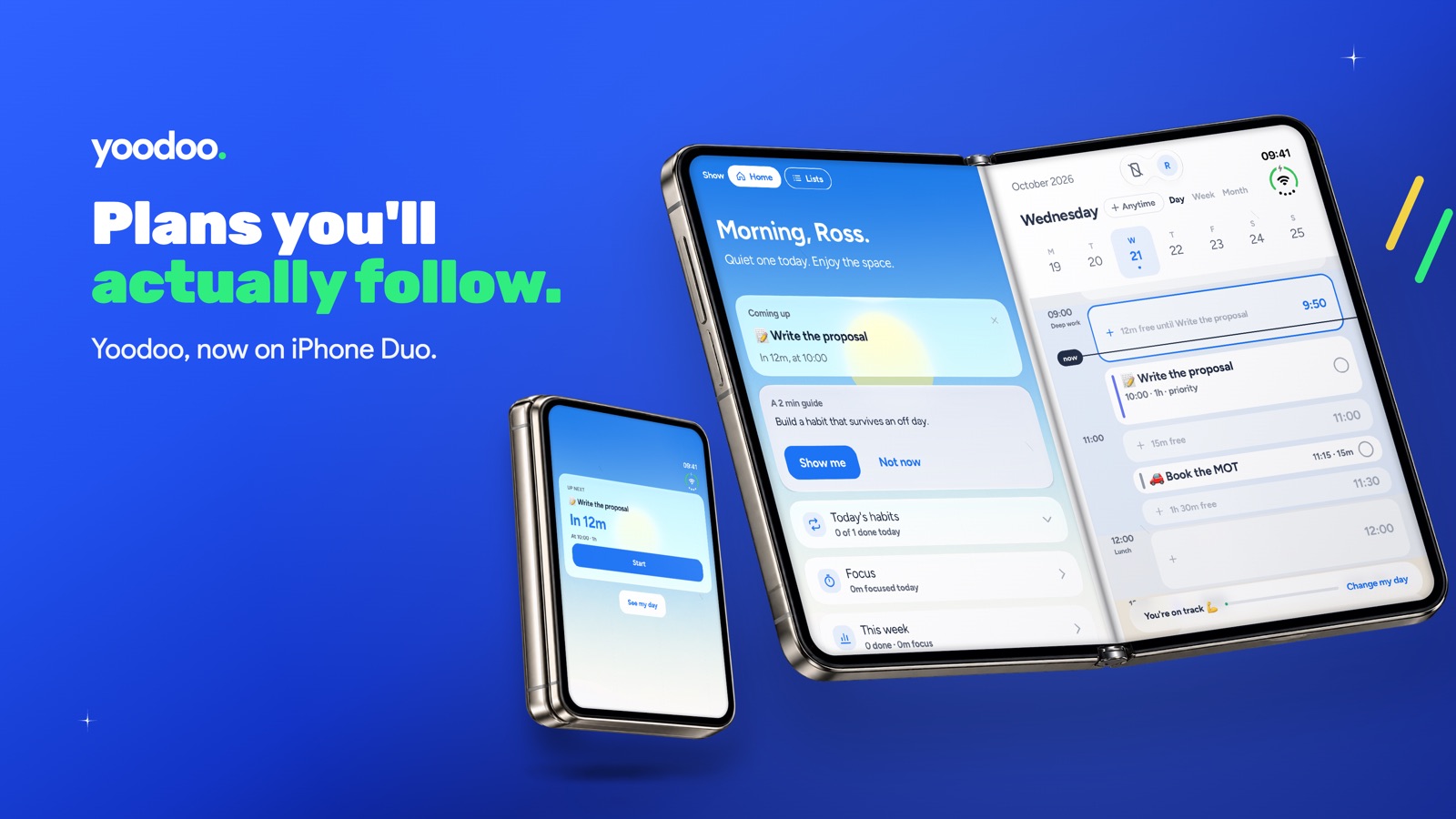
When Apple announced a folding iPhone, most people thought "ooh, bigger screen for Netflix".
I thought: that's a planner.
Seriously. Think about what a day actually looks like for an ADHD brain. Half the time you need the big picture. All your stuff, all your time, laid out so you can make sense of it. The other half, the big picture is the enemy. You need one thing. Just the next thing. Everything else can go and sit in the corner.
A phone that's big when you open it and small when you close it? That's the whole Yoodoo idea in a piece of hardware.
So we built for it. From day one.
Unfold to plan
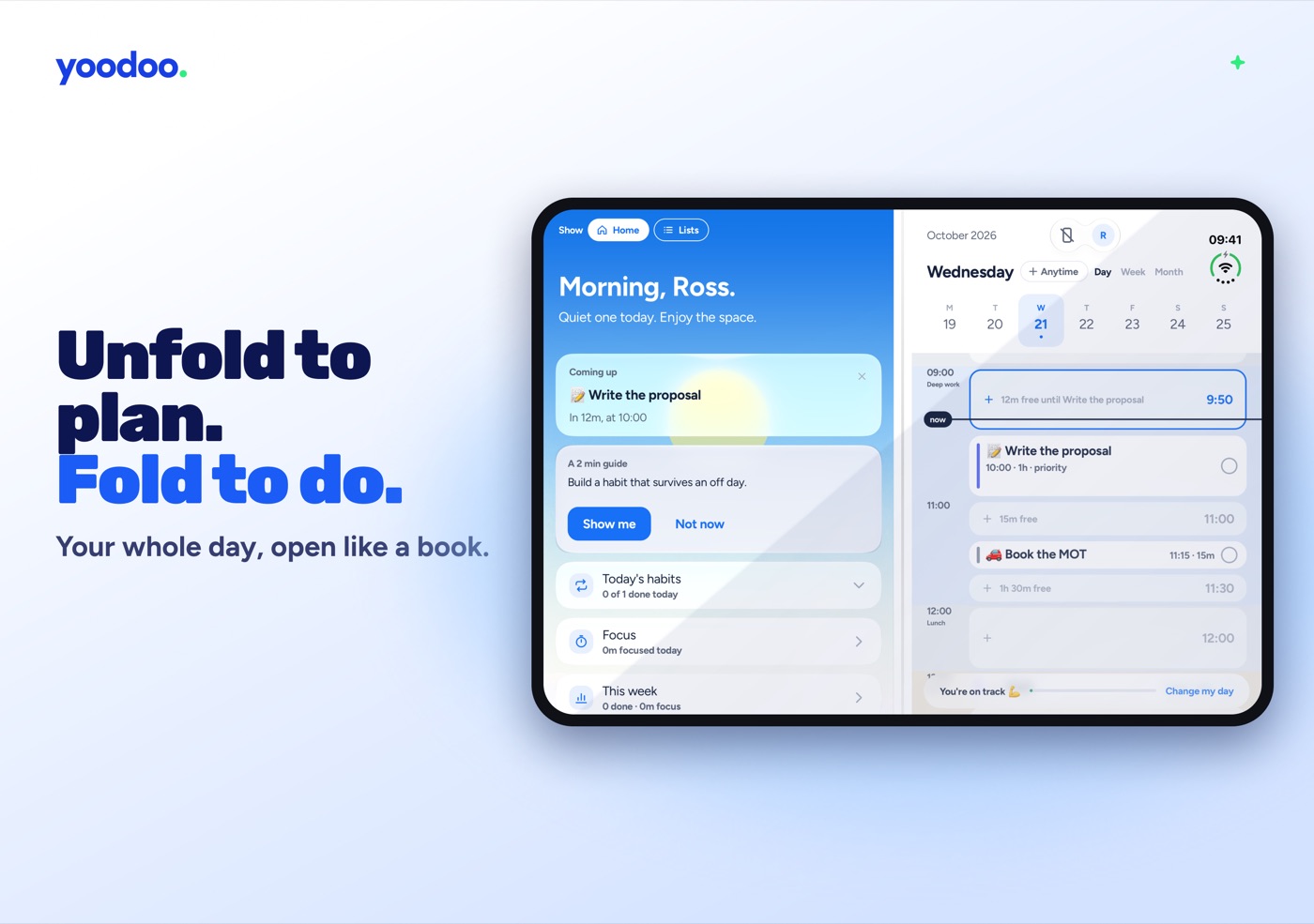
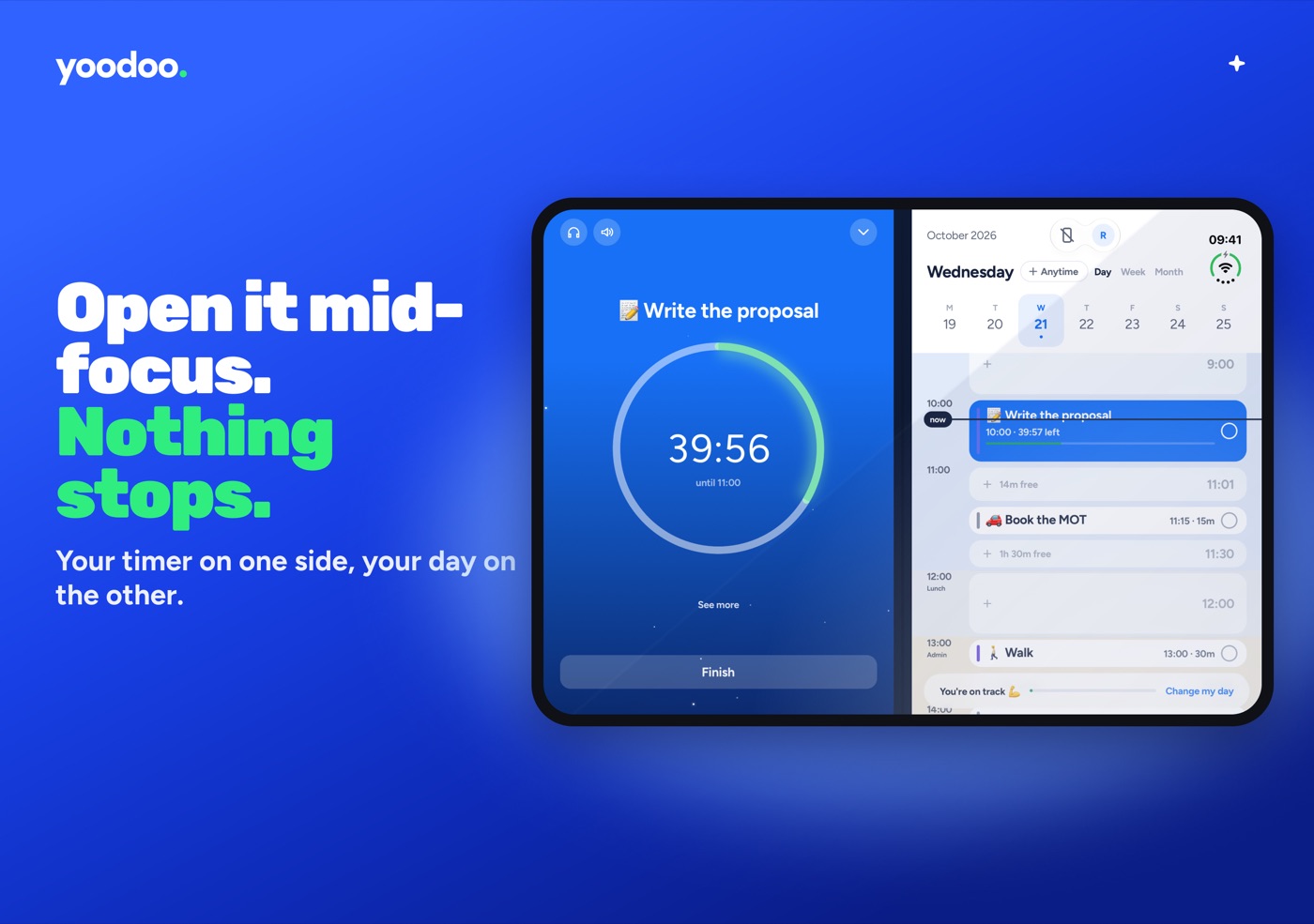
Open the Duo and Yoodoo opens like a book. Your homepage on the left, your day on the right. What's coming up, your habits, your focus, and the real time grid with your calendar in it, all at once, without tapping between tabs.
It's the closest thing to a paper planner open on your desk that a phone has ever been. Except this one fixes itself when your day goes wrong. (More on that in a sec.)
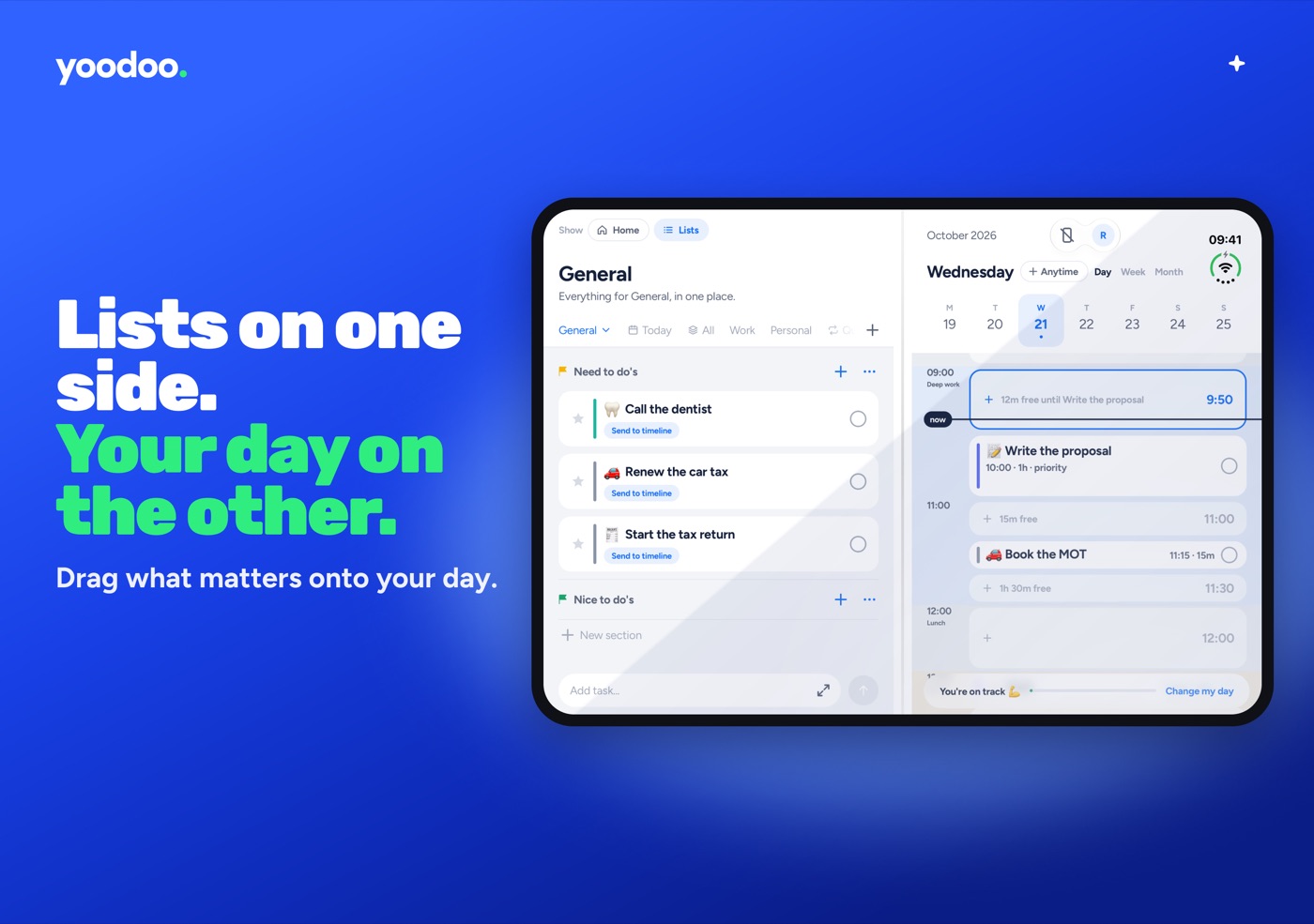
Lists on one side. Your day on the other.
This is my favourite bit.
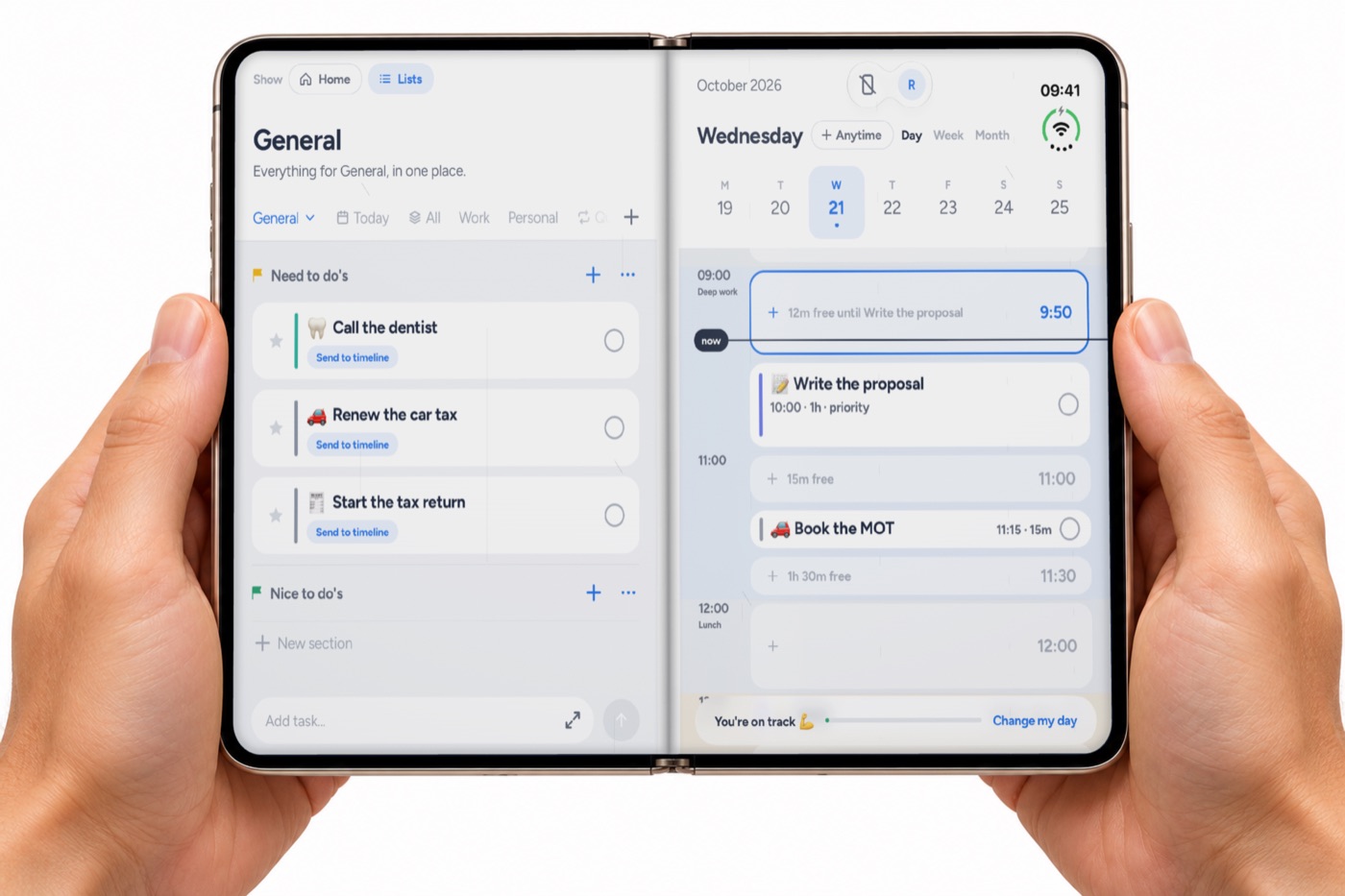
Flip the left page to your lists and you've got your whole brain dump on one side and today's timeline on the other. Drag a task across the crease and drop it into a gap. Book the MOT, 11:15, done. It lands in your day.
That's the original Yoodoo loop, list it, give it a time, focus, repeat, and on the Duo you can literally see both halves of it at once.
Fold to do
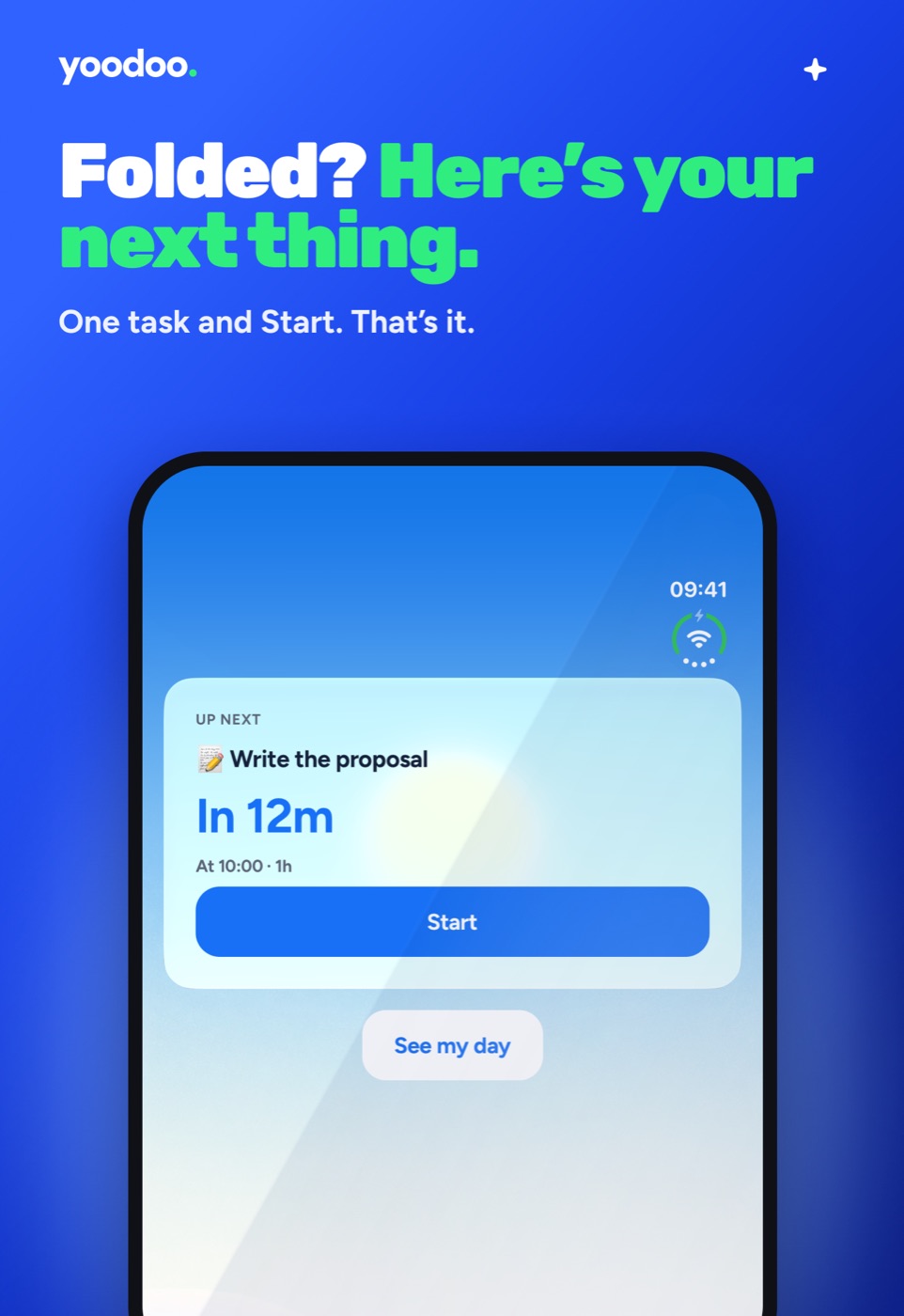
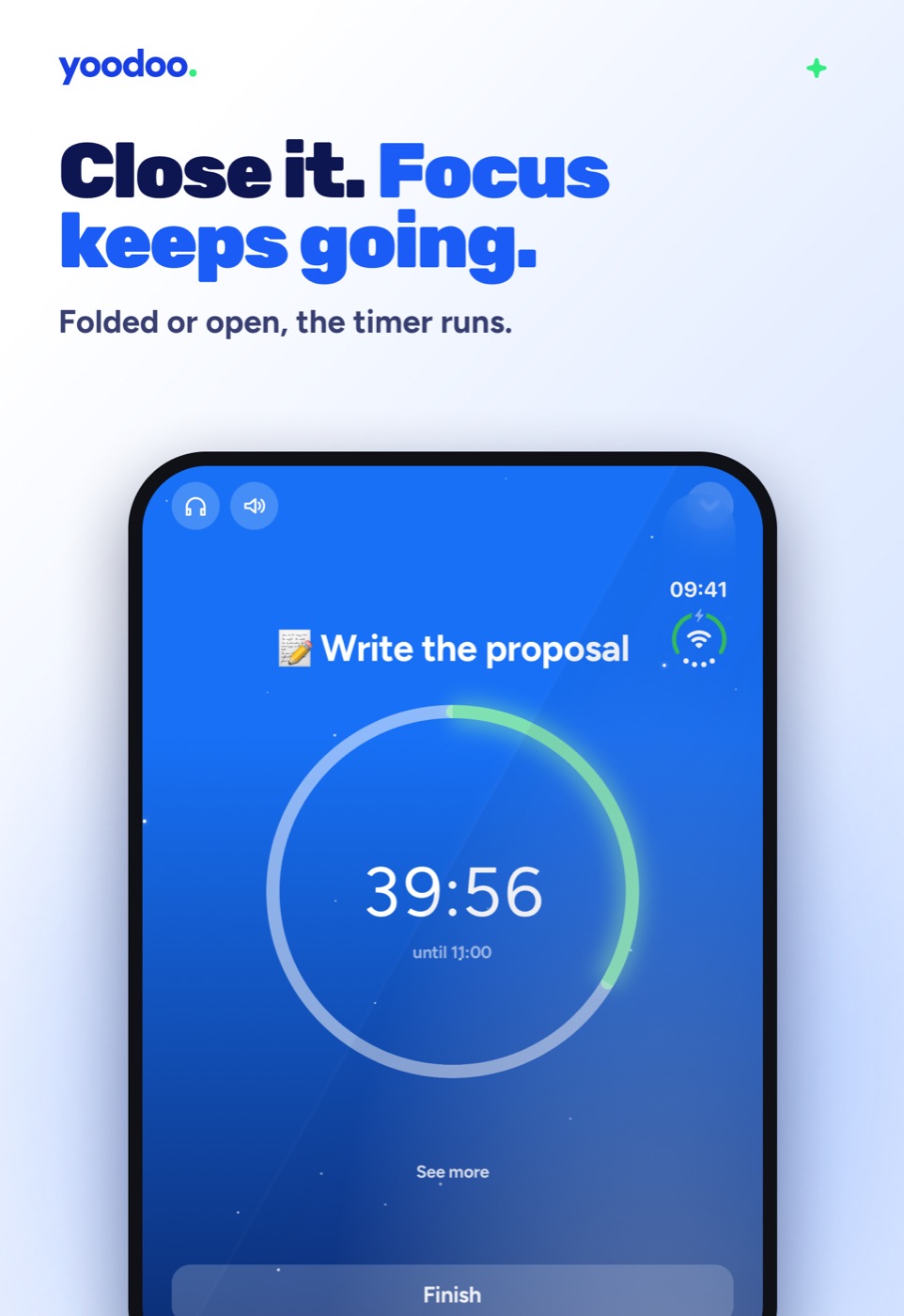
Close it, and the outside screen strips everything back. One task. How long until it. A big Start button. That's it.
No lists to fall into. No twelve things shouting at you. Just the next thing, and a way to begin.
Hit Start and your focus timer runs on the outside screen. Pop the phone on the desk, folded, and get on with it. If you open it halfway through, nothing stops. Your timer moves to one side, your day appears on the other, and you can see what's coming next without losing your place.
Day slipped? Open it up.
Here's where it gets properly clever.
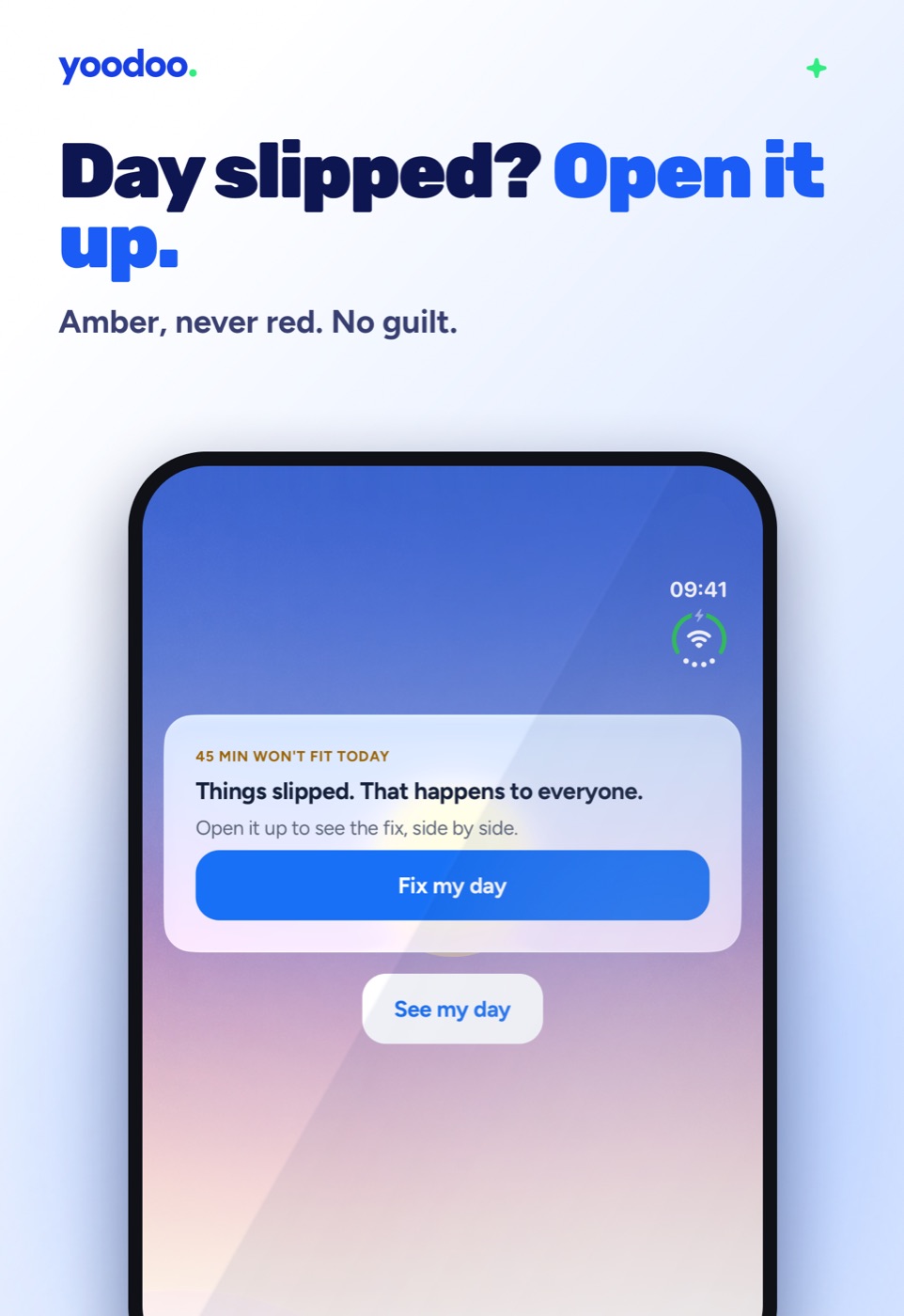
Something runs over. You lose an hour to something shiny. We've all been there. Folded, the outside screen tells you, gently. Amber, never red. "Things slipped. That happens to everyone." And one button: Fix my day.
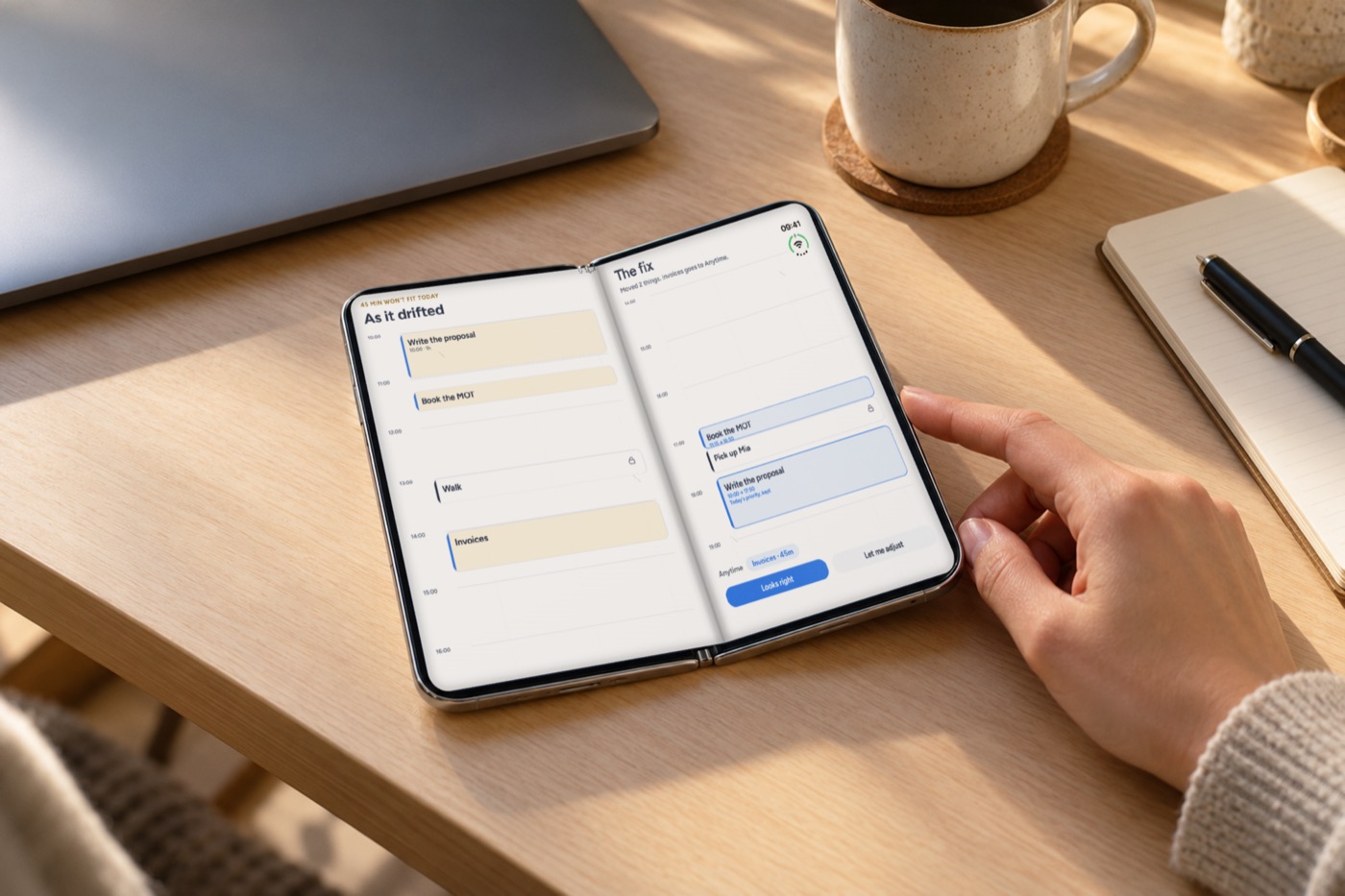
Open the phone, and you see the fix side by side. Your day as it drifted on the left. The fixed day on the right, with exactly what moves highlighted. Nothing changes until you say it looks right.
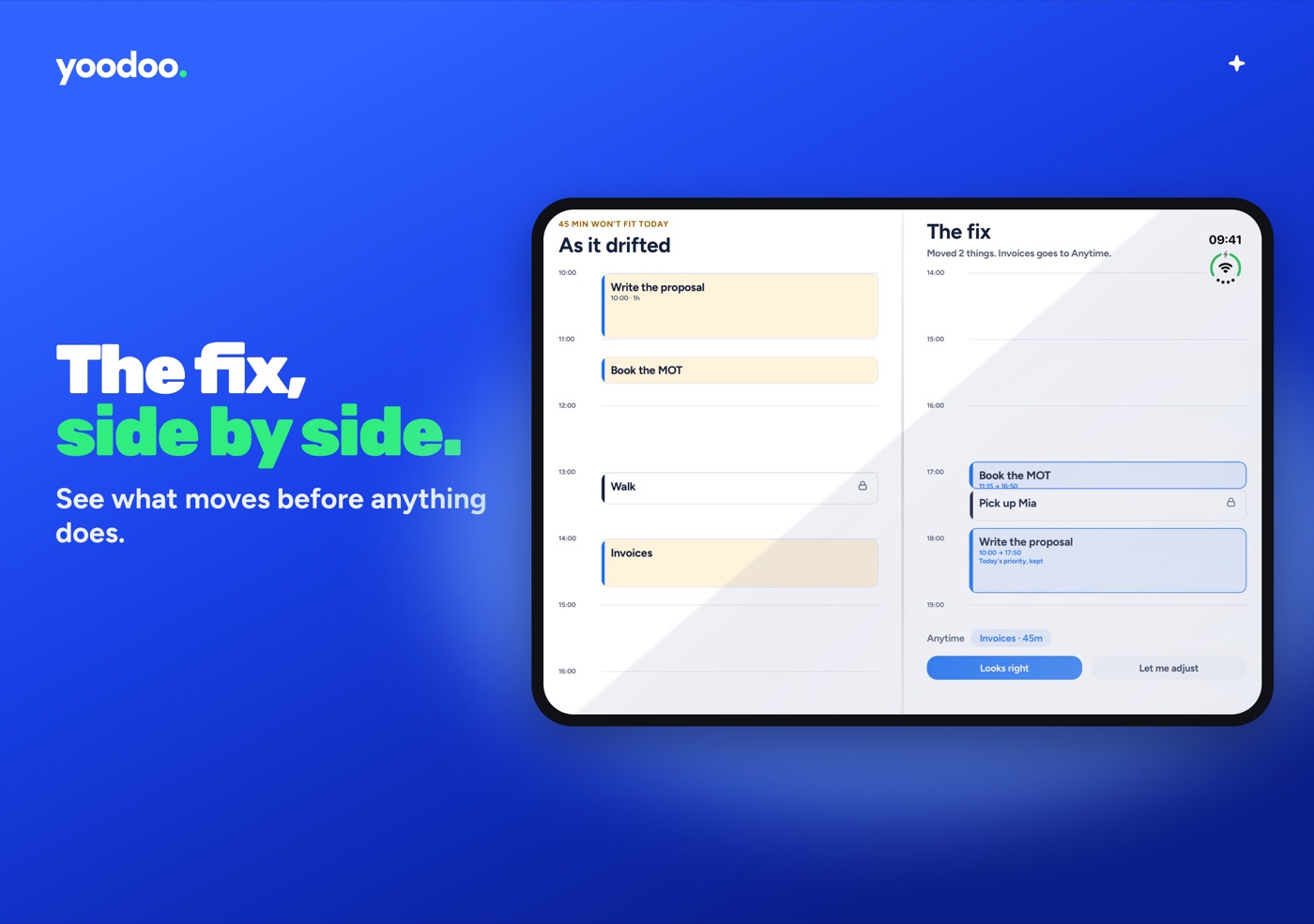
For me, this is the moment the Duo was made for. The point in the day where most planners give up on you, and you can see your way back in one glance.
Every way you hold it
- Folded. The outside screen gets a compact layout built for it, with the tabs down the side so they're out of your thumb's way.
- Open like a book. The two-page spread: homepage or lists on one side, your day on the other.
- Upright. Stood up on a desk, it goes edge to edge like a normal phone, just a bit roomier.
- Across the fold. Start something folded, open it up, close it again. Whatever you were doing carries across without missing a beat.
And all the stuff that matters to us everywhere else is here too. Dynamic Type, VoiceOver labels on every block, Reduce Motion respected, and no red anywhere. Behind is amber, because red makes a lot of us want to throw the phone in a lake.
Why I cared so much about this
Honestly? Because the Duo gets something most tech doesn't.
Most gadgets just want to show you more. More apps, more notifications, more stuff. And for a brain like mine, more is usually the problem.
The Duo gives you a choice. Open it when you need the whole picture. Close it when you need to just get on with it. That's exactly how I try to live with ADHD, and it's exactly how Yoodoo's built to help you live with it too.
(If you want the full story of how the new Yoodoo came to be, broke founder, burnt out, AI comeback and all, it's here. And for everything else that's new, here's the tour.)
Get it
Got an iPhone Duo? Download Yoodoo from the App Store. The Duo layout is built right in, there's nothing extra to switch on. Just open it up and see.
You get all of Pro free for your first week. Unfold it, plan your day, fold it shut and go and do the thing.
And if you've got a Duo, send me a picture of Yoodoo on it. I genuinely want to see.
Ross