
Launch offer: 50% off Pro Yearly and Monthly on the web, until 10 Nov. Start on the web →50% off Pro Yearly and Monthly on the web, until 10 Nov →
← All comparisons

Yoodoo vs Akiflow: time blocking for work or for an ADHD day?

Akiflow is a powerful time-blocking tool for people whose work arrives from ten different apps. It's built for founders and operators at a desk. Pick Yoodoo if you want a planner that starts on your phone, is built for ADHD, fixes your day in one tap when it slips, and costs about a quarter as much.

Facts about Akiflow from its own pages, checked 6 November 2026.

YoodooAkiflow
Built for ADHD brains first✓Founders, operators and busy professionalssource
Starts on your phone✓Set up on desktop firstsource
Time blocks on a timeline✓✓source
Two-way calendar syncYes (Pro)Google and Outlooksource
Collects tasks from your work toolsCalendars10+ integrations, plus Zapier and IFTTTsource
Plans your day when you just say itYes (Pro)Aki, the AI assistantsource
Gets your day back on track when it falls apartOne tap (Lite)Not that we could findsource
Blocks distracting appsiPhone and Android (Pro)Not that we could findsource
Free versionLite, free for goodNo, 7-day trial with a cardsource
Price a year$59.99, or Lite free$228source

Pick Yoodoo if…

  • Your day happens away from a desk as much as at one.
  • Your plan usually breaks by lunchtime, and you want one tap to re-fit the rest.
  • Your phone is the distraction, and you want a blocker built in.
  • $228 a year is a lot for a planner, and you'd like a free version too.

Pick Akiflow if…

  • Your tasks come in from Slack, email and a pile of work tools, and you want them in one inbox.
  • You plan at a computer, with keyboard shortcuts, every morning.
  • You need team scheduling and availability sharing.
  • You want an AI assistant for meetings too (an add-on).

Side by side

Yoodoo
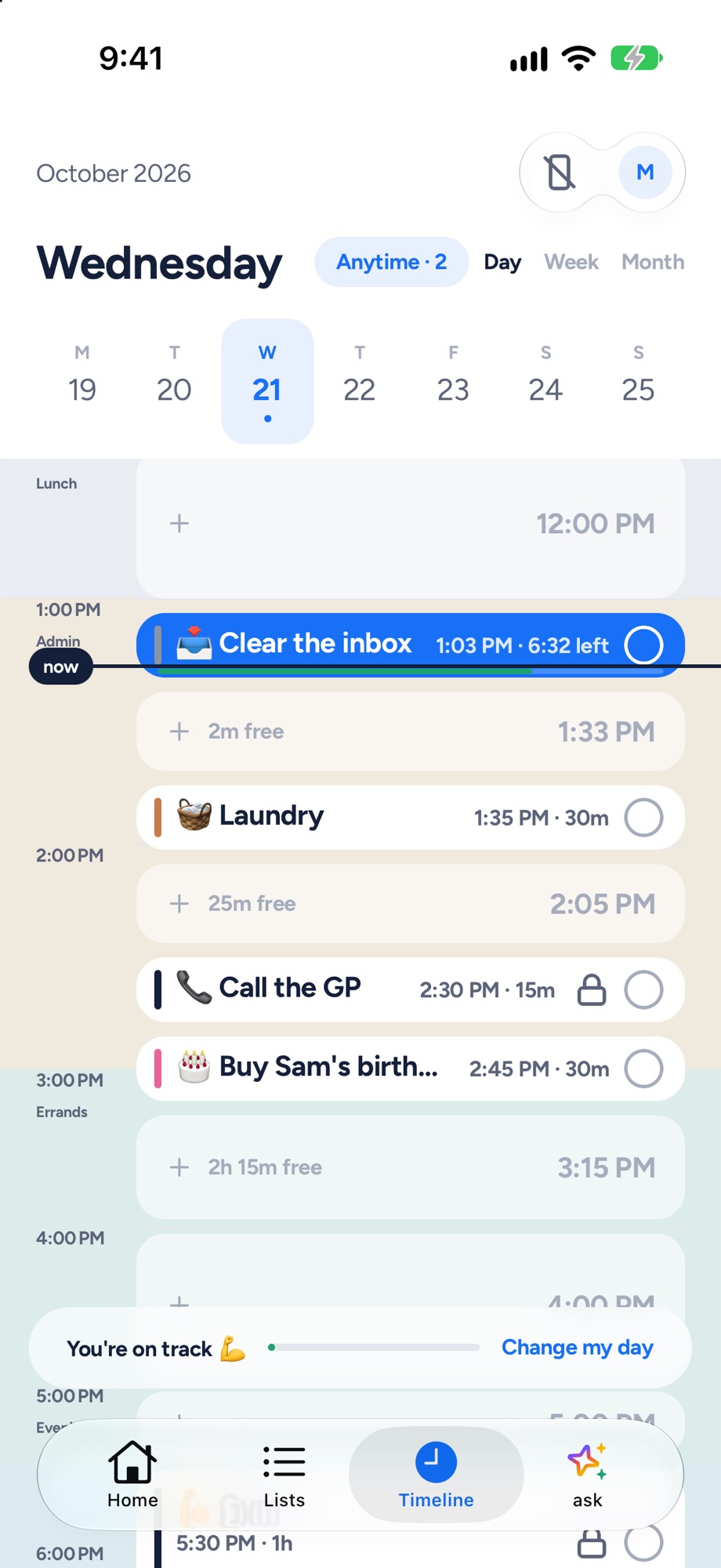
Yoodoo's timeline: tasks and calendar events on one day, with the free gaps and a now line
Yoodoo's timeline: tasks and meetings on one day.
Akiflow
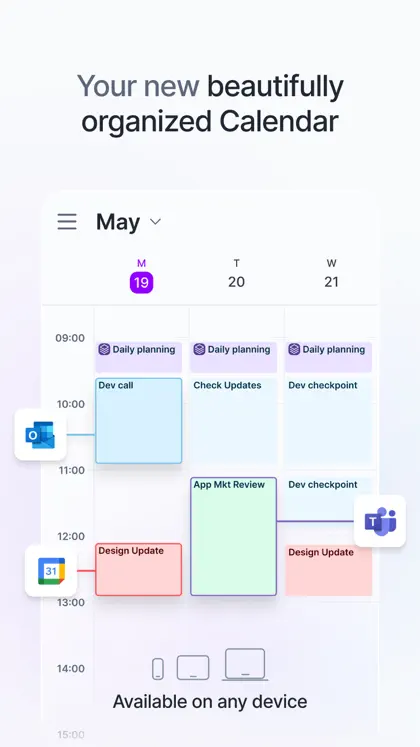
Akiflow on the App Store: one of its own screenshots
Screenshot: Akiflow's App Store listing, taken 6 Nov 2026

My take

I've used Akiflow, and it's properly good at what it's for. If your work arrives from Slack, email and five other tools, getting it all into one time-blocked day is a relief.

But it's built for a desk. You set it up on a computer first, and it talks to founders and operators. And most ADHD days don't happen at a desk. They happen on the way out the door and in the gap before a call.

I make Yoodoo, so weigh that. I built it to start on your phone and to rescue the day when it slips. If you live in a dozen work tools, Akiflow's worth the money. If you need your whole day to hold together, try Yoodoo.

Ross

Yoodoo, up close

Home
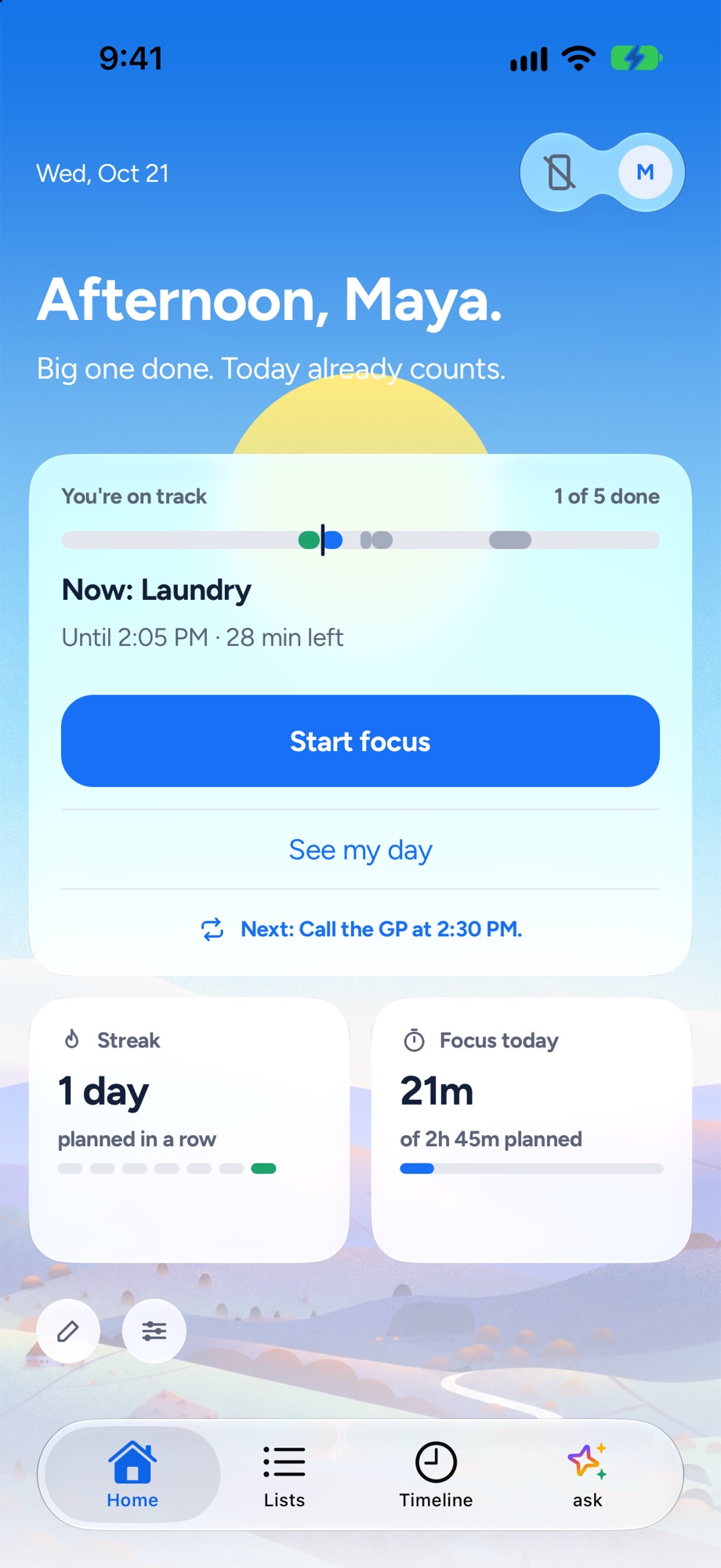
Yoodoo's Home screen: the one thing to do now, how the day is going and a Start focus button
The one thing to do now, and how the day is going.
Timeline
Yoodoo's timeline: tasks and calendar events on one day, with the free gaps and a now line
Tasks and meetings on one timeline, free gaps shown.
Fix my day
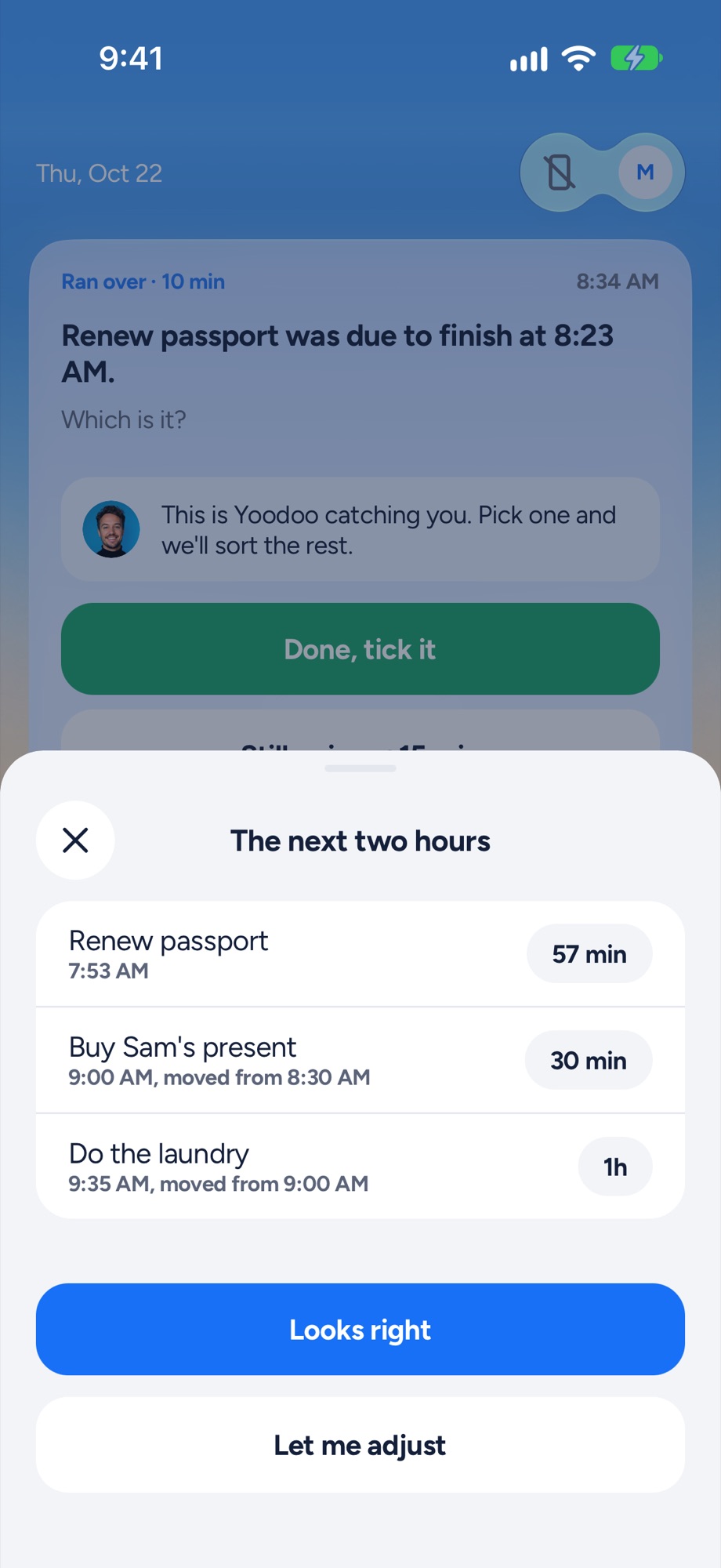
Yoodoo's Fix my day sheet re-fitting the next two hours after a task ran over
Something ran over? One tap re-fits the next two hours.
Focus timer
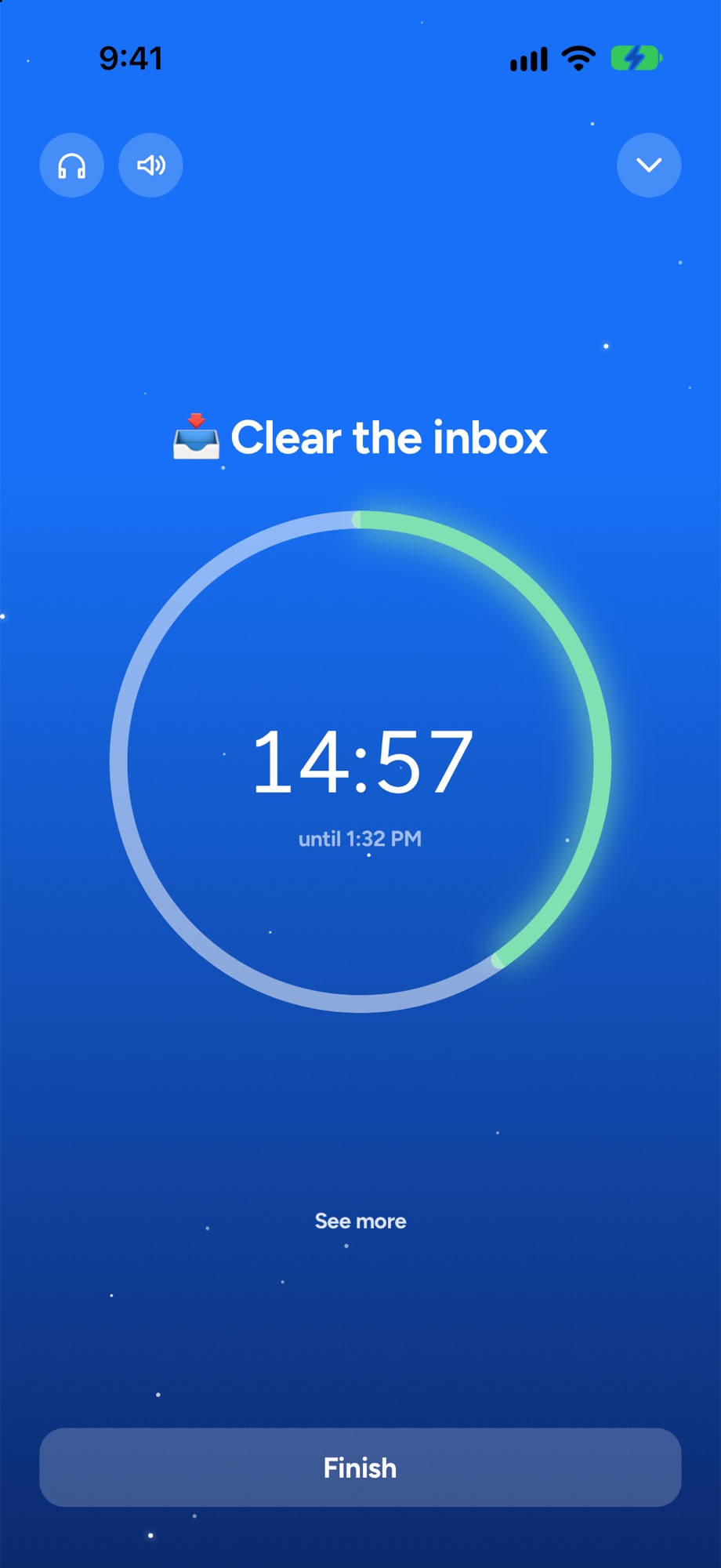
A Yoodoo focus timer counting down on one task
A timer for the one thing you are doing now.

Where Akiflow shines

Akiflow brings tasks, calendars and AI into one time-blocking planner. Its inbox catches work from connected tools, with 10+ native integrations plus Zapier and IFTTT, so the stuff people send you doesn’t get lost. You drag it into your calendar, and calendars sync both ways with Google and Outlook. There’s a daily planning ritual, keyboard shortcuts for everything, and Aki, an AI assistant that takes voice commands and gives daily briefings.

It runs on Mac, Windows and the web, with iPhone and Android apps you set up after the desktop one. Have a look at akiflow.com.

If you’re at a computer all day and your tasks come from everywhere, Akiflow is very good.

Where Yoodoo is different

Yoodoo is built for ADHD brains, and it starts on your phone. You don’t need a desk to plan your day.

Your tasks and meetings sit on one timeline, and calendar sync goes both ways with Pro. Ask Yoodoo plans your day when you just say it, around your meetings. The app blocker locks the apps that eat your mornings. We couldn’t find one in Akiflow. What Yoodoo doesn’t do is pull tasks in from Slack or email. If that’s your main need, Akiflow wins.

When your day falls apart

Fix my day notices when something runs over or doesn’t start, asks one question, and fits the rest of today around what really happened. Meetings and locked things stay put. Your most important task is protected. What doesn’t fit goes to Anytime or tomorrow. It’s one tap, in Lite.

In Akiflow you can re-drag your blocks, and it plans days with AI. We couldn’t find a one-tap re-fit for when the day has already slipped.

Price

Akiflow is $19 a month billed yearly, so $228 a year, or $34 billed monthly. The 7-day trial needs a card, and there’s no free plan. Students and researchers can get 40% off yearly.

Yoodoo Pro is $59.99 a year (with 7 days free), $7.99 a month, or $149.99 once. After the trial, Lite is free for good, with the timeline’s Day view, Fix my day and the focus timer. See Pro.

Switching from Akiflow

  1. Bring your calendar in. Your meetings become the fixed points.
  2. Brain dump your lists with what’s in your Akiflow inbox right now.
  3. Plan your week and leave room.
  4. Ask Yoodoo each morning and let it place your day.

Then, when the afternoon slips, tap Fix my day.

Questions

Is Akiflow good for ADHD?
It can be, if you work at a desk and your problem is tasks scattered across many tools. Its own pages talk to founders and professionals and don't mention ADHD. Yoodoo is built for ADHD and starts on your phone.
Is Akiflow free?
No. Akiflow says it has no free plan. There's a 7-day trial that needs a card, then $34 a month, or $19 a month billed yearly ($228).
What's a cheaper Akiflow alternative?
Yoodoo Pro is $59.99 a year and has time blocking on a timeline, two-way calendar sync and an AI that plans your day. Lite is free for good.

Sources

Apps change. If something here is out of date, tell us in the app and we'll fix it.

Download YoodooPro free for 7 days