
Launch offer: 50% off Pro Yearly and Monthly on the web, until 10 Nov. Start on the web →50% off Pro Yearly and Monthly on the web, until 10 Nov →
← All comparisons

Yoodoo vs Goblin Tools: a planner or a helper?

Goblin Tools is a brilliant free toolbox. Magic ToDo alone has helped a lot of people start things. It isn't a planner, though, and doesn't try to be. Use it to break a task down. Use Yoodoo when you need that task, and the rest of your day, to actually happen at a time.

Facts about Goblin Tools from its own pages, checked 6 November 2026.

YoodooGoblin Tools
Breaks a big task into small stepsYes, with Ask Yoodoo (Pro)Yes, Magic ToDosource
Plans your day on a timeline✓Not that we could findsource
Calendar syncBoth ways (Pro)Not that we could findsource
Reminders and nudges through the day✓Not that we could findsource
Tone check for messages✕Yes, Judge and Formalizersource
FreeLite, free for goodFree on the websource
AppsiPhone and AndroidiPhone and Android ($0.99 on the US App Store)source

Pick Yoodoo if…

  • You've got the steps, and what you need is a time to do them that fits around everything else.
  • You want reminders and a plan that re-fits itself when the day slips.
  • You want your calendar and tasks in one place.

Pick Goblin Tools if…

  • You need help starting one specific, overwhelming task, right now, for free.
  • You want a quick read on the tone of an email or a message.
  • You don't want an account or another planner.

Side by side

Yoodoo
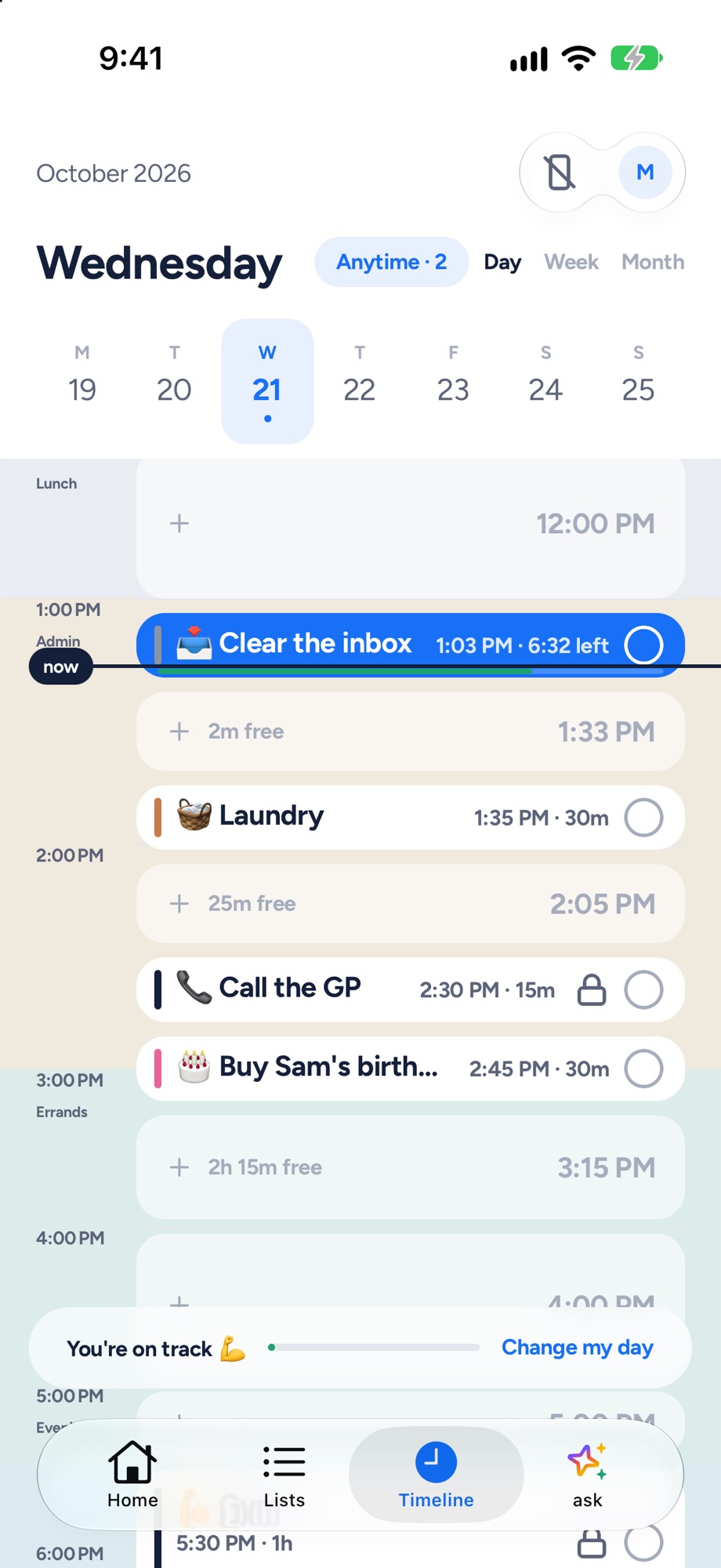
Yoodoo's timeline: tasks and calendar events on one day, with the free gaps and a now line
Yoodoo's timeline: tasks and meetings on one day.
Goblin Tools
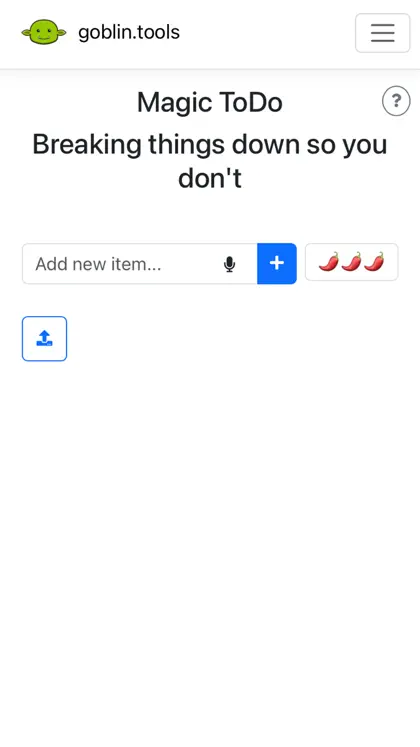
Goblin Tools on the App Store: one of its own screenshots
Screenshot: Goblin Tools's App Store listing, taken 6 Nov 2026

My take

I love Goblin Tools. Magic ToDo turning a scary task into tiny steps is one of the most useful free things on the internet for ADHD brains, and the tone checker is a clever idea for anyone who overthinks messages.

It isn't a planner, and it doesn't pretend to be. Once you've got your steps, you still need a time to do them that fits around everything else. That's the bit Yoodoo does.

Use Goblin Tools to break things down. Use Yoodoo to make them happen. They work well side by side.

Ross

Yoodoo, up close

Home
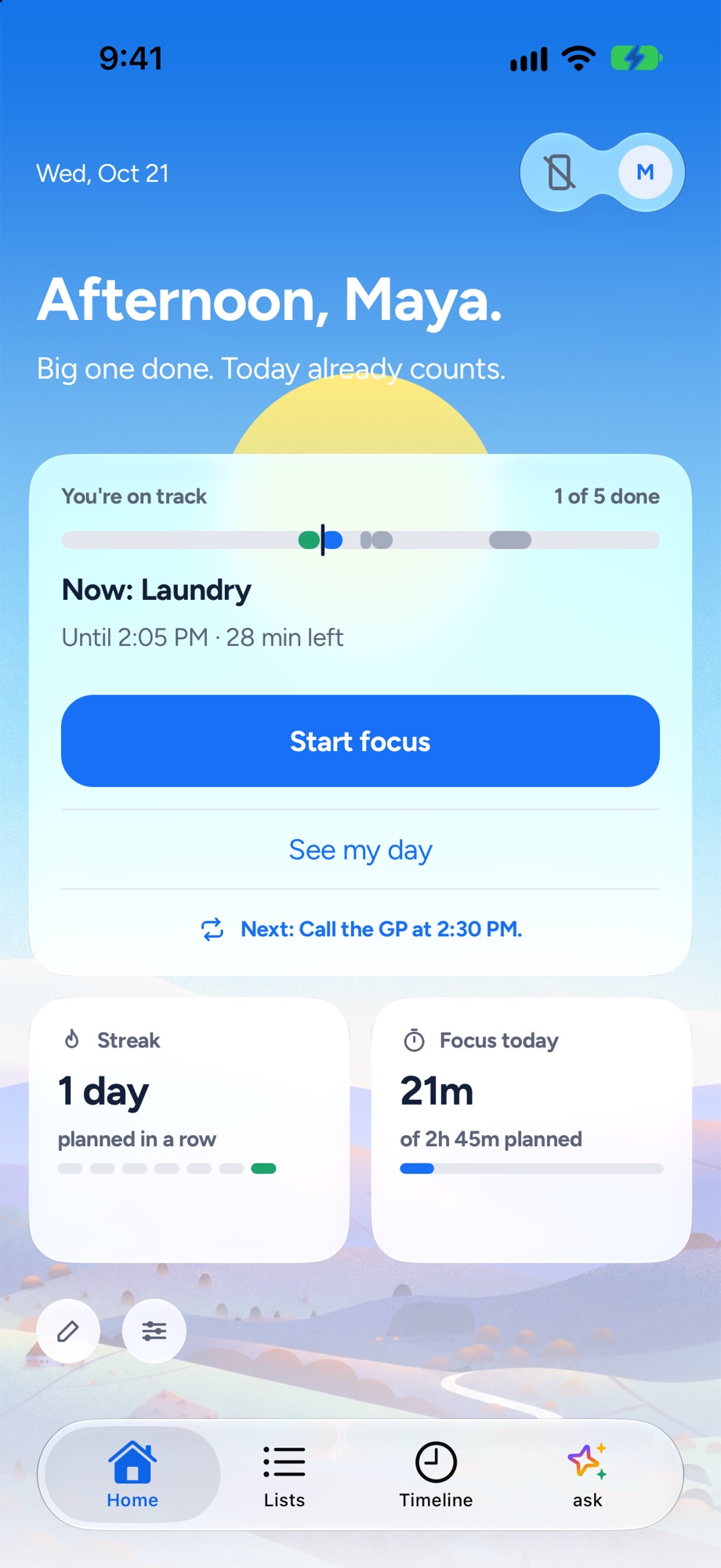
Yoodoo's Home screen: the one thing to do now, how the day is going and a Start focus button
The one thing to do now, and how the day is going.
Timeline
Yoodoo's timeline: tasks and calendar events on one day, with the free gaps and a now line
Tasks and meetings on one timeline, free gaps shown.
Fix my day
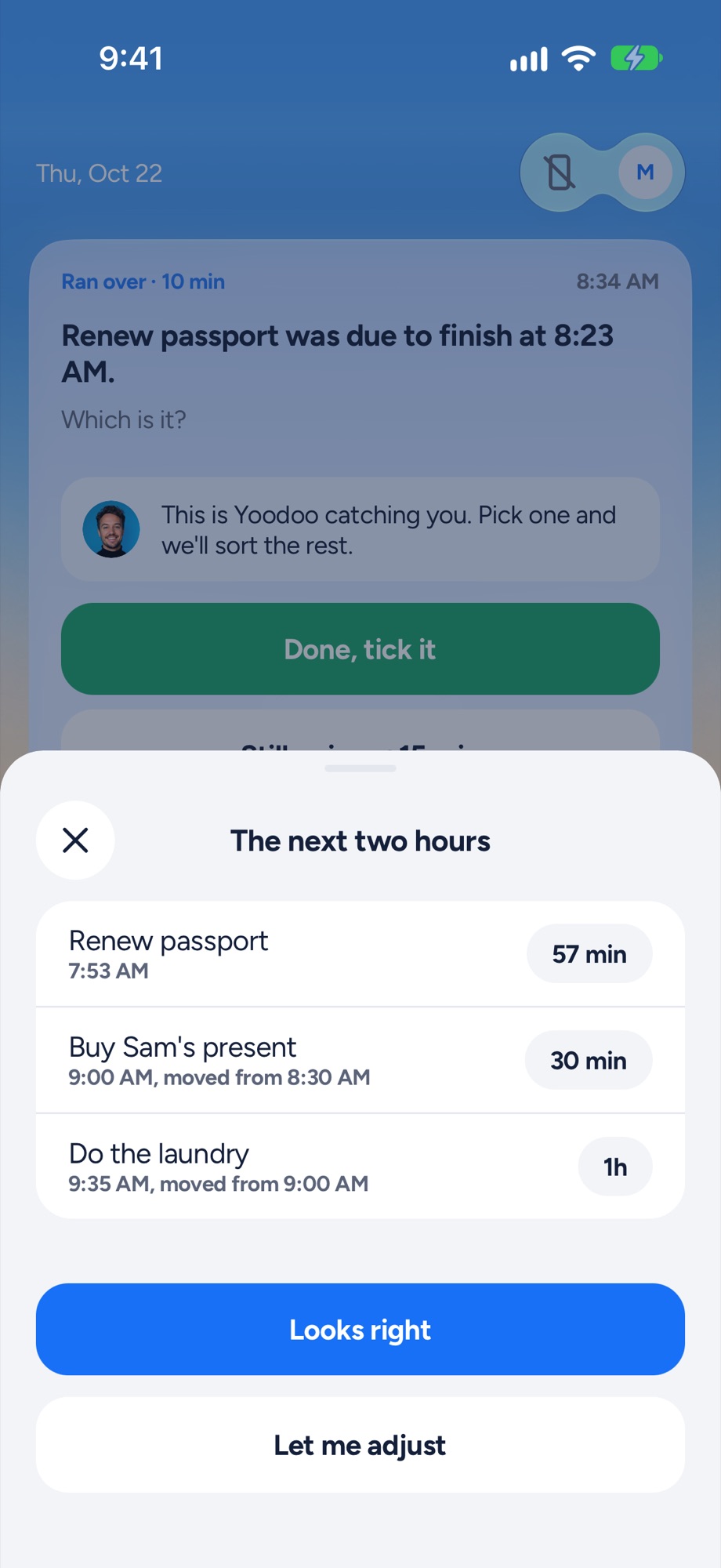
Yoodoo's Fix my day sheet re-fitting the next two hours after a task ran over
Something ran over? One tap re-fits the next two hours.
Focus timer
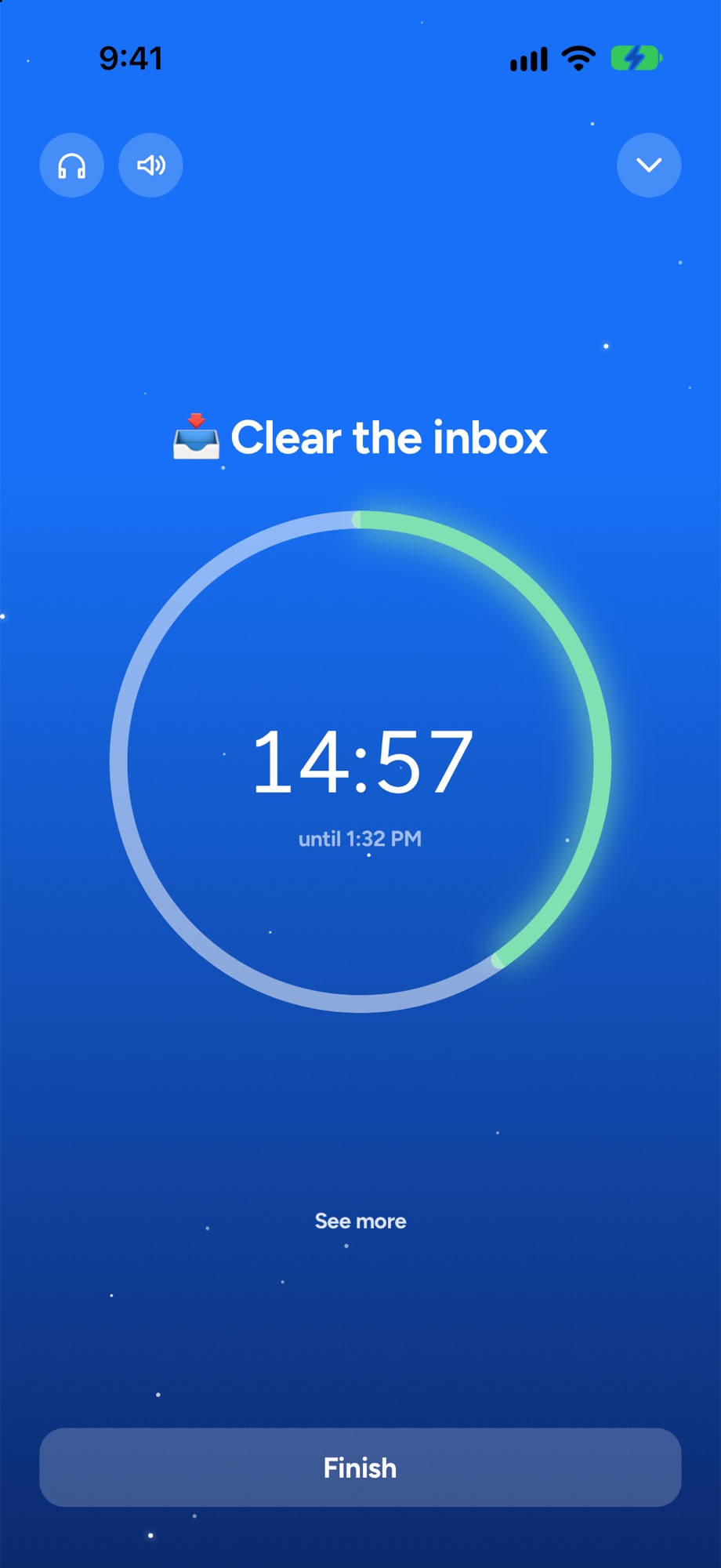
A Yoodoo focus timer counting down on one task
A timer for the one thing you are doing now.

Where Goblin Tools shines

Goblin Tools is a set of small tools that each do one job. The best known is Magic ToDo: type a task that feels too big and it breaks it into steps, smaller and smaller if you need. Other tools estimate how long something will take, check whether a message sounds too harsh, make text more formal or more casual, and turn a ramble into a list. The website is free, with no ads.

It’s honest about itself too. The site says its AI output varies and is best treated as a helpful guess. If starting is your hardest part, try it at goblin.tools.

Where Yoodoo is different

Yoodoo is a planner. Breaking a task down is one step. The next is finding a time for it, around your meetings, and still doing it when the morning goes sideways.

So Yoodoo puts tasks on a timeline with your calendar, nudges you when it’s time, and fixes the day in one tap when something runs over. Ask Yoodoo breaks big tasks into tiny steps too, right on your timeline.

Price

Goblin Tools is free on the web. The iPhone app is $0.99 on the US App Store, and the optional Pro is $3.99 a month or $39.99 a year. Yoodoo Lite is free for good, and Pro is $59.99 a year with 7 days free. See Pro.

Questions

Is Goblin Tools free?
The website is free, with no ads, according to Goblin Tools' own About page. The iPhone app is $0.99 on the US App Store, and there's an optional Pro at $3.99 a month or $39.99 a year for a few extras.
Can I use Goblin Tools and Yoodoo together?
Yes, and it works well. Break the task down in Magic ToDo, then put the steps on your Yoodoo timeline. With Pro, Ask Yoodoo can break tasks down for you too.

Sources

Apps change. If something here is out of date, tell us in the app and we'll fix it.

Download YoodooPro free for 7 days