
Launch offer: 50% off Pro Yearly and Monthly on the web, until 10 Nov. Start on the web →50% off Pro Yearly and Monthly on the web, until 10 Nov →
← All comparisons

Yoodoo vs TickTick: which is better for ADHD?

TickTick packs a huge amount into one cheap app, and if you like tinkering with lists, views and timers, it's hard to beat. It's a to-do list first. Pick Yoodoo if your problem isn't remembering tasks but getting through the day: everything lands on one timeline, and when the day slips, one tap fits the rest around what really happened.

Facts about TickTick from its own pages, checked 6 November 2026.

YoodooTickTick
Gets your day back on track when it falls apartOne tap (Lite)Not that we could findsource
Blocks distracting appsiPhone and Android (Pro)Not that we could findsource
Focus timerYes (Lite)Pomo timersource
Habit trackerHabits that forgive an off dayYes (5 free, 299 on Premium)source
Time blocks on a timeline✓Timeline and calendar viewssource
Plans your day when you just say itYes (Pro)Natural language for single tasks, AI on Premiumsource
Eisenhower matrix✕✓source
Desktop appsIn the browser, with ProMac, Windows and Linuxsource
Built for ADHD brains first✓Everyonesource
Price a year$59.99, or Lite free$49.99, or free plansource

Pick Yoodoo if…

  • You've got plenty of lists. What you can't do is see what actually fits before 4pm.
  • Your day usually breaks by lunchtime and you want one tap to re-fit the rest.
  • Your phone is the distraction, and you want a blocker that switches on by itself.
  • You'd rather say your day out loud and have it land around your meetings.

Pick TickTick if…

  • You love features and settings, and the more views the better.
  • You want a Pomodoro timer, habits and an Eisenhower matrix in one cheap app.
  • You work on a Windows or Linux computer and want a proper desktop app.
  • Your to-do list is the thing you live in, not the timeline of your day.

Side by side

Yoodoo
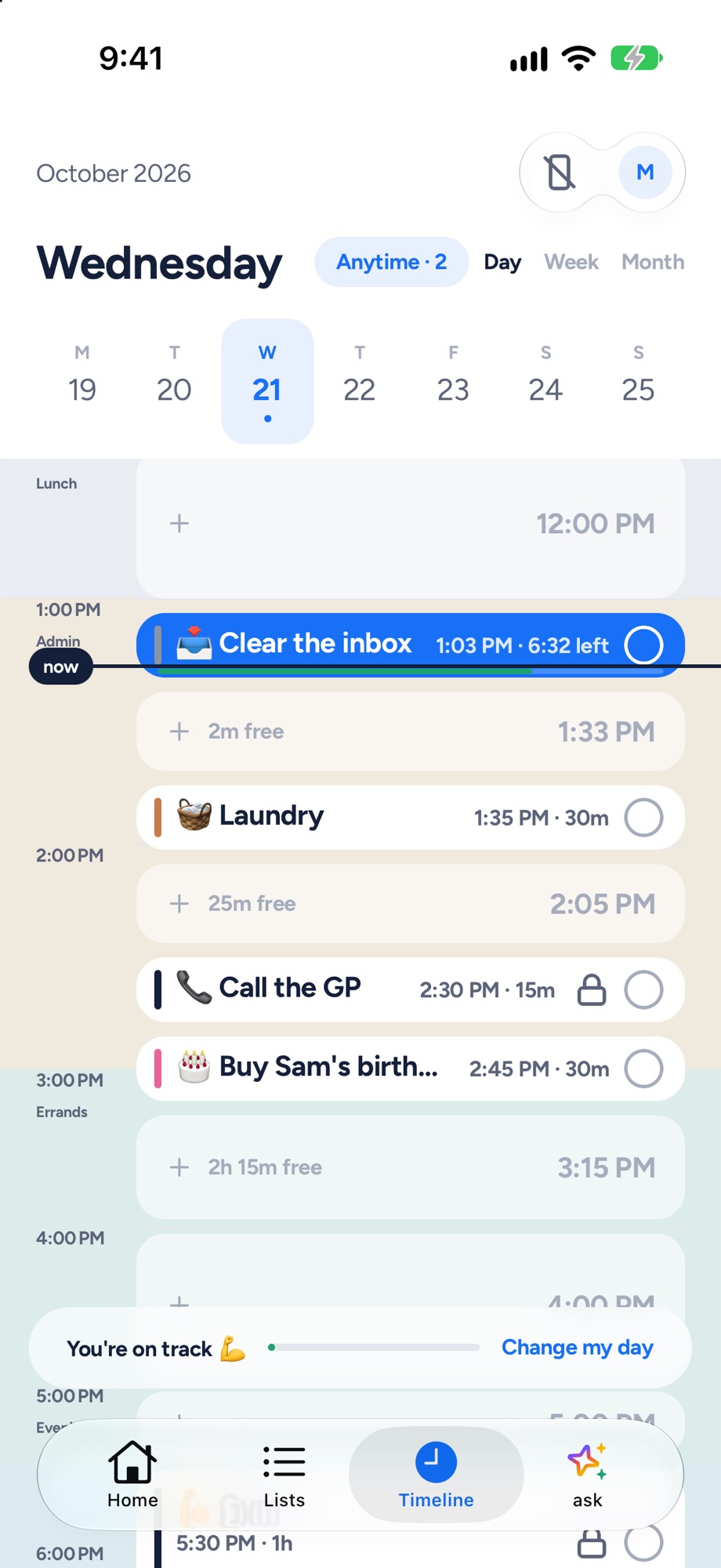
Yoodoo's timeline: tasks and calendar events on one day, with the free gaps and a now line
Yoodoo's timeline: tasks and meetings on one day.
TickTick
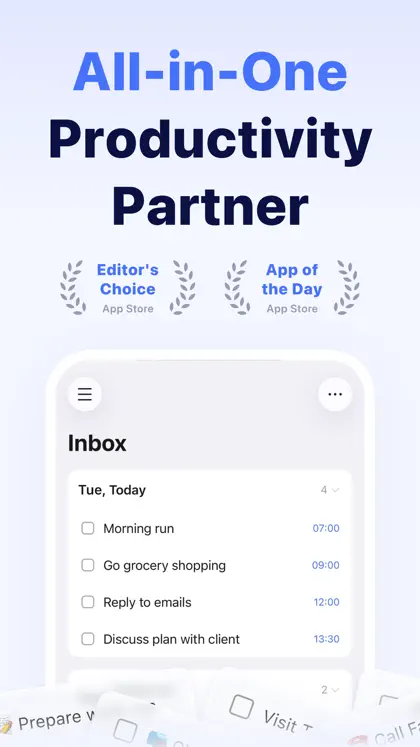
TickTick on the App Store: one of its own screenshots
Screenshot: TickTick's App Store listing, taken 6 Nov 2026

My take

I've used TickTick, and I get why people love it. It does a ridiculous amount for the money. Lists, calendar views, a Pomo timer, habits, a matrix. It's on everything.

For a lot of ADHD brains, I think that's the catch. More views and settings can mean more ways to fiddle and fewer ways to actually start. And a list doesn't tell you what fits before 4pm.

I make Yoodoo, so take this with a pinch of salt. But I built it around the day, not the list, and around the moment it goes wrong. If you like tweaking your system, stick with TickTick. If you keep losing the afternoon, give Yoodoo a go.

Ross

Yoodoo, up close

Home
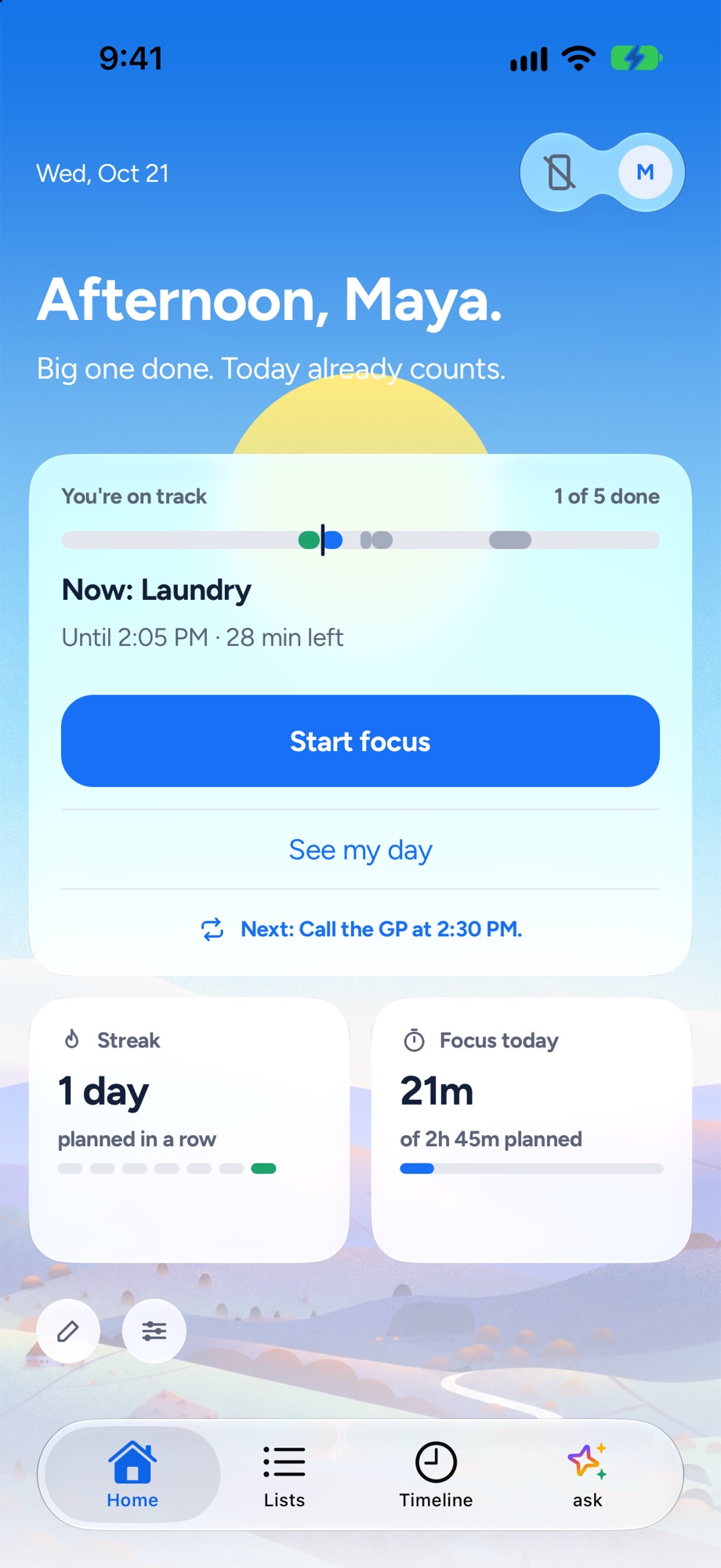
Yoodoo's Home screen: the one thing to do now, how the day is going and a Start focus button
The one thing to do now, and how the day is going.
Timeline
Yoodoo's timeline: tasks and calendar events on one day, with the free gaps and a now line
Tasks and meetings on one timeline, free gaps shown.
Fix my day
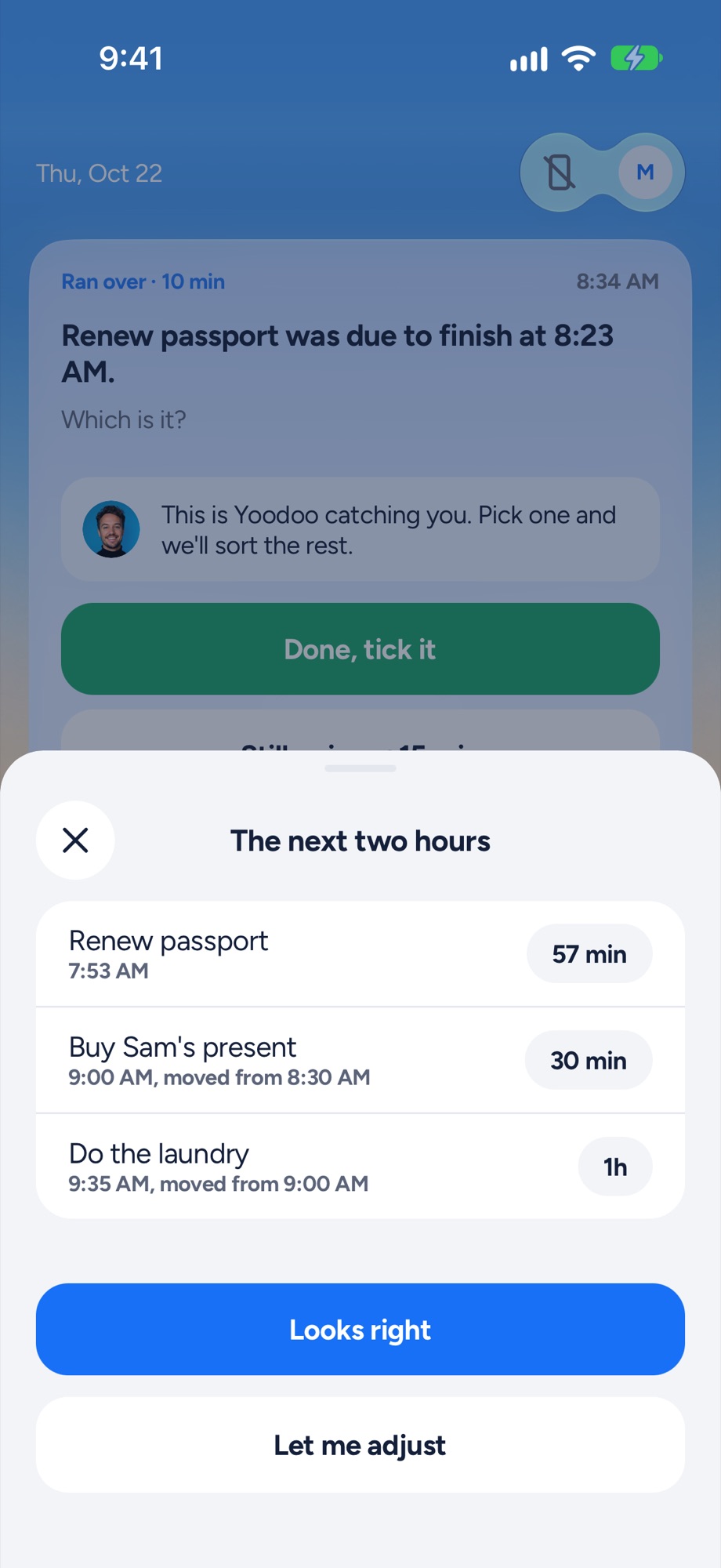
Yoodoo's Fix my day sheet re-fitting the next two hours after a task ran over
Something ran over? One tap re-fits the next two hours.
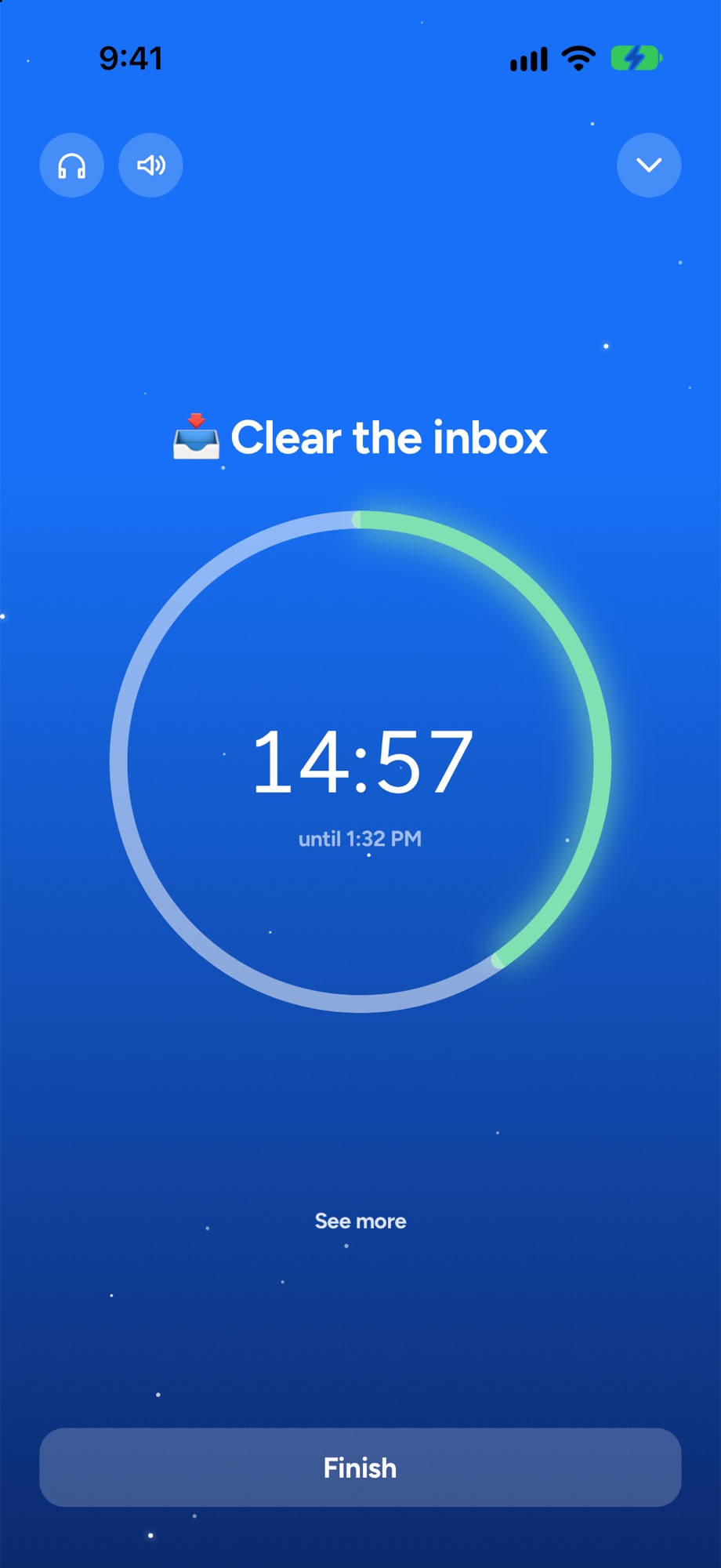
Focus timer
A Yoodoo focus timer counting down on one task
A timer for the one thing you are doing now.

Where TickTick shines

TickTick is a lot of app for not much money. You get lists, a calendar with several views including a timeline, a Pomo timer, a habit tracker, countdowns and an Eisenhower matrix for sorting what’s urgent from what matters. You can subscribe to your calendars so they show up next to your tasks.

It’s on nearly everything: iPhone, iPad, Apple Watch, Android, Mac, Windows, Linux, the web and a browser extension. The free plan is generous, and Premium is cheap. Have a look at ticktick.com.

If you like building your own system and having every tool in one place, TickTick is a great pick.

Where Yoodoo is different

TickTick is a to-do list that grew a calendar. Yoodoo is a day that your tasks live inside.

The timeline draws every task as a real block of time around your meetings, so the free gaps are right there. It’s in Lite, the free version. Ask Yoodoo plans your whole day when you just say it, and changes it when you change your mind. And the app blocker locks the apps that eat your mornings, on a schedule or when you start focusing. We couldn’t find one in TickTick.

Yoodoo also has fewer settings on purpose. We’d rather it just works on a bad day than lets you tune it on a good one.

When your day falls apart

In TickTick, a task you didn’t get to becomes overdue and needs a new date. We couldn’t find anything that re-fits the rest of today for you, so that’s another job when you’re already behind.

Fix my day notices when something runs over or doesn’t start, asks you one question, and fits the rest of today around what really happened. Meetings and locked things stay put. Your most important task is protected. What doesn’t fit goes to Anytime or tomorrow. One tap, in Lite.

Price

TickTick has a free plan with limits, like 9 lists and 5 habits. Premium is $49.99 a year or $4.99 a month on the US App Store.

Yoodoo Pro is $59.99 a year (with 7 days free), $7.99 a month, or $149.99 once. After the trial, Lite is free for good, with the timeline’s Day view, Fix my day and the focus timer. See Pro.

Switching from TickTick

  1. Brain dump your lists. Bring across what still matters, and leave the stale stuff behind.
  2. Bring your calendar in, so your meetings are the fixed points.
  3. Ask Yoodoo each morning and let it place your day.
  4. Block your phone for the mornings you always lose.

Then, the first time the afternoon slips, tap Fix my day.

Questions

Is TickTick good for ADHD?
Lots of people with ADHD use it, and the Pomo timer and habit tracker help. It's a general to-do app though, not built for ADHD, and it has a lot of settings, which some ADHD brains love and others drown in. If your days fall apart rather than your lists, a planner like Yoodoo fits better.
Is TickTick free?
There's a free plan with limits, like 9 lists and 5 habits. Premium is $49.99 a year or $4.99 a month on the US App Store.
TickTick vs Yoodoo: which is cheaper?
TickTick Premium is $49.99 a year. Yoodoo Pro is $59.99 a year, and Lite is free for good, with the Day view, Fix my day and the focus timer.
Can I use both?
You can. Some people keep a big list in TickTick and plan the day itself in Yoodoo. Two planners usually means one gets forgotten, so try Yoodoo Pro free for 7 days and see which you still open on day five.

Sources

Apps change. If something here is out of date, tell us in the app and we'll fix it.

Download YoodooPro free for 7 days