
Launch offer: 50% off Pro Yearly and Monthly on the web, until 10 Nov. Start on the web →50% off Pro Yearly and Monthly on the web, until 10 Nov →
← All comparisons

The best ADHD focus apps in 2026: timers and app blockers compared

Focus apps do one of three things: make time visible (a timer), make starting easier, or keep your phone out of the way (a blocker). Most ADHD brains need a bit of each. Here are eight good ones and what each is best at.

Updated 6 November 2026. Facts from each app's own pages.

I read each app's own site, help pages and US store listing on 6 November 2026, and we recheck every month. I make Yoodoo, so I'm biased; that's why every app gets a 'not for you if', ours included. Nobody paid to be on this list.

Why I wrote this

I've tried all of these, and I make Yoodoo, so I'm biased. For a lot of ADHD brains the phone is what eats the morning, which is why Yoodoo has a blocker built in. But some of these do one job brilliantly, and I'd happily use them alongside any planner.

Ross

Quick picks

AppBest forAndroid?Free version?Price (US)
YoodooA timer and blocker inside your planYes, same featuresYes (Lite: timer)$59.99/yr
Focus FriendA fun focus timerYesYes$19.99/yr
ForestA classic phone-free timerYesYes$35.99/yr
OpalBlocking apps automaticallyYesYes (one rule)$99.99/yr
one secA pause before distracting appsYesYes (one app)$19.99/yr
FreedomBlocking phone and computer togetherYesYes$39.96/yr
Llama LifeOne task at a timeYesTrial only$39/yr
Goblin ToolsBreaking tasks into stepsYesYes (web)Free web, $0.99 app

Yoodoo, up close

Home
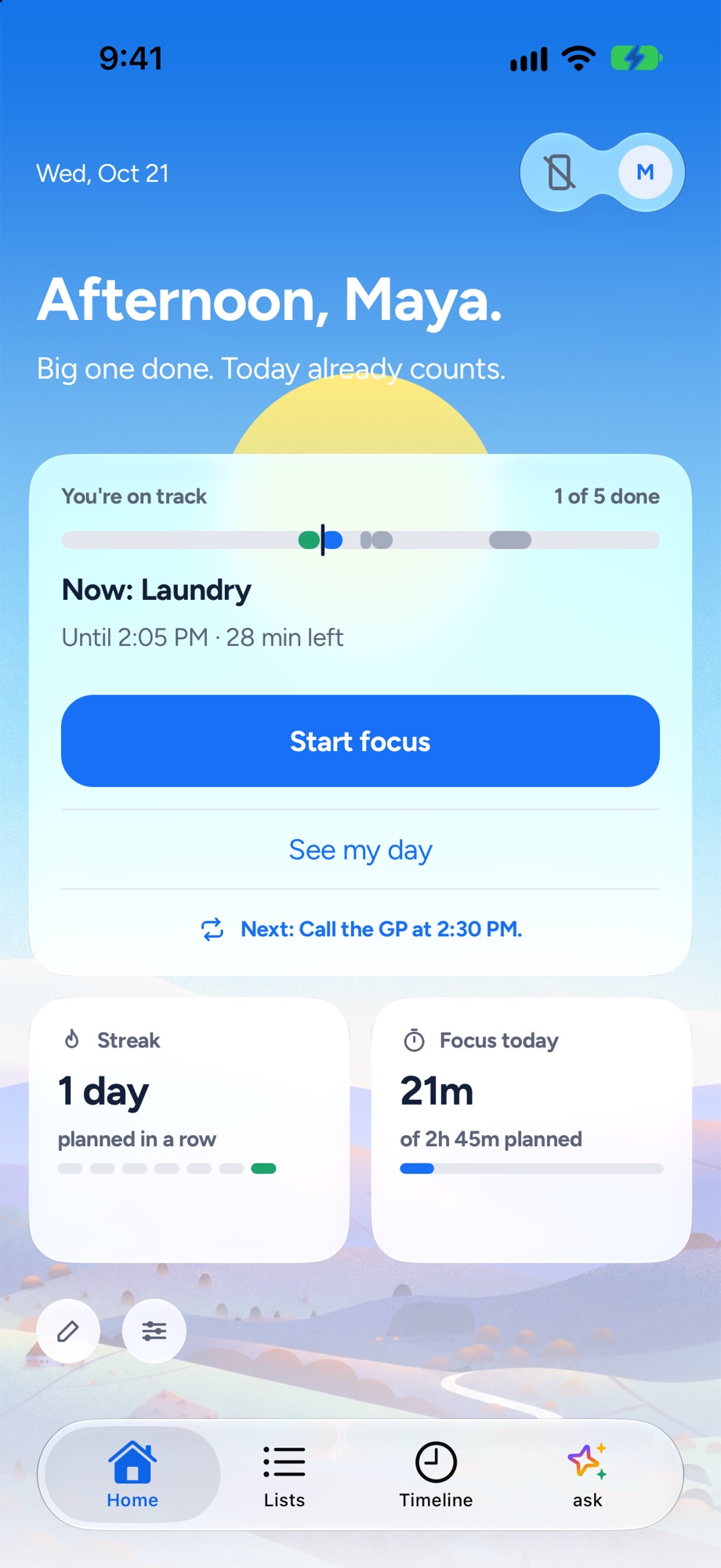
Yoodoo's Home screen: the one thing to do now, how the day is going and a Start focus button
The one thing to do now, and how the day is going.
Timeline
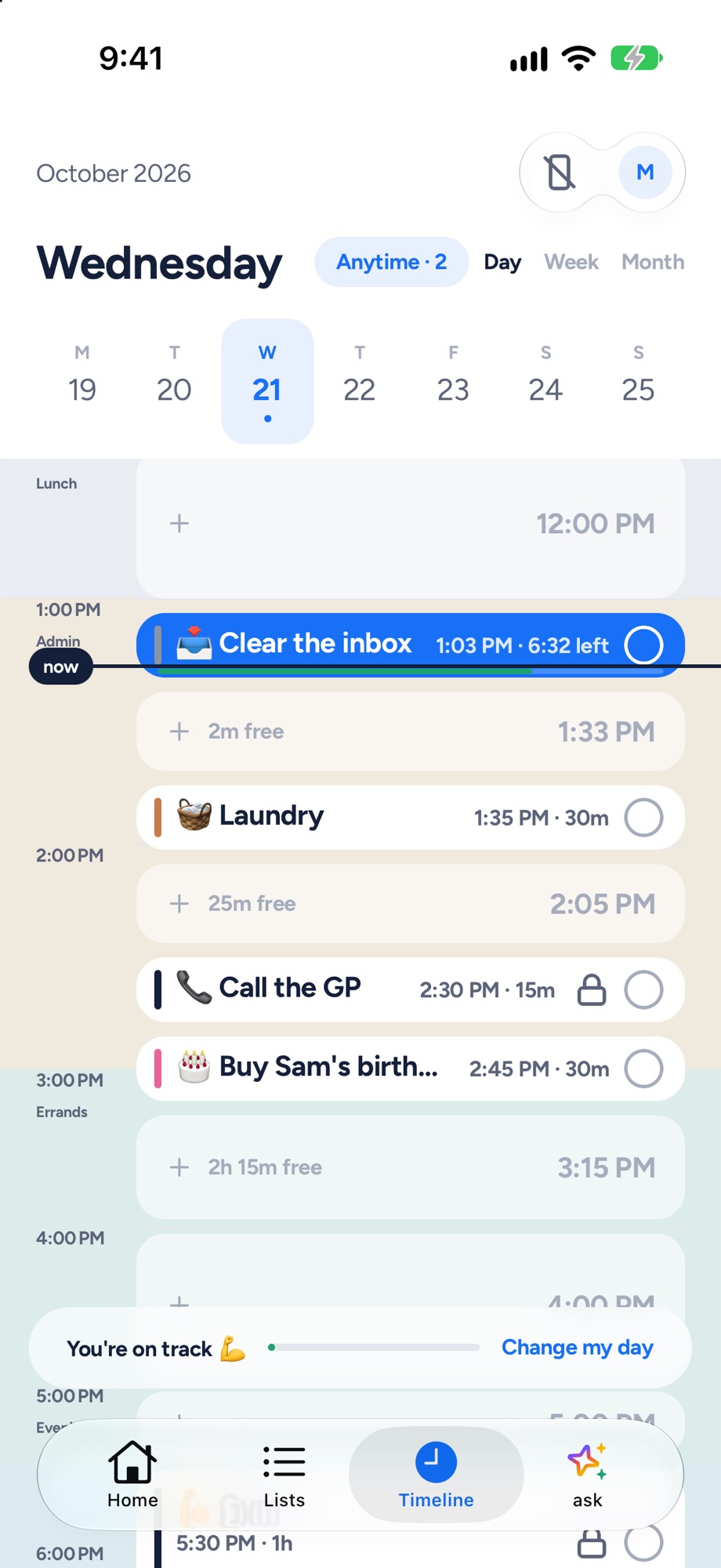
Yoodoo's timeline: tasks and calendar events on one day, with the free gaps and a now line
Tasks and meetings on one timeline, free gaps shown.
Fix my day
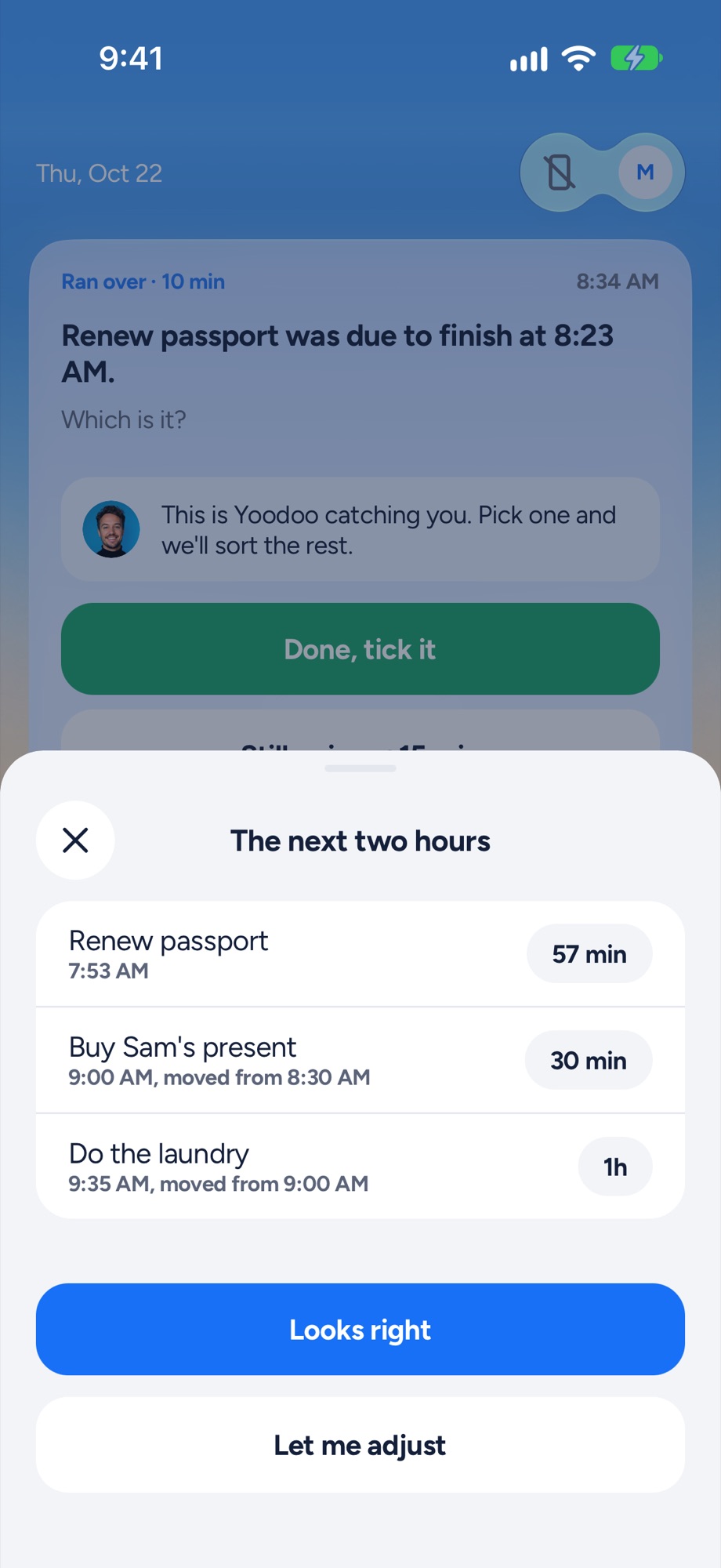
Yoodoo's Fix my day sheet re-fitting the next two hours after a task ran over
Something ran over? One tap re-fits the next two hours.
Focus timer
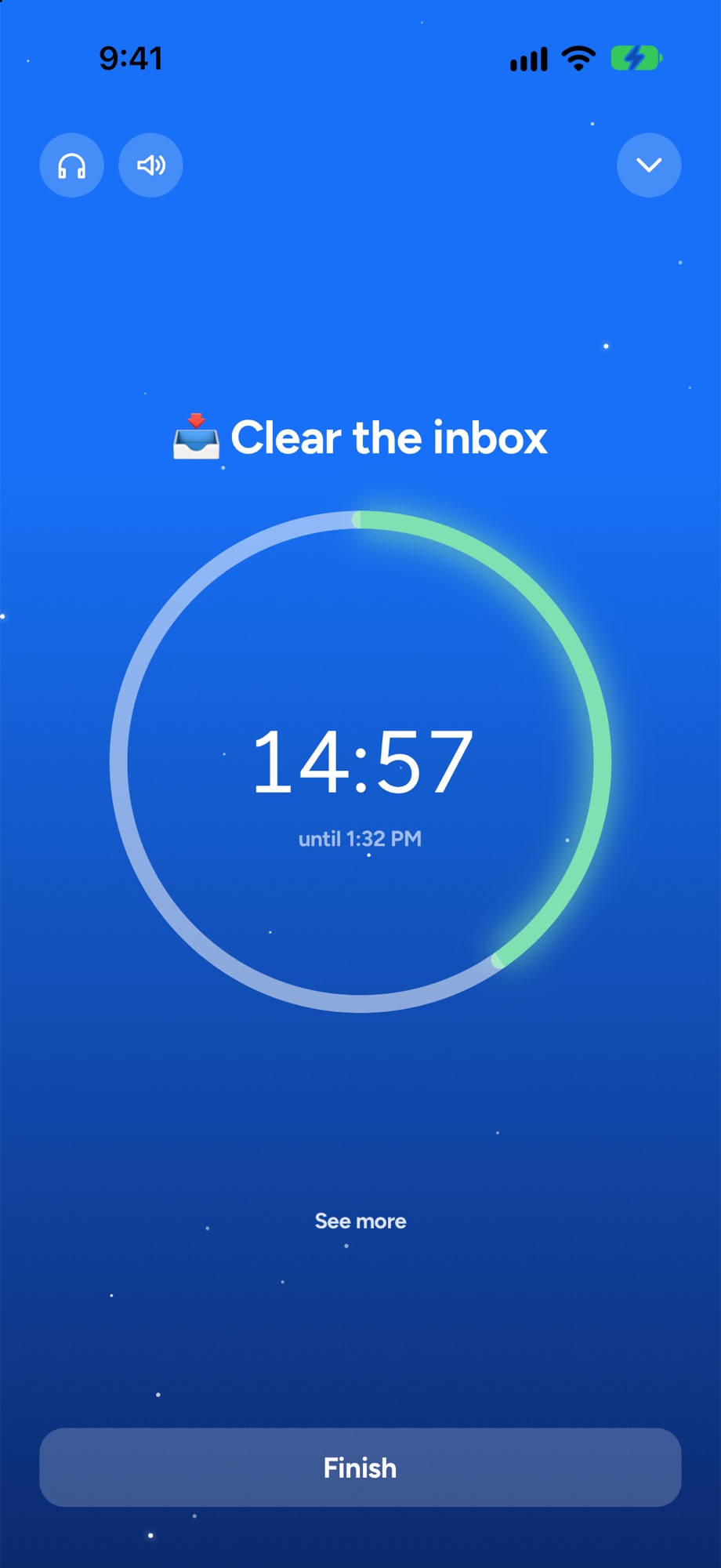
A Yoodoo focus timer counting down on one task
A timer for the one thing you are doing now.
Y
1. Best focus timer inside a planner

YoodooThat's us

An ADHD day planner that bends when your day breaks. Your tasks and calendar go on one timeline, and when something runs over, one tap fits the rest of the day around what really happened.

My take: Mine, so weigh that. The focus timer is free, and the blocker comes with Pro. The point is that both sit inside your day, so you start the right thing, not just a timer.

Good at

  • A focus timer on any task, free in Lite
  • A blocker for distracting apps on iPhone and Android (Pro)
  • Starts from your plan, so you know what to focus on
  • Fix my day when a focus session runs over

Not for you if

  • You want a native iPad, Apple Watch or Mac app (on a computer, Yoodoo runs in the browser with Pro)
  • You need it in a language other than English, for now
  • You want lots of lists and habits for free (Lite has one list and one habit)
Price
Lite is free. Pro is $59.99 a year (7 days free), $7.99 a month or $149.99 once
Runs on
iPhone and Android, plus web and desktop with Pro
Yoodoo's timeline: tasks and calendar events on one day, with the free gaps and a now line
F
2. Best fun focus timer

Focus Friend

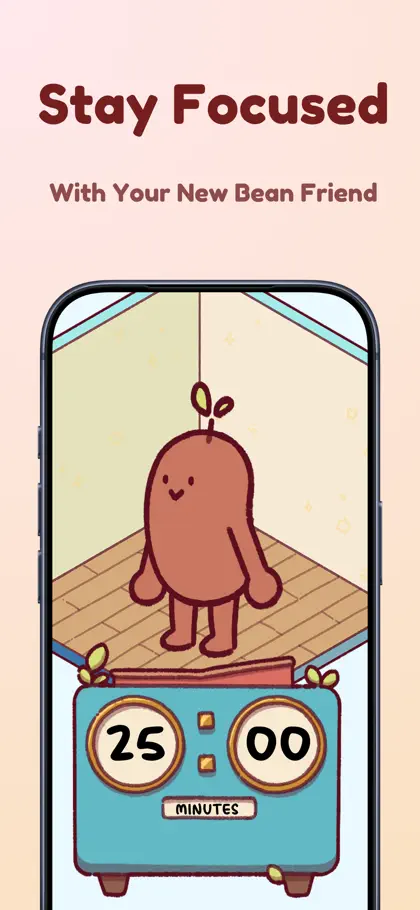
A focus timer with a little bean who knits while you focus. Finishing sessions earns things for the bean's room.

My take: Probably the most charming timer out there. The bean makes you not want to stop. It's a timer, not a planner.

Good at

  • Making a focus session feel like a game
  • Deep Focus mode to lock distracting apps
  • Cheap

Not for you if

  • You need a plan for the whole day: it's a timer, not a planner
Price
Free. Pro is $19.99 a year or $3.99 a month on the US App Store
Runs on
iPhone, iPad and Android
Focus Friend on the App Store: one of its own screenshots
Screenshot: Focus Friend's App Store listing, taken 6 Nov 2026
F
3. Best classic phone-free timer

Forest

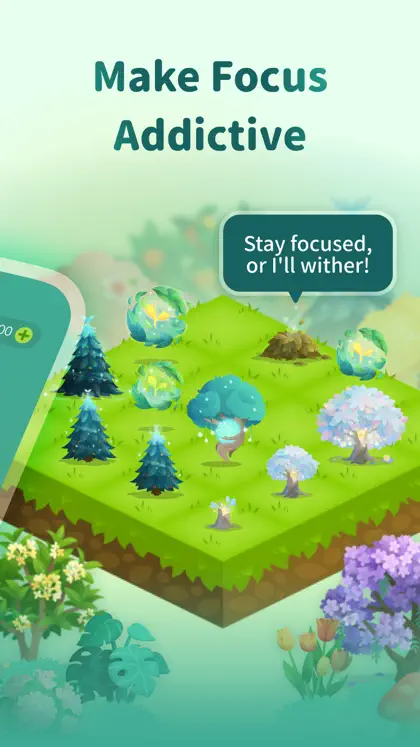
A focus timer that grows a virtual tree while you stay off your phone. Leave early and the tree withers. It also plants real trees with Trees for the Future.

My take: Simple and it works: don't touch your phone, and the tree grows. The real trees are a nice touch.

Good at

  • A simple, visual reason to stay off your phone
  • Allow Lists to block distracting apps on iPhone
  • Browser extension for Chrome and Firefox

Not for you if

  • You need a plan for the day: it's a focus timer
Price
Free for core focus. Forest Plus is listed at $35.99 a year or $5.99 a month on the US App Store (early-bird prices)
Runs on
iPhone, iPad, Android, and Chrome and Firefox
Forest on the App Store: one of its own screenshots
Screenshot: Forest's App Store listing, taken 6 Nov 2026
O
4. Best for blocking apps automatically

Opal

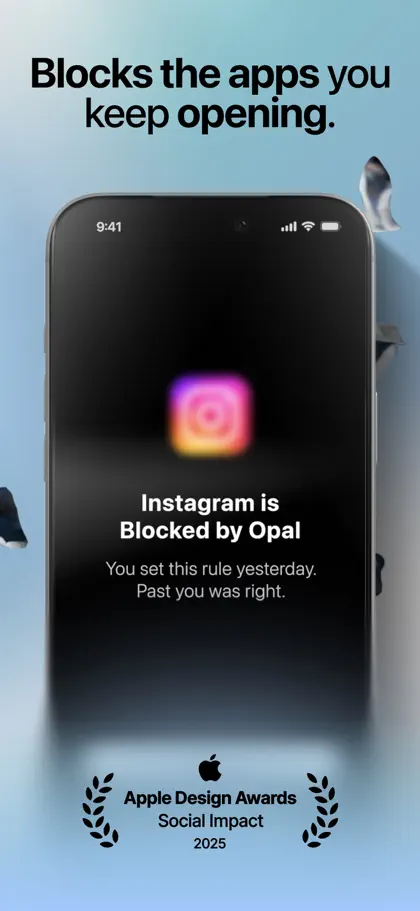
A screen time app that blocks distracting apps on a schedule, with focus timers and a daily Opal Score.

My take: Rules that block apps on a schedule, so you don't have to remember to start anything. The free plan gives you one rule; Pro is pricey.

Good at

  • Blocking apps automatically with rules
  • Works on Mac as well as phones
  • A free-forever plan with one rule

Not for you if

  • You want a planner: it guards your focus but doesn't plan the day
  • Price matters: Pro is one of the dearer options here
Price
Free plan with one rule. Pro is $99.99 a year or $19.99 a month, or $399 lifetime
Runs on
iPhone, Android and Mac
Opal on the App Store: one of its own screenshots
Screenshot: Opal's App Store listing, taken 6 Nov 2026
o
5. Best for breaking the scroll habit

one sec

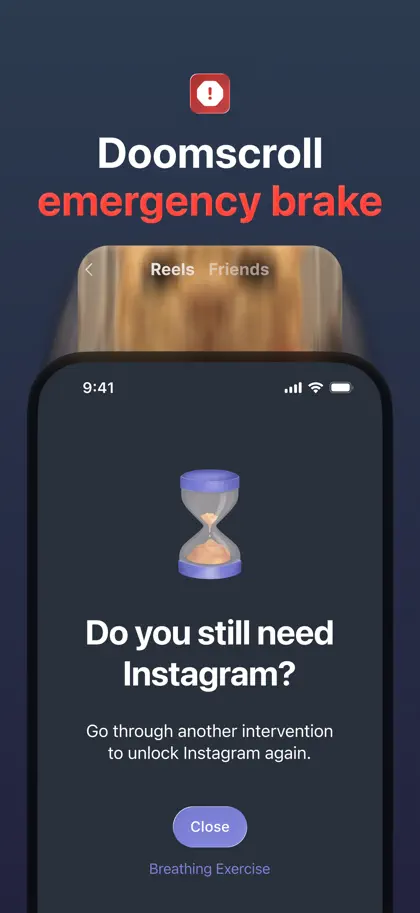
A screen time app that adds a short pause before a distracting app opens, so you choose whether to go in. It can also set time limits and block apps on a schedule.

My take: Instead of blocking, it makes you pause before the app opens. That tiny gap is often enough. Free for one app.

Good at

  • Breaking the automatic open-the-app habit
  • Free for one app
  • A lifetime option

Not for you if

  • You want a planner or a focus timer for your tasks
Price
Free for one app. one sec pro is $19.99 a year, $6.99 a month or $99.99 lifetime on the US App Store
Runs on
iPhone, Android and a browser extension for Windows, Mac and Linux
one sec on the App Store: one of its own screenshots
Screenshot: one sec's App Store listing, taken 6 Nov 2026
F
6. Best for blocking across phone and computer

Freedom

A website and app blocker that works across your computer and phone at once, with a free plan and paid scheduling.

My take: If your laptop is as much of a problem as your phone, Freedom blocks both at once, and the free plan is useful.

Good at

  • Blocking on Mac, Windows, iPhone and Android together
  • A free plan with custom blocklists
  • Locked Mode, so you can't switch it off mid-session (Premium)

Not for you if

  • You want a planner: it blocks distractions, it doesn't plan the day
Price
Free plan. Premium is $3.33 a month billed yearly (7-day trial), $8.99 monthly, or $99.50 once
Runs on
Mac, Windows, iPhone, Android and Chromebook
L
7. Best for one task at a time

Llama Life

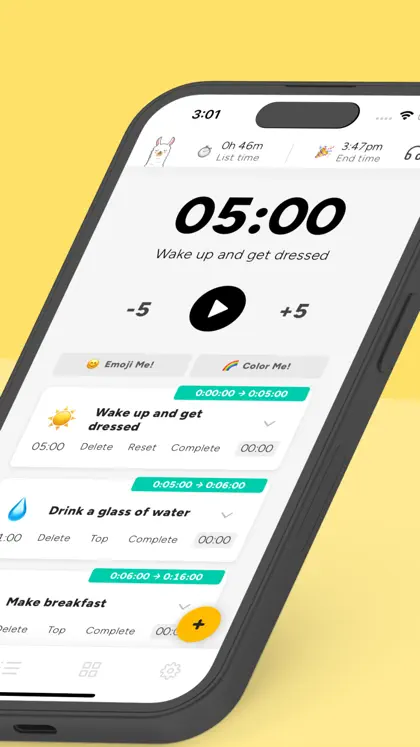
A focused to-do list where every task gets its own countdown. You work down the list one timer at a time and see when you'll finish.

My take: A timer on every task in your list, so you always know what you're on and when you'll finish.

Good at

  • Timeboxing each task
  • Seeing your list's total time and finish time
  • Very little to set up

Not for you if

  • You want your meetings and tasks on one timeline of the day
  • You want a free version (it's a 7-day trial, then paid)
Price
$39 a year or $6 a month on the US App Store, 7-day trial
Runs on
Web, iPhone and Android
Llama Life on the App Store: one of its own screenshots
Screenshot: Llama Life's App Store listing, taken 6 Nov 2026
G
8. Best free helper for getting started

Goblin Tools

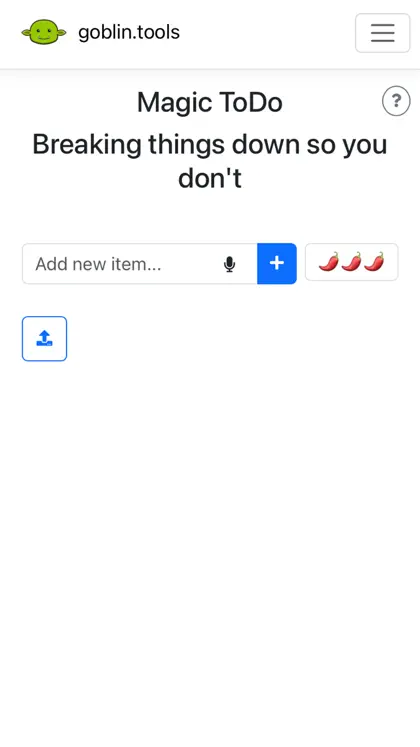
A set of small, single-job AI tools, mainly built for neurodivergent people. Magic ToDo breaks a task into steps; others estimate how long things take, change the tone of a message, and turn a brain dump into a list.

My take: Not a timer, but often the real focus problem is starting. Magic ToDo shrinks the first step, and it's free on the web.

Good at

  • Breaking a scary task into tiny steps
  • Free on the web, with no ads
  • Cheap phone app

Not for you if

  • You want a planner: there's no timeline or calendar
  • You need reminders through the day
Price
Free on the web. The iPhone app is $0.99 on the US App Store, with an optional Pro at $3.99 a month or $39.99 a year
Runs on
Web, iPhone, iPad and Android
Goblin Tools on the App Store: one of its own screenshots
Screenshot: Goblin Tools's App Store listing, taken 6 Nov 2026

Pick by what breaks your focus

If your focus breaks because… Try
Your phone pulls you in Yoodoo’s blocker, Opal, or one sec
Your laptop pulls you in too Freedom
Time slips away Focus Friend, Forest, or Yoodoo’s focus timer
You don’t know what to start Ask Yoodoo or Goblin Tools
You drift between tasks Llama Life

Timer, blocker or planner?

A timer makes the next 25 minutes visible. A blocker removes the thing pulling you away. A planner decides what the 25 minutes are for. On their own, each leaves a gap. That’s why Yoodoo puts the focus timer and the blocker inside your day: you tap the task, it starts, and the apps that eat your time stay shut until you’re done. More on hyperfocus and ADHD paralysis.

Try it in Yoodoo

Block your phone, then just start the first thing on your day. The focus timer is free in Lite; the blocker comes with Pro, free for 7 days on Yearly.

Questions

What's the best focus app for ADHD?
It depends on what breaks your focus. If it's your phone, a blocker (Yoodoo Pro, Opal, Freedom) or a pause (one sec). If it's losing track of time, a timer (Focus Friend, Forest, Llama Life). If it's not knowing what to focus on, a timer inside your plan, like Yoodoo's.
Are there free app blockers for ADHD?
Yes. Freedom has a free plan with custom blocklists, Opal's free plan includes app blocking with one rule, one sec is free for one app, and Focus Friend's Deep Focus mode locks distracting apps. Yoodoo's blocker is part of Pro.
Do focus timers help with ADHD?
They can make time visible, which helps a lot of people with time blindness. They're not a treatment. If focus is a big struggle, talk to your doctor too.
Which focus app works on Android?
All eight apps here are on Android. Yoodoo's blocker works on iPhone and Android.

Sources

Apps change. If something here is out of date, tell us in the app and we'll fix it.

Download YoodooPro free for 7 days