

Launch offer: 50% off Pro Yearly and Monthly on the web, until 10 Nov. Start on the web →50% off Pro Yearly and Monthly on the web, until 10 Nov →
← All comparisons

Motion alternatives: 8 planners for ADHD brains (2026)

Motion is a powerful AI work app that schedules your tasks onto your calendar for you. People look for alternatives when the price adds up, when they want something calmer for a whole day rather than a work calendar, or when they'd rather stay in charge of the plan. Here are eight good ones.

Updated 6 November 2026. Facts from each app's own pages.

I read each app's own site, help pages and US store listing on 6 November 2026, and we recheck every month. I make Yoodoo, so I'm biased; that's why every app gets a 'not for you if', ours included. Nobody paid to be on this list.

Why I wrote this

I've tried all of these, and I make one of them, so take my picks with that in mind. Motion is clever, but a calendar that keeps reshuffling itself can feel like the day is happening to you rather than with you. These are the ones I'd point a friend to instead, and who each one suits.

Ross

Quick picks

AppBest forAndroid?Free version?Price (US)
YoodooDays that don't go to planYes, same featuresYes (Lite)$59.99/yr
ReclaimAuto-scheduling a work calendarWeb only, that we could findYes (Lite)$120/yr
SunsamaPlanning at a deskYesTrial only$204/yr
TodoistA fast to-do listYesYes$60/yr
StructuredA tidy timeline on a budgetYes, fewer featuresYes$29.99/yr
LunataskAll-in-one with a free planYesYes$72/yr
Amazing MarvinCustomising everythingYesTrial only$96/yr
Llama LifeOne task at a timeYesTrial only$39/yr
Motion (for reference)Scheduling work projectsYesTrial onlyFrom $228/yr

Yoodoo, up close

Home
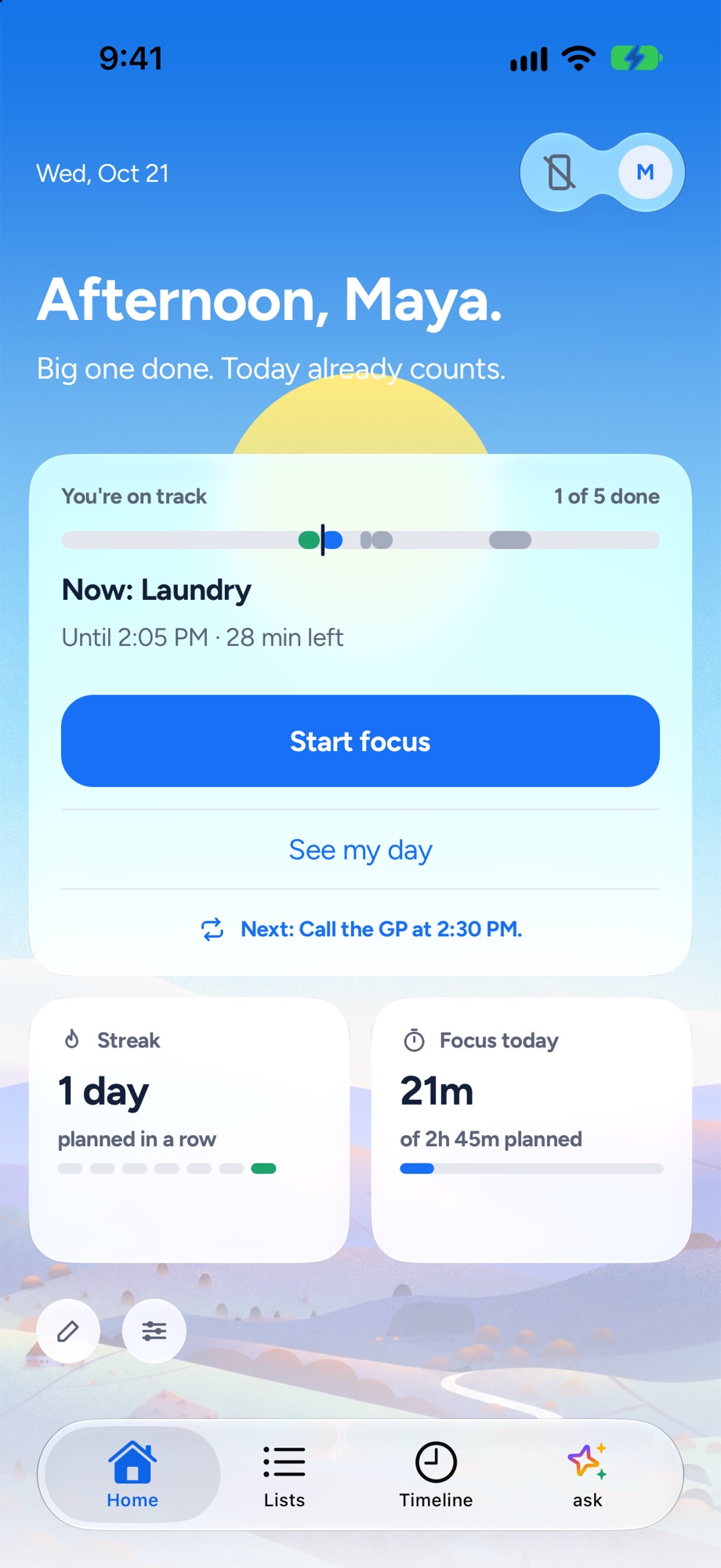
Yoodoo's Home screen: the one thing to do now, how the day is going and a Start focus button
The one thing to do now, and how the day is going.
Timeline
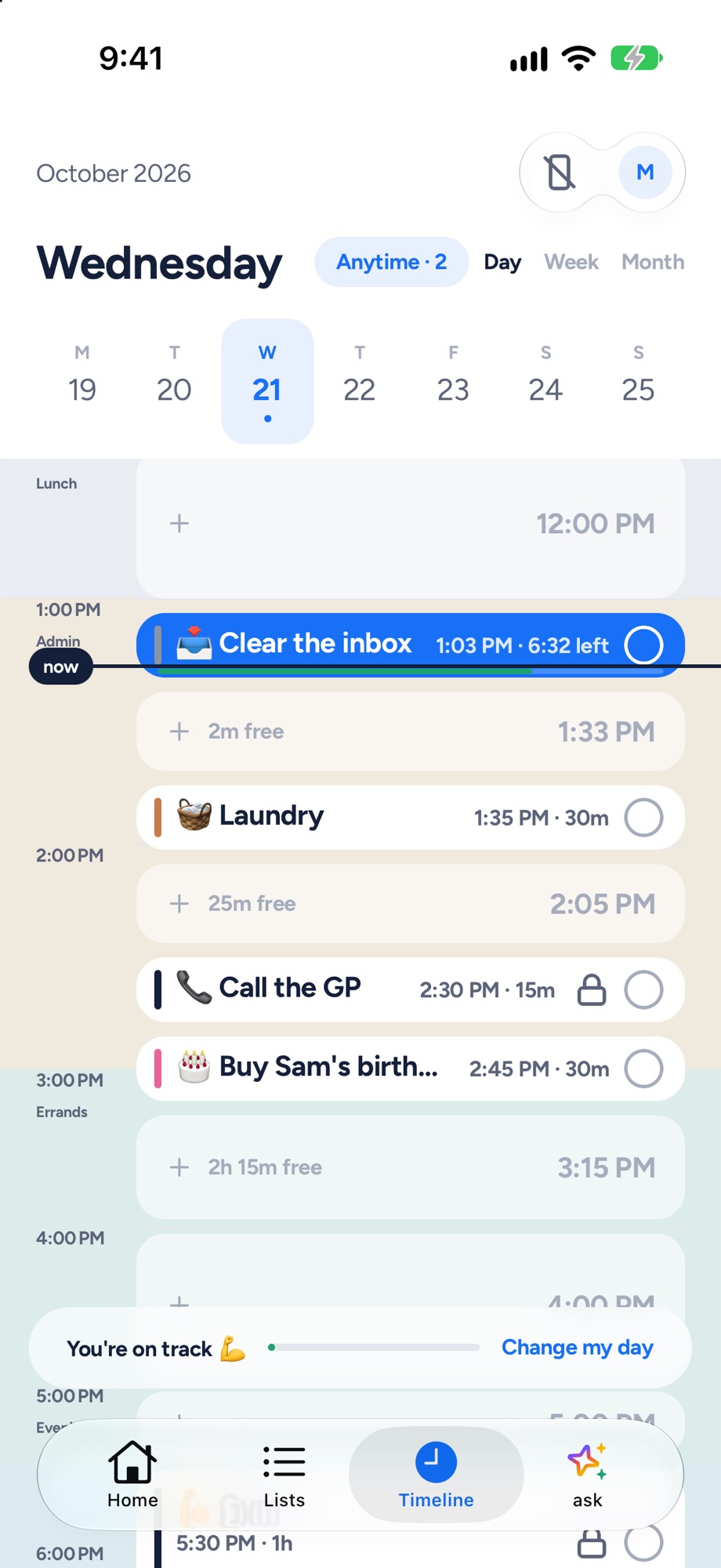
Yoodoo's timeline: tasks and calendar events on one day, with the free gaps and a now line
Tasks and meetings on one timeline, free gaps shown.
Fix my day
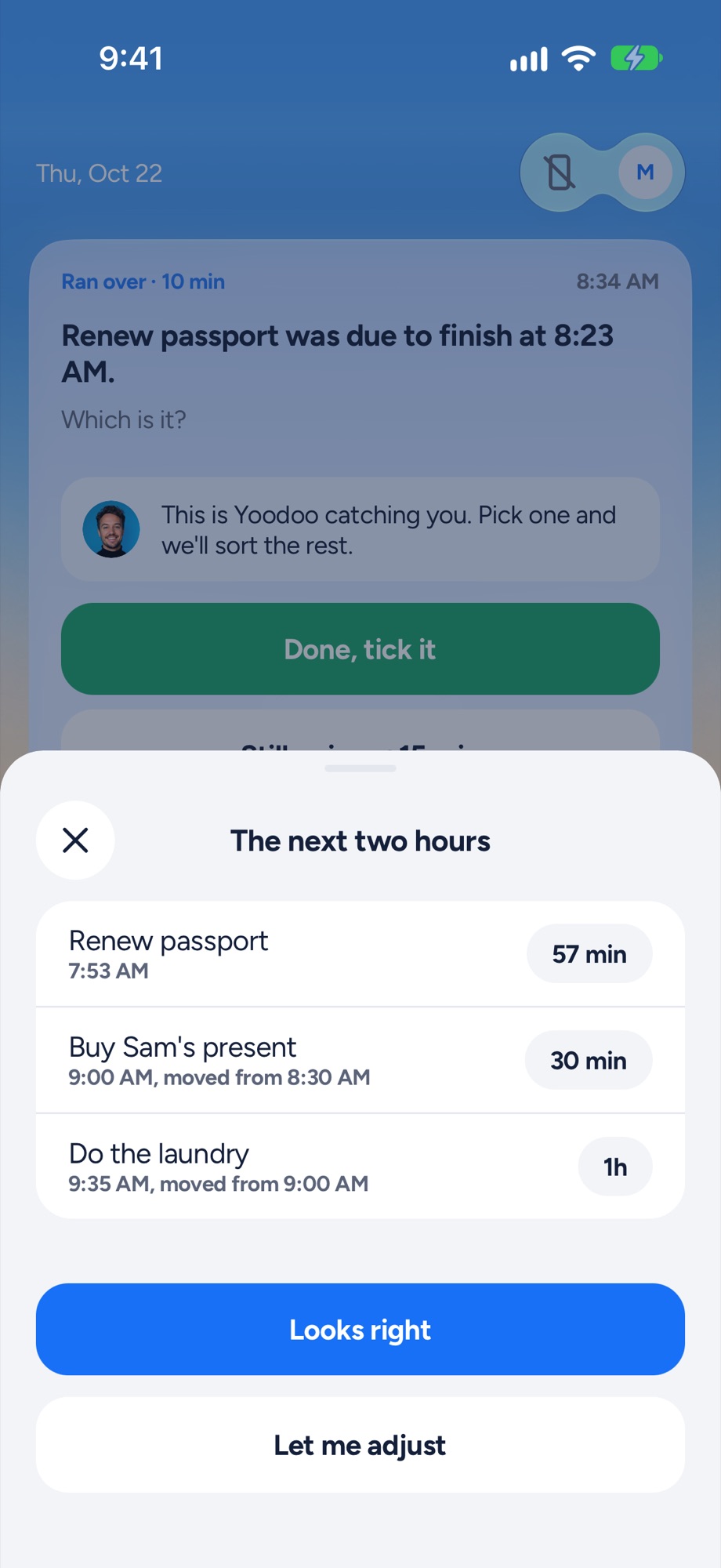
Yoodoo's Fix my day sheet re-fitting the next two hours after a task ran over
Something ran over? One tap re-fits the next two hours.
Focus timer
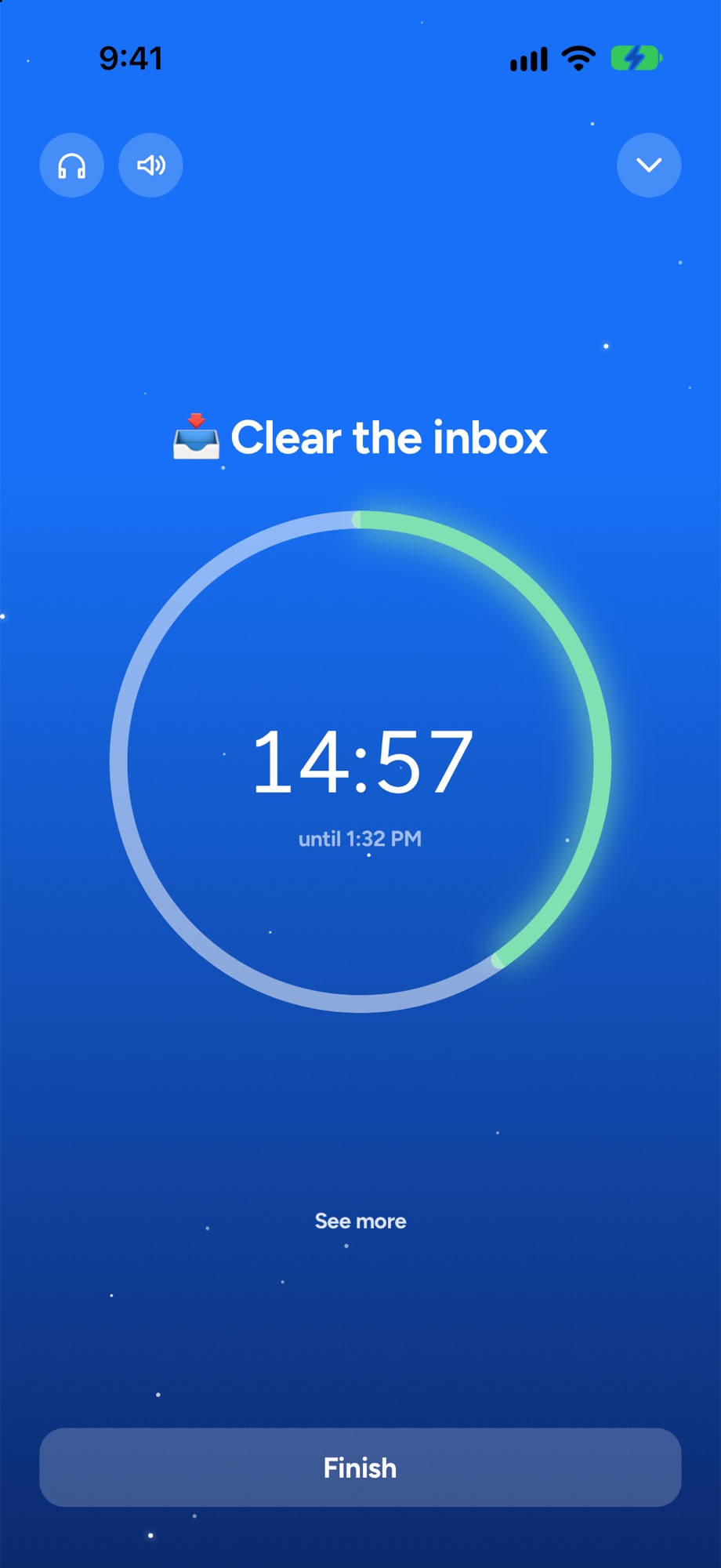
A Yoodoo focus timer counting down on one task
A timer for the one thing you are doing now.
Y
1. Best when your day doesn't go to plan

YoodooThat's us

An ADHD day planner that bends when your day breaks. Your tasks and calendar go on one timeline, and when something runs over, one tap fits the rest of the day around what really happened.

My take: This is the one I built, so obviously I'm biased. It's for when you want to stay in charge of the day, with one tap to fix it when it slips, rather than handing it over to the calendar.

Good at

  • Fix my day: re-fits the rest of the day in one tap, in the free version
  • A blocker for the apps that eat your mornings, on iPhone and Android (Pro)
  • Say your day out loud and it lands on your timeline
  • Two-way calendar sync (Pro)

Not for you if

  • You want a native iPad, Apple Watch or Mac app (on a computer, Yoodoo runs in the browser with Pro)
  • You need it in a language other than English, for now
  • You want lots of lists and habits for free (Lite has one list and one habit)
Price
Lite is free. Pro is $59.99 a year (7 days free), $7.99 a month or $149.99 once
Runs on
iPhone and Android, plus web and desktop with Pro
Yoodoo's timeline: tasks and calendar events on one day, with the free gaps and a now line
R
2. Best for auto-scheduling on a budget

Reclaim

An AI assistant for your Google or Outlook calendar. It fits meetings, focus time, to-dos and routines around what's already booked.

My take: If what you love about Motion is the auto-scheduling, Reclaim is the closest thing here, and the Lite plan is free. It lives inside Google or Outlook Calendar, so it suits a work calendar more than a phone.

Good at

  • Protecting focus time on a work calendar
  • A free-forever Lite plan
  • Google Calendar and Outlook

Not for you if

  • You don't live in Google or Outlook Calendar: it runs on top of one of them
  • You want a phone app to plan in (its site points you to the web app and a Google Calendar add-on)
Price
Free Lite plan. Starter is $10 a seat a month billed yearly, or $12 monthly
Runs on
Web, on top of Google Calendar or Outlook
S
3. Best for a calm daily ritual at a desk

Sunsama

A calm daily planner for busy professionals, with a guided planning routine and your work tools in one place.

My take: Sunsama's guided planning routine is lovely, and it pulls in your work tools. It's built for a laptop, and there's no free plan.

Good at

  • Pulling in tasks from Slack, Asana and Trello
  • A daily planning routine

Not for you if

  • Your day lives on your phone
  • You want a free version (it says it doesn't plan to have one)
Price
$17 a month billed yearly ($204 a year) or $22 monthly, 14-day trial with no card
Runs on
Web, Mac, Windows, Linux, iPhone, iPad and Android
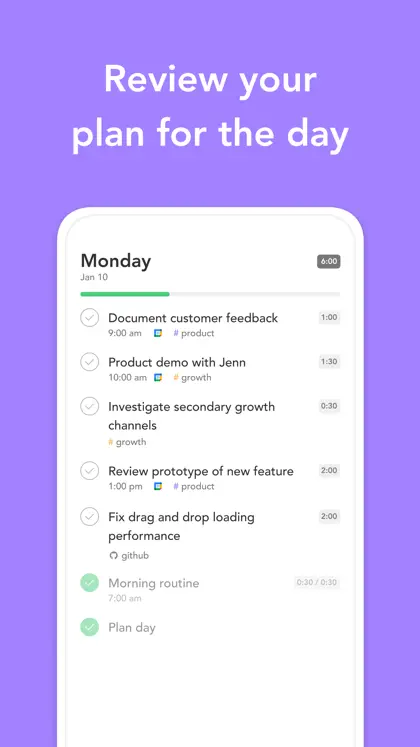
Sunsama on the App Store: one of its own screenshots
Screenshot: Sunsama's App Store listing, taken 6 Nov 2026
T
4. Best to-do list

Todoist

One of the best-known to-do list apps, with fast capture, projects and sharing, on nearly every device.

My take: If Motion felt like too much, Todoist strips it back to a fast, reliable list. It's on every device. It just won't lay your day out in time for you.

Good at

  • Capturing everything fast
  • Projects and sharing
  • Every platform, Wear OS included

Not for you if

  • You want your day laid out in real time on a timeline
Price
Free plan. Pro is $60 a year ($5 a month billed yearly) or $7 monthly
Runs on
iPhone, iPad, Android, Mac, Windows, Linux, web, Apple Watch and Wear OS
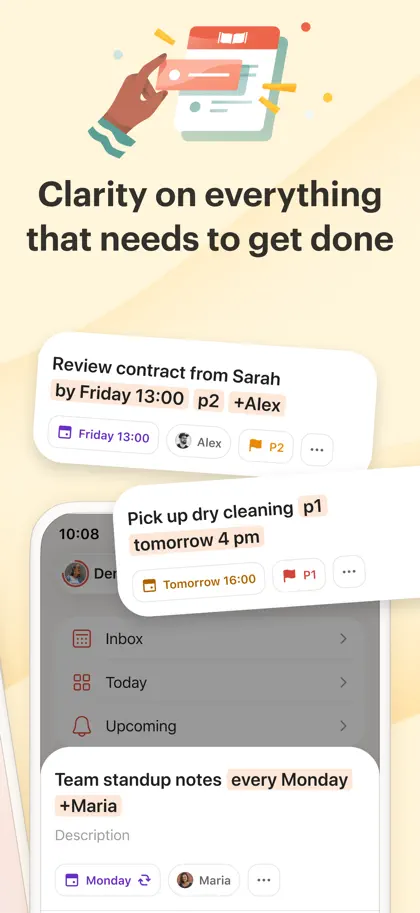
Todoist on the App Store: one of its own screenshots
Screenshot: Todoist's App Store listing, taken 6 Nov 2026
S
5. Best visual timeline on a budget

Structured

A clean, visual day planner that puts your tasks and calendar on one timeline. Tidy, quick and cheap, with a good free version.

My take: A tidy timeline you fill yourself, for a fraction of the price. Good if you want to see the day rather than have it scheduled for you.

Good at

  • A simple timeline that's quick to fill
  • Low price, and a lifetime option
  • Apple Watch, iPad and Mac apps

Not for you if

  • You're on Android and want Replan, which its help centre says is on Apple devices only
  • You want calendar sync both ways
Price
Free version. Pro is $29.99 a year or $99.99 lifetime on the US App Store (it lists other prices too)
Runs on
iPhone, iPad, Apple Watch, Mac, Android (fewer features) and web
Structured on the App Store: one of its own screenshots
Screenshot: Structured's App Store listing, taken 6 Nov 2026
L
6. Best all-in-one with a free plan

Lunatask

Tasks, habits, mood, a journal and notes in one end-to-end encrypted app, with time blocking and task timers. It says it was designed with ADHD brains in mind.

My take: Time blocking, habits, mood and notes in one app, with a free plan. It's a toolbox, so expect to set it up your way.

Good at

  • Everything in one place
  • A generous free plan
  • Windows, Mac, Linux, iPhone and Android

Not for you if

  • You want something that plans for you rather than a toolbox you set up
Price
Free plan. Premium is $6 a month billed yearly, or $8 monthly
Runs on
Windows, Mac, Linux, iPhone and Android
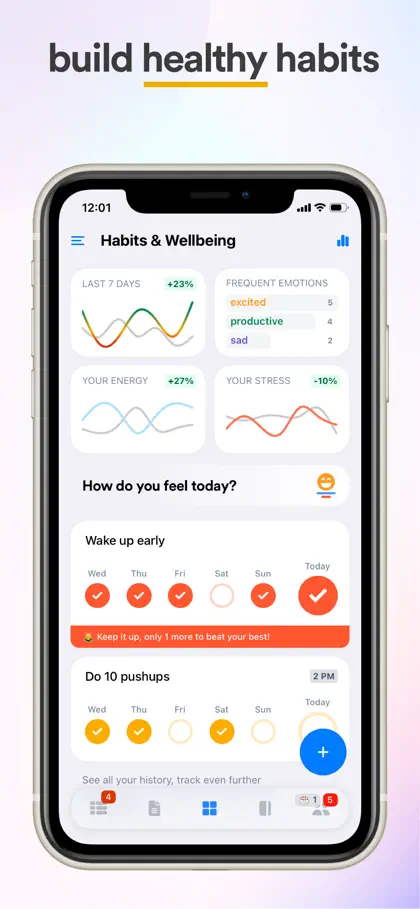
Lunatask on the App Store: one of its own screenshots
Screenshot: Lunatask's App Store listing, taken 6 Nov 2026
A
7. Best for tinkerers

Amazing Marvin

A to-do app you shape around how your brain works, turning on only the features you want from hundreds of settings.

My take: If you like building your own system, Marvin lets you turn on exactly the bits you want. If setting up is where you lose the day, skip it.

Good at

  • Deep customisation
  • Desktop apps for Mac and Windows
  • Student and pay-what-you-can discounts

Not for you if

  • Setting things up is where you lose the day
  • You want a free plan
Price
$96 a year, 14-day trial with no card
Runs on
Web, Mac, Windows, iPhone and Android
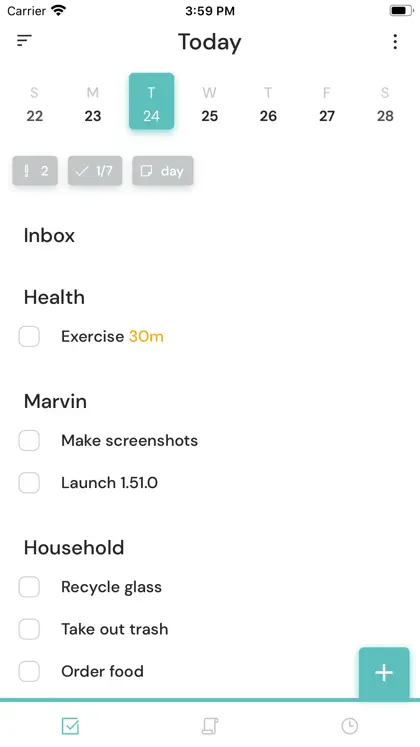
Amazing Marvin on the App Store: one of its own screenshots
Screenshot: Amazing Marvin's App Store listing, taken 6 Nov 2026
L
8. Best for one task at a time

Llama Life

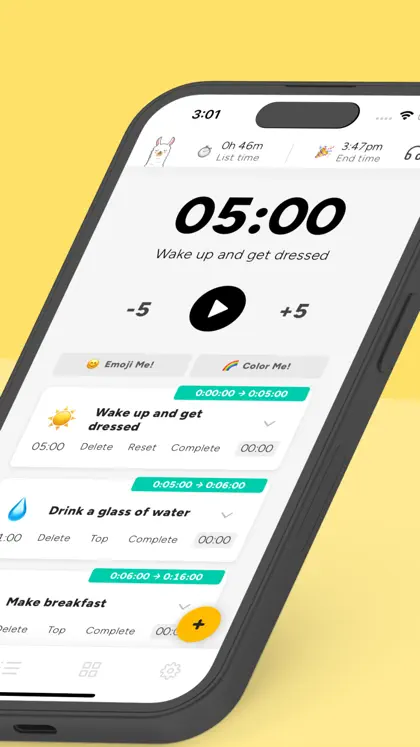
A focused to-do list where every task gets its own countdown. You work down the list one timer at a time and see when you'll finish.

My take: The opposite of Motion in a good way: just your list, a timer on each task, and a finish time. Lovely when the whole calendar is too much.

Good at

  • Timeboxing each task
  • Seeing your list's total time and finish time
  • Very little to set up

Not for you if

  • You want your meetings and tasks on one timeline of the day
  • You want a free version (it's a 7-day trial, then paid)
Price
$39 a year or $6 a month on the US App Store, 7-day trial
Runs on
Web, iPhone and Android
Llama Life on the App Store: one of its own screenshots
Screenshot: Llama Life's App Store listing, taken 6 Nov 2026

How to choose

  • You want the scheduling done for you, on a work calendar. Reclaim.
  • You want to stay in charge, with help when the day slips. Yoodoo: plan it yourself, then Fix my day re-fits the rest in one tap. Meetings and locked things stay put.
  • You plan at a laptop and use lots of work tools. Sunsama.
  • You just want a great list. Todoist, or Llama Life for a timer on every task.
  • You want to see the day on a timeline, cheaply. Structured.
  • You want habits and notes in the same place. Lunatask.

Why people leave Motion

Motion does a lot, and it’s built for work: projects, teams and a calendar that re-plans itself. People move on when they’re paying for a team tool to plan a personal day, when they want a free version, or when a plan that keeps moving stops feeling like theirs. Here’s Yoodoo vs Motion side by side.

Switching to Yoodoo

Bring your calendar in, brain dump your tasks, and the first time something runs over, try Fix my day. Lite is free for good after the 7-day trial.

Questions

What's the best free alternative to Motion?
Reclaim's Lite plan is free and auto-schedules on top of Google or Outlook Calendar. Yoodoo Lite is free for good, with the Day view, Fix my day and the focus timer. Todoist and Structured have free versions too.
Is Motion good for ADHD?
Some people with ADHD love having the calendar scheduled for them. Others find a plan that keeps moving on its own hard to trust. If you'd rather decide, and get help only when the day slips, try a planner like Yoodoo.
Is there a cheaper alternative to Motion?
Yes, all of these. Motion starts at $19 a seat a month billed yearly. Yoodoo Pro is $59.99 a year, Todoist Pro $60 a year and Structured Pro $29.99 a year, and each has a free version.
Which Motion alternative works on my phone?
Yoodoo, Sunsama, Todoist, Structured, Lunatask, Amazing Marvin and Llama Life all have iPhone and Android apps. Reclaim works through the web on top of your calendar.

Sources

Apps change. If something here is out of date, tell us in the app and we'll fix it.

Download YoodooPro free for 7 days